


 Get 0.05 TON 💎
Earlier Versions
| Name | Size | Uploaded | Game Version | Downloads | |
| areas_1.17.1-2.8.jar release | 27.99 KB | Aug 11, 2021 | 1.17.1 | 0 |  Download Download |
| areas_1.16.5-2.8.jar release | 27.75 KB | Aug 11, 2021 | 1.16.5 | 0 | Download |
| areas_1.17.1-2.7.jar release | 27.99 KB | Aug 10, 2021 | 1.17.1 | 127 | Download |
| areas_1.16.5-2.7.jar release | 27.76 KB | Aug 10, 2021 | 1.16.5 | 406 | Download |
| areas_1.17.1-2.6.jar release | 27.37 KB | Jul 31, 2021 | 1.17.1 | 1,753 | Download |
| areas_1.16.5-2.6.jar release | 27.13 KB | Jul 31, 2021 | 1.16.5 | 2,814 | Download |
| areas_1.17.1-2.5.jar release | 27.37 KB | Jul 31, 2021 | 1.17.1 | 47 | Download |
| areas_1.16.5-2.5.jar release | 27.12 KB | Jul 31, 2021 | 1.16.5 | 149 | Download |
| areas_1.17.1-2.4.jar release | 27.59 KB | Jul 30, 2021 | 1.17.1 | 82 | Download |
| areas_1.16.5-2.4.jar release | 27.32 KB | Jul 30, 2021 | 1.16.5 | 345 | Download |
| areas_1.16.5-2.3.jar release | 27.29 KB | Jul 7, 2021 | 1.16.5 | 8,394 | Download |
| areas_1.16.5-2.2.jar release | 27.30 KB | Mar 9, 2021 | 1.16.5 | 98,575 | Download |
| areas_1.15.2-2.2.jar release | 27.21 KB | Mar 9, 2021 | 1.15.2 | 36,901 | Download |
| areas_1.14.4-2.2.jar release | 27.19 KB | Mar 9, 2021 | 1.14.4 | 212 | Download |
| areas_1.16.5-2.1.jar release | 27.30 KB | Mar 1, 2021 | 1.16.5 | 14,438 | Download |
| areas_1.15.2-2.1.jar release | 27.22 KB | Mar 1, 2021 | 1.15.2 | 19,424 | Download |
| areas_1.14.4-2.1.jar release | 27.19 KB | Mar 1, 2021 | 1.14.4 | 19 | Download |
| areas_1.16.5-2.0.jar release | 24.02 KB | Mar 1, 2021 | 1.16.5 | 177 | Download |
| areas_1.15.2-2.0.jar release | 23.94 KB | Mar 1, 2021 | 1.15.2 | 43 | Download |
| areas_1.14.4-2.0.jar release | 23.92 KB | Mar 1, 2021 | 1.14.4 | 24 | Download |
| areas_1.16.5-1.4.jar release | 22.67 KB | Mar 1, 2021 | 1.16.5 | 93 | Download |
| areas_1.15.2-1.4.jar release | 22.57 KB | Mar 1, 2021 | 1.15.2 | 34,011 | Download |
| areas_1.14.4-1.4.jar release | 22.57 KB | Mar 1, 2021 | 1.14.4 | 6 | Download |
| areas_1.16.5-1.3.jar release | 21.83 KB | Feb 27, 2021 | 1.16.5 | 262 | Download |
| areas_1.15.2-1.3.jar release | 21.73 KB | Feb 27, 2021 | 1.15.2 | 5,508 | Download |
| areas_1.14.4-1.3.jar release | 21.71 KB | Feb 27, 2021 | 1.14.4 | 11 | Download |
| areas_1.16.5-1.2.jar release | 21.65 KB | Feb 7, 2021 | 1.16.5 | 5,834 | Download |
| areas_1.15.2-1.2.jar release | 21.55 KB | Feb 7, 2021 | 1.15.2 | 14,341 | Download |
| areas_1.14.4-1.2.jar release | 21.53 KB | Feb 7, 2021 | 1.14.4 | 27 | Download |
| areas_1.16.5-1.1.jar release | 21.42 KB | Jan 25, 2021 | 1.16.5 | 4,395 | Download |
| areas_1.16.4-1.1.jar release | 21.42 KB | Nov 4, 2020 | 1.16.4 | 23,534 | Download |
| areas_1.16.3-1.1.jar release | 21.42 KB | Oct 14, 2020 | 1.16.3 | 1,304 | Download |
| areas_1.15.2-1.1.jar release | 20.92 KB | Oct 14, 2020 | 1.15.2 | 144,240 | Download |
| areas_1.14.4-1.1.jar release | 20.89 KB | Oct 14, 2020 | 1.14.4 | 56 | Download |
| areas_1.16.3_1.0.jar release | 21.30 KB | Sep 27, 2020 | 1.16.3 | 520 | Download |
| areas_1.16.2-1.0.jar release | 21.30 KB | Aug 15, 2020 | 1.16.2 | 366 | Download |
| areas_1.16-1.0.jar release | 21.24 KB | Jun 28, 2020 | 1.16.1 | 2,171 | Download |
| areas_1.15-1.0.jar release | 20.78 KB | Jun 24, 2020 | 1.15.2 | 2,253 | Download |
| areas_1.14-1.0.jar release | 20.76 KB | Jun 24, 2020 | 1.14.4 | 53 | Download |
Description

Requires the library mod Collective.
This mod is part of The Vanilla Experience.
Areas is a mod which allows any player to easily created named areas in a world. This can be an area, region, zone, town, kingdom etc. This is done with a placed sign. On it you specify the radius, optionally the rgb value and the name. This means that the radius around the sign is now considered an area. Whenever a player enters this area, they receive a message at the top of the GUI with (by default) "Enter the area.". And when they leave "Leaving the area.". This can both be changed in the config.
Names are randomly selected when the sign does not contain one. There is a global RGB value for the messages specified in the config, but this can also be a unique value again specified on the sign. See the examples below for a better idea of how it works!
You can make areas overlap in order to create different area shapes. The join/leave message will only show when entering for the first time or leaving every overlapping zone.
Works in multiplayer, but players must also have the mod installed on their client.
Configurable:
giveUnnamedAreasRandomName (default = true): When enabled, gives signs without an area name a randomly chosen one from a preset list.
radiusAroundPlayerToCheckForSigns (default = 100, min 0, max 1000): The radius in blocks around the player in which to check for area signs.
sendChatMessages (default = false): When enabled, sends the player the area notifications in chat.
showHUDMessages (default = true): When enabled, sends the player the area notifications in the HUD on screen.
joinPrefix (default = "Entering "): The prefix of the message whenever a player enters an area.
joinSuffix (default = "."): The suffix of the message whenever a player enters an area.
leavePrefix (default = "Leaving "): The prefix of the message whenever a player leaves an area.
leaveSuffix (default = "."): The suffix of the message whenever a player leaves an area.
HUDOnlyAreaName (default = false): When enabled, only shows the areaname in the HUD. When disabled, the prefixes and suffices will also be used.
HUDMessageFadeDelayMs (default = 4000, min 100, max 360000): The delay in ms after which the HUD message should fade out.
HUDMessageHeightOffset (default = 10, min 0, max 3000): The vertical offset (y coord) for the HUD message. This determines how far down the message should be on the screen. Can be changed to prevent GUIs from overlapping.
HUD_FontSizeScaleModifier (default = 1.0, min 0, max 10.0): Increases the font size of the text in the HUD message. If you change this value, make sure to test the different GUI scale settings in-game. 6.0 is considered large.
HUD_RGB_R (default = 100, min 0, max 255): The red RGB value for the HUD message.
HUD_RGB_G (default = 200, min 0, max 255): The green RGB value for the HUD message.
HUD_RGB_B (default = 50, min 0, max 255): The blue RGB value for the HUD message.
Commands:
/areas – Shows all area signs around the player.

Examples:
To create an area with a radius of 10, use one of these prefixes. They do the same, choose which one you prefer:
This will create an area with a random name by default.
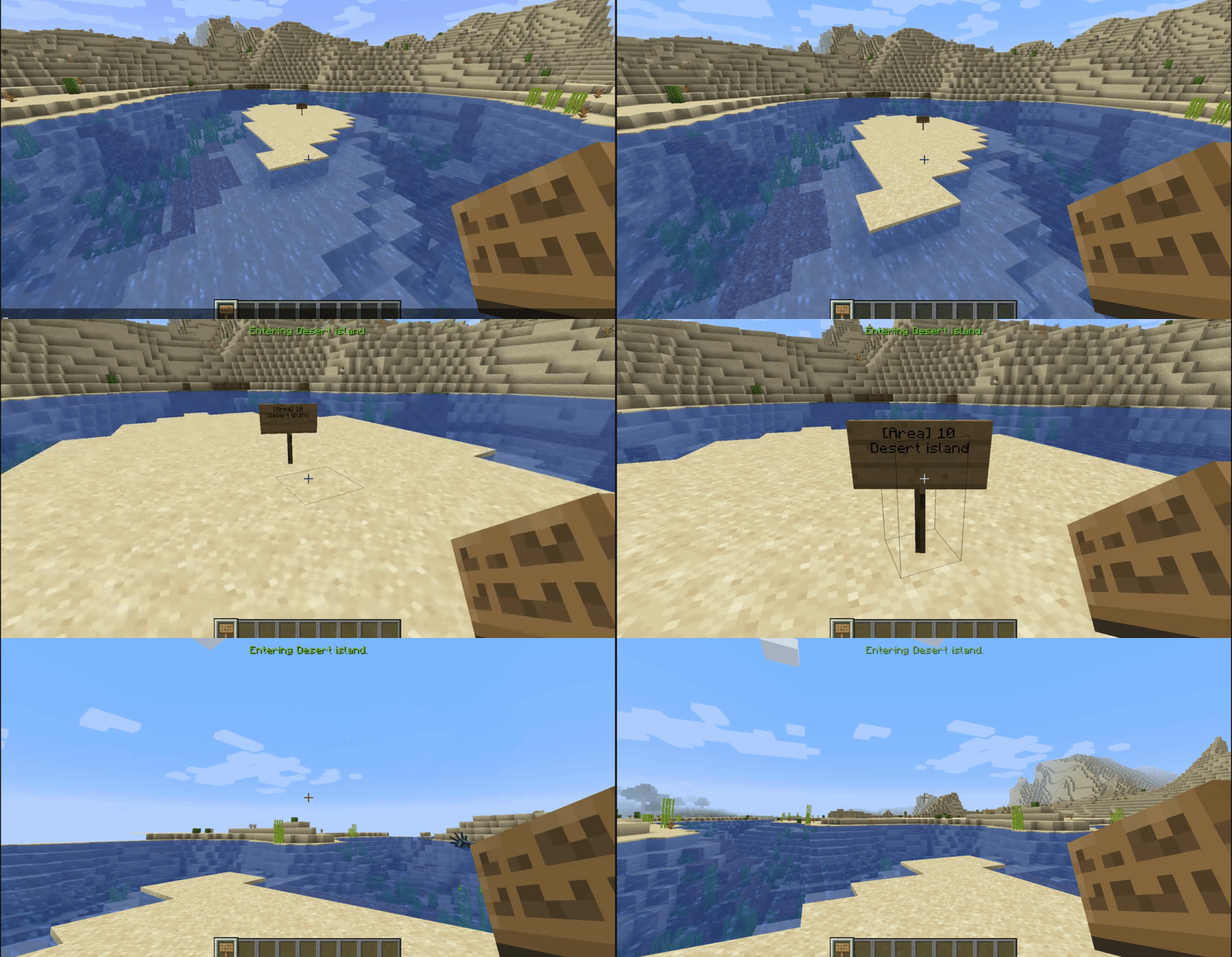
A simple example; a desert island area with a radius of 10:
Entering the desert island:
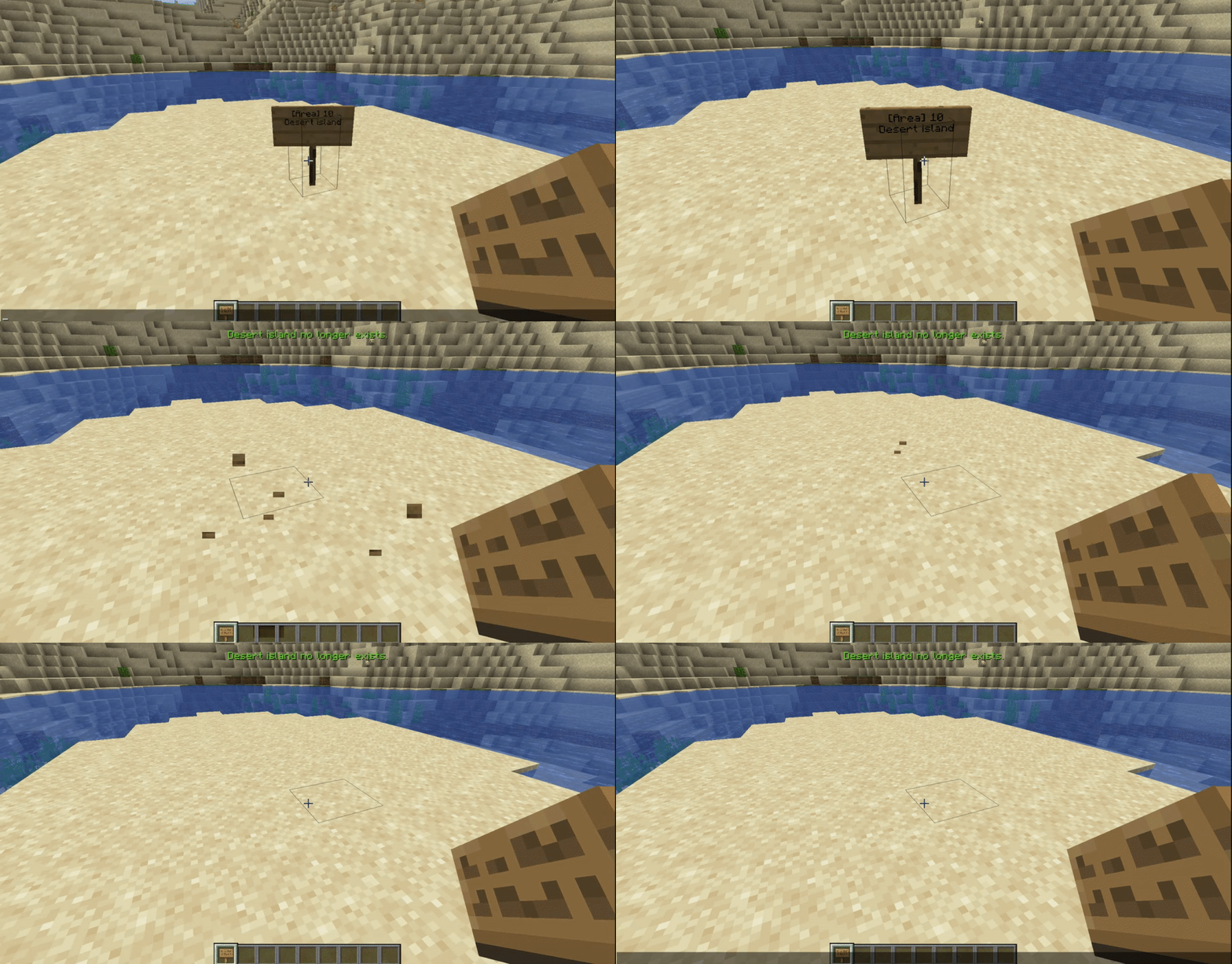
When breaking the sign, the area ceases to exist:
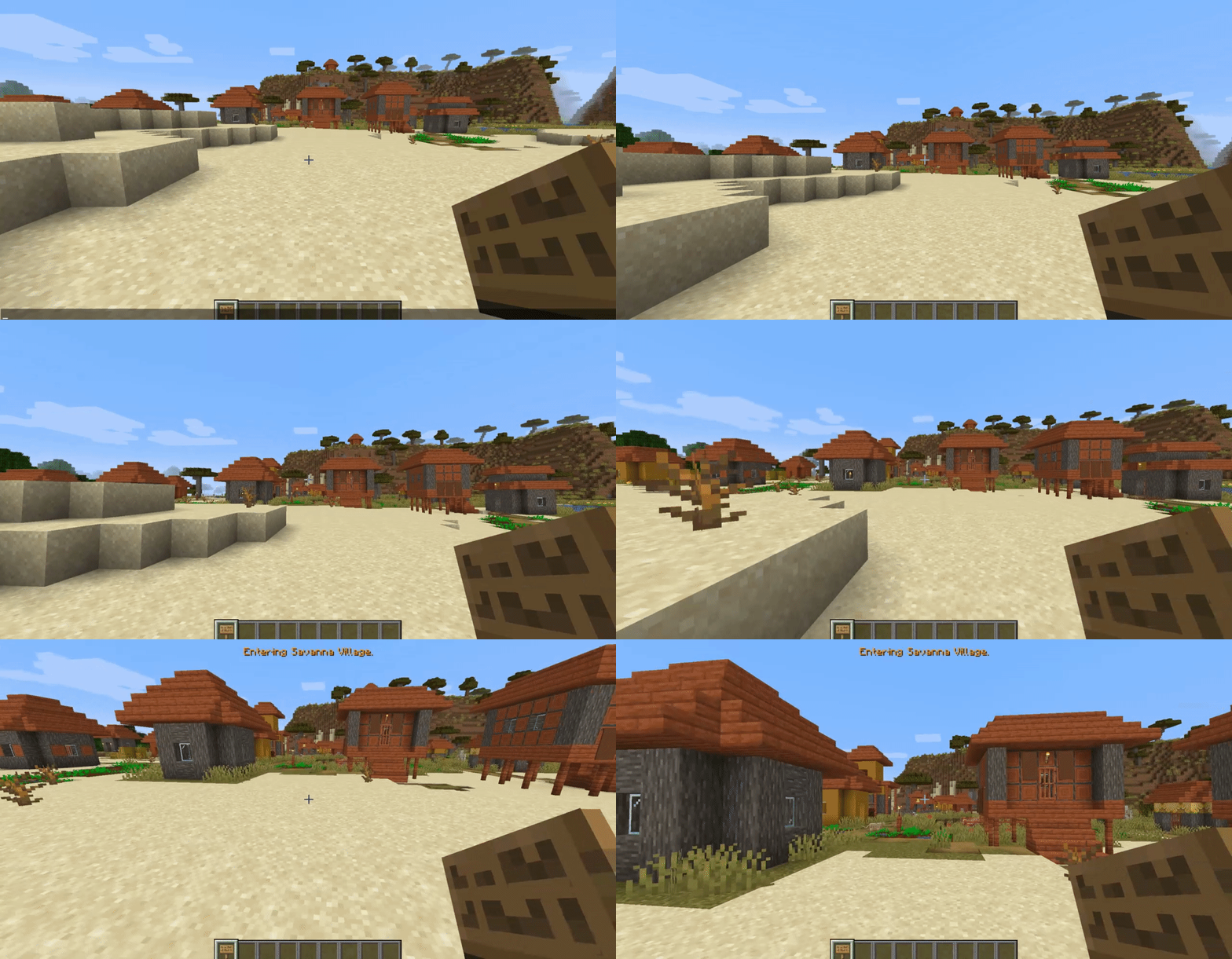
Another example with a custom colour; A savanna village area with the rgb value after the [RGB] prefix:
These three signs result in exactly the same.
Entering the savanna village:
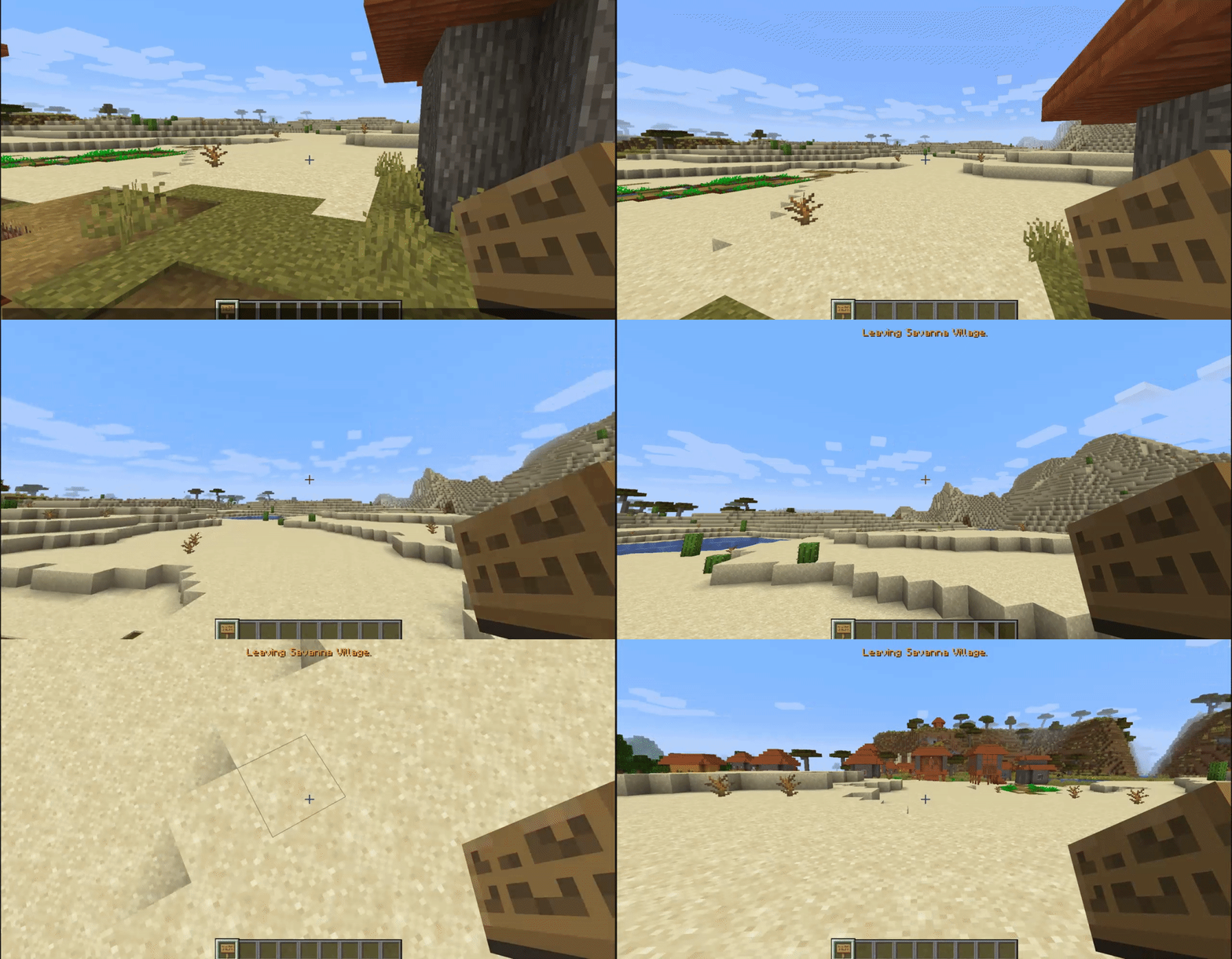
Leaving the savanna village:
An area being randomly named with a radius of 30:
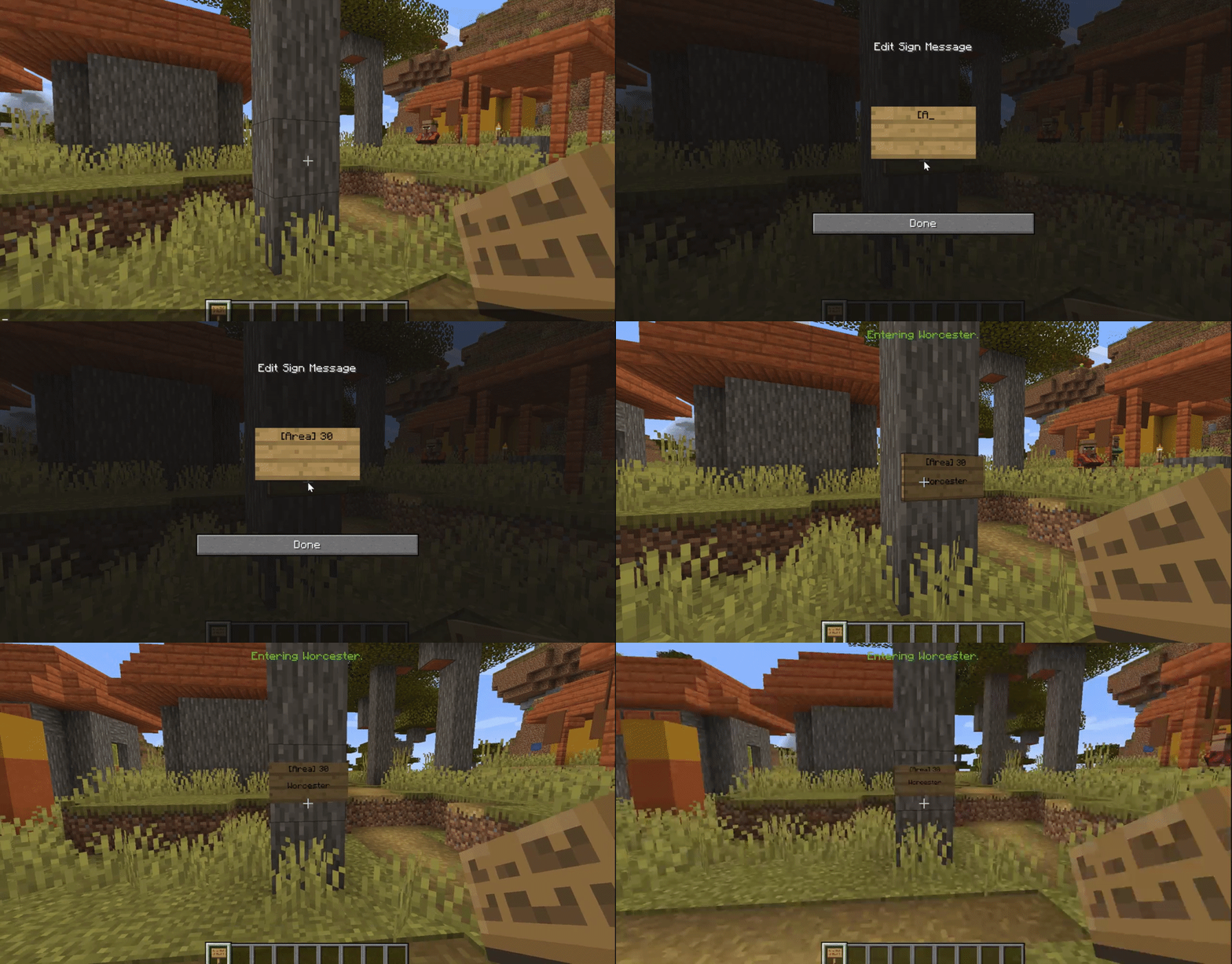
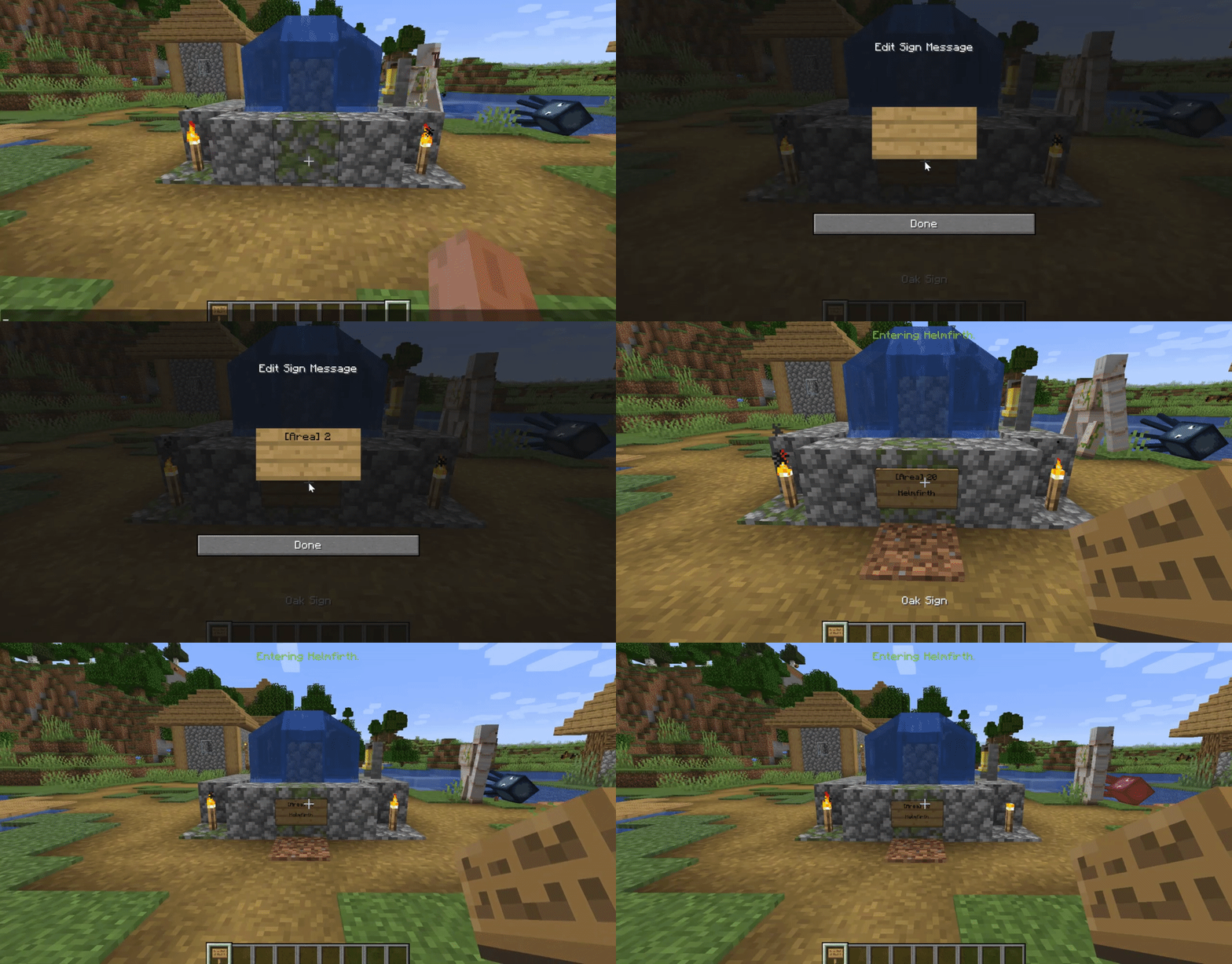
Another randomly named area with a radius of 20:
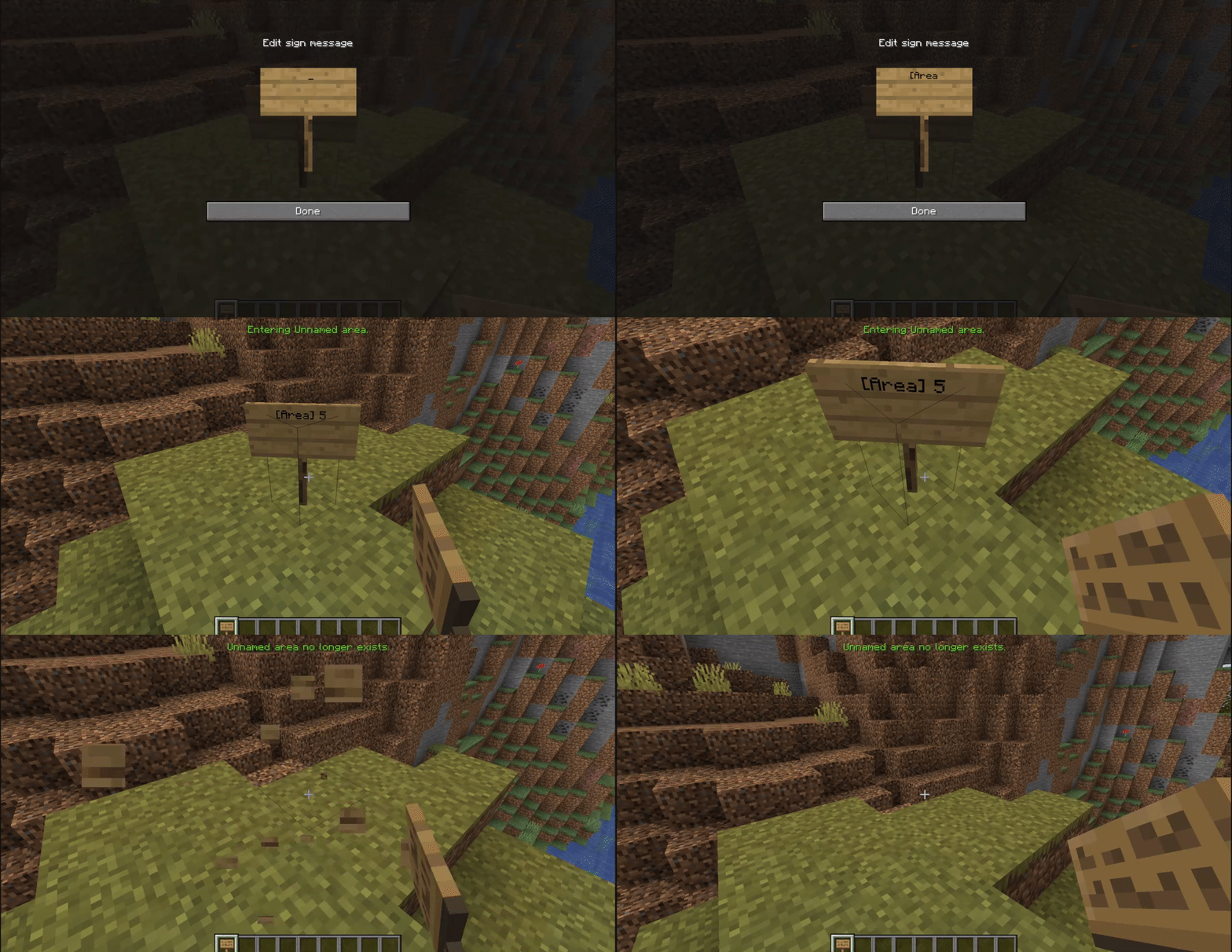
And another example with an unnamed area with a radius of 5 by not entering a name, and the config option 'giveUnnamedAreasRandomName' set to false:


Add a comment