


 Get 0.05 TON 💎
Earlier Versions
| Name | Size | Uploaded | Game Version | Downloads | |
| AutoReferee-v2.8.4 release | 1.05 MB | Jun 24, 2017 | 1.8.1 | 706 |  Download Download |
| AutoReferee-v2.8.3 release | 1.05 MB | Oct 4, 2016 | 1.8.1 | 638 | Download |
| AutoReferee-v2.8.2 release | 1.05 MB | Jan 5, 2016 | 1.8.1 | 319 | Download |
| AutoReferee-v2.8.1 release | 1.05 MB | Jan 4, 2016 | 1.8.1 | 244 | Download |
| AutoReferee-v2.3 release | 1.01 MB | Jul 28, 2013 | CB 1.5.2-R0.1 | 1,222 | Download |
| AutoReferee-v2.2 release | 964.11 KB | May 12, 2013 | 1.5.2 | 767 | Download |
| AutoReferee-v2.1 release | 953.99 KB | May 5, 2013 | 1.5.2 | 622 | Download |
| AutoReferee-v2.1 release | 923.88 KB | Mar 30, 2013 | 1.5.1 | 720 | Download |
| AutoReferee-v2.0 release | 904.58 KB | Jan 30, 2013 | CB 1.4.7-R0.1 | 765 | Download |
| AutoReferee-v1.2 release | 729.31 KB | Jan 11, 2013 | CB 1.4.6-R0.3 | 240 | Download |
| AutoReferee-v0.9 beta | 527.08 KB | Aug 30, 2012 | CB 1.3.1-R2.0 | 599 | Download |
| AutoReferee-v0.7 beta | 498.83 KB | Aug 11, 2012 | CB 1.3.1-R1.0 | 426 | Download |
| AutoReferee-v0.6 beta | 486.64 KB | Aug 8, 2012 | CB 1.3.1-R1.0 | 402 | Download |
| AutoReferee-v0.5 beta | 465.53 KB | Aug 1, 2012 | CB 1.2.5-R5.0 | 415 | Download |
| AutoReferee-v0.5 beta | 457.44 KB | Jul 31, 2012 | CB 1.2.5-R5.0 | 379 | Download |
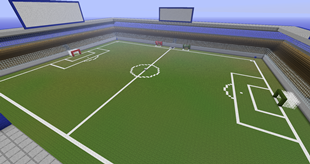
Screenshots

Description
AutoReferee
Wiki | Source | Report Bugs | Request Features
Latest: AutoReferee v2.8.4 for CB 1.8.8-R0.1+
Download here!
AutoReferee is a plugin for managing and refereeing Race for Wool (and other competitive Minecraft) matches. Maps can be easily configured to support AutoReferee and then distributed with its configuration file. Provides features for server operators, players, referees, spectators, and streamers.
Official Plugin of RMCT
Features
- Maps can be configured to work with AutoReferee, putting a configuration file in the world folder to be easily distributed with the map.
- Maps can be properly archived for distribution (cleaning up the map, making the job of a mapmaker even easier!)
- Players may easily get information about a map, join a team (either a random team or specific team), and leave their team.
- Matches are tracked from waiting for players, to playing the match, to completion, taking all the work off of server operators to ensure fairness.
- Matches are automatically completed when specified goals have been satisfied, providing instant feedback for players and spectators.
- Spectators are notified of important events, such as retrieving objectives and satisfying win conditions.
- Spectators have access to view players' inventories and fly around the match. Players will not be able to see spectators, to prevent distraction.
- Player and Team statistics are recorded during a match, and are uploaded for players to view.
Running AutoReferee
To run AutoReferee, download and drop your plugin into your plugins directory: that's all! The default configuration will be suitable for most server operators. AutoReferee will only attempt to manage maps that are configured for the plugin (worlds with an autoreferee.yml file in their world folder), so the plugin can be used with multi-world servers without affecting survival and creative worlds.
- Commands
Configuring a Map for AutoReferee
If you are a competitive Minecraft mapmaker, and you would like to generate a configuration file for AutoReferee, first be sure to have installed the latest version of AutoReferee and WorldEdit (WorldEdit required for selecting regions). Always be certain you are using the most recent, up-to-date versions of both plugins. Once you have the plugins installed, follow this tutorial for configuring a map.


Add a comment