

 Get 0.05 TON 💎
Earlier Versions
| Name | Size | Uploaded | Game Version | Downloads | |
| BgmPlay - 1.0.7 (1.10 - 1.16.5) release | 67.53 KB | Mar 3, 2021 | 1.16 | 73 |  Download Download |
Screenshots

Description
What is this plugin?
This is a plug-in that plays BGM within Minecraft.
The music set by your administrator will be played indefinitely. You can set up different music for different night and day.
The highlight of this plug-in is the zone system, where music set up in the zone is played when it enters a zone set by the server administrator.
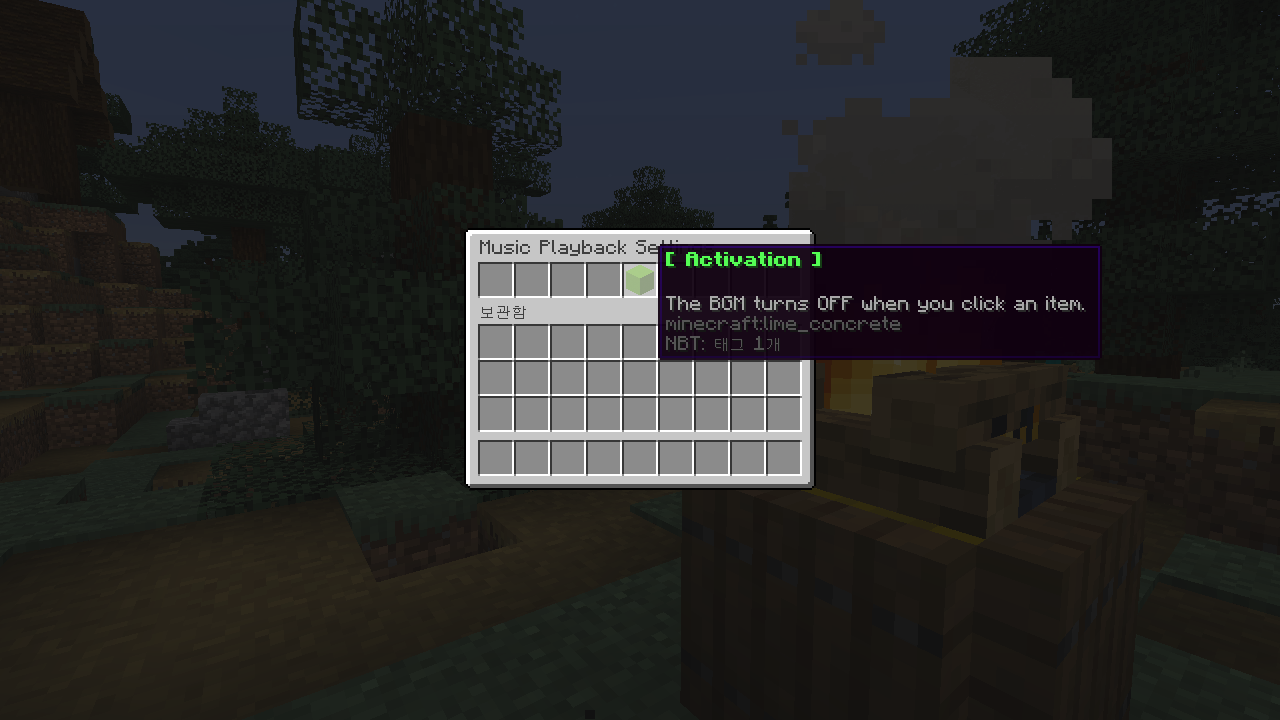
All of these music can be turned off and turned on privately through the GUI window.
Features
- Play the music you want inside Minecraft with a resource pack
- Depending on the zone set by your admin, different music plays
- Works in a wide variety of bukkit versions (1.10 to 1.16.5)
- Support Various language: English, Korean
Commands
/bgm – Control BGM turn on & off
/bgm set <Day/Night> <musicName> <musicSec> – Set music in minecraft
/bgm setWorld <worldName> <Day/Night> <musicName> <musicSec> – Set music in Minecraft Each Wrold
/bgmArea set <areaName> <musicName> <musicSec> – Set music area
/bgmArea list – Get Area list
/bgmArea remove <areaName> – Remove Area
/bgmArea modify <areaName> <Type> <Value> – Modify music area. <Type> contains the music name and number of seconds in the area you want to modify, and you can put a value in <Value>.
How To Use?
First, add the plug-in to the server and then apply the resource pack to the Minecraft client (the server-specific resource pack can be added to server.properties to be applied automatically when connecting to the server).
Then enter the server and use the /bgm set command to set up the music to play automatically. Then use the /bgm command to play BGM. Then the music will come out!
For a zone, hold the stone sword item and set the zone you want to designate, and then use the /bgmarea set command to set the zone. This will finish the setup! If you go into the set area, you'll see the set song playing.
If you want to know how to use it more, please refer to Wiki.
What Next Feature?
It will also operate in versions 1.9.4 or below.



Add a comment