


 Get 0.05 TON 💎
Earlier Versions
| Name | Size | Uploaded | Game Version | Downloads | |
| Boss Bar AutoMessage v2.3 beta | 35.68 KB | Feb 6, 2014 | CB 1.7.2-R0.2 | 21,165 |  Download Download |
| Boss Bar AutoMessage v2.1 beta | 33.00 KB | Feb 5, 2014 | CB 1.7.2-R0.2 | 647 | Download |
| Boss Bar AutoMessage v2.0 beta | 33.07 KB | Feb 3, 2014 | CB 1.7.2-R0.2 | 915 | Download |
| Boss Bar AutoMessage v1.2 beta | 15.26 KB | Jan 4, 2014 | CB 1.7.2-R0.2 | 640 | Download |
| Boss Bar AutoMessage v1.0 alpha | 6.83 KB | Dec 20, 2013 | CB 1.6.4-R2.0 | 1,067 | Download |
Description

Boss Bar AutoMessage is a chat scheduler plugin that uses the boss health bar to display messages. It is a plugin perfect for server admins who would like to announce broadcasts at configurable intervals. The plugin offers the ability to edit the config and works with multiple languages. The plugin is designed to be very lightweight and cause no impact on server resources! The plugin will be updated regularly to improve functionality and compatibility!
Planned features
- Configurable time between messages.
- Custom amount of messages.
Variables
Case Sensitive
Player Name = %player%
World Name = %world%
Installation
Just drag and drop into your plugins folder then restart or reload your server!
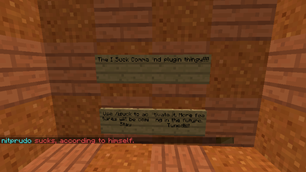
Preview

Metrics
This plugin utilizes Hidendra's plugin metrics system. the following information is collected and sent to mcstats.org unless opted out:
- A unique identifier
- The server's version of Java
- Whether the server is in offline or online mode
- Plugin's version
- Server's version
- OS version/name and architecture
- core count for the CPU
- number of players online
- Metrics version
- Which Chat, Economy, and Permission hook is in use.
Opting out of this service can be done by editing plugins/Plugin Metrics/config.yml and changing opt-out to true.


Add a comment