

 Get 0.05 TON 💎
Earlier Versions
| Name | Size | Uploaded | Game Version | Downloads | |
| BrewingCanvas v0.6 (1.19+) release | 1.22 MB | Jun 5, 2022 | 1.19-Snapshot | 27 |  Download Download |
| BrewingCanvas v0.6 (1.18 - 1.18.2) release | 1.22 MB | Dec 12, 2021 | 1.18.2 | 22,952 | Download |
| BrewingCanvas v0.6 (1.17 - 1.17.1) release | 1.22 MB | Dec 12, 2021 | 1.17.1 | 1,035 | Download |
| BrewingCanvas v0.6 (1.16.2 - 1.16.5) release | 1.22 MB | Dec 12, 2021 | 1.16.5 | 1,564 | Download |
| BrewingCanvas v0.6 (1.15 - 1.16.1) release | 1.22 MB | Dec 12, 2021 | 1.16.1 | 52 | Download |
| BrewingCanvas v0.5 (1.18+) release | 657.35 KB | Oct 23, 2021 | 1.18.1 | 4,477 | Download |
| BrewingCanvas v0.5 (1.17 - 1.17.1) release | 654.90 KB | Jul 31, 2021 | 1.17.1 | 30,050 | Download |
| BrewingCanvas v0.5 (1.16.2 - 1.16.5) release | 654.90 KB | Jul 31, 2021 | 1.16.5 | 2,742 | Download |
| BrewingCanvas v0.5 (1.15 - 1.16.1) release | 654.90 KB | Jul 31, 2021 | 1.16.1 | 96 | Download |
| BrewingCanvas v0.4 (1.17+) release | 604.08 KB | Mar 2, 2021 | 1.17.1 | 9,057 | Download |
| BrewingCanvas v0.4 (1.16.2 - 1.16.5) release | 603.54 KB | Mar 2, 2021 | 1.16.5 | 7,059 | Download |
| BrewingCanvas v0.4 (1.15 - 1.16.1) release | 603.54 KB | Mar 2, 2021 | 1.16.1 | 105 | Download |
| BrewingCanvas v0.3 (1.17+) release | 159.11 KB | Jan 27, 2021 | 1.17.1 | 63 | Download |
| BrewingCanvas v0.3 (1.16.2 - 1.16.5) release | 159.11 KB | Aug 29, 2020 | 1.16.5 | 5,761 | Download |
| BrewingCanvas v0.3 (1.15 - 1.16.1) release | 159.11 KB | May 10, 2020 | 1.16.1 | 609 | Download |
Screenshots






Description
. .
.
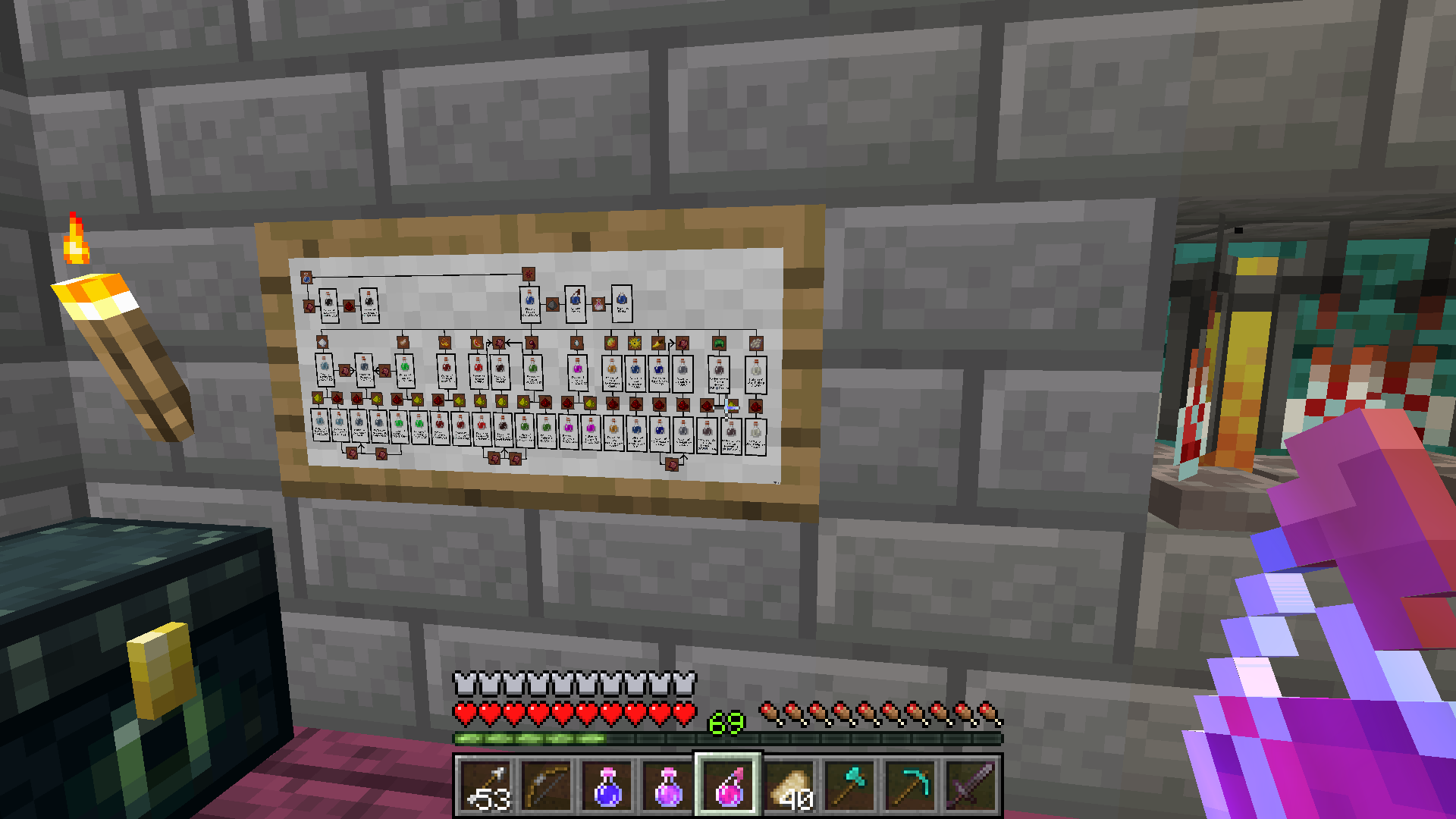
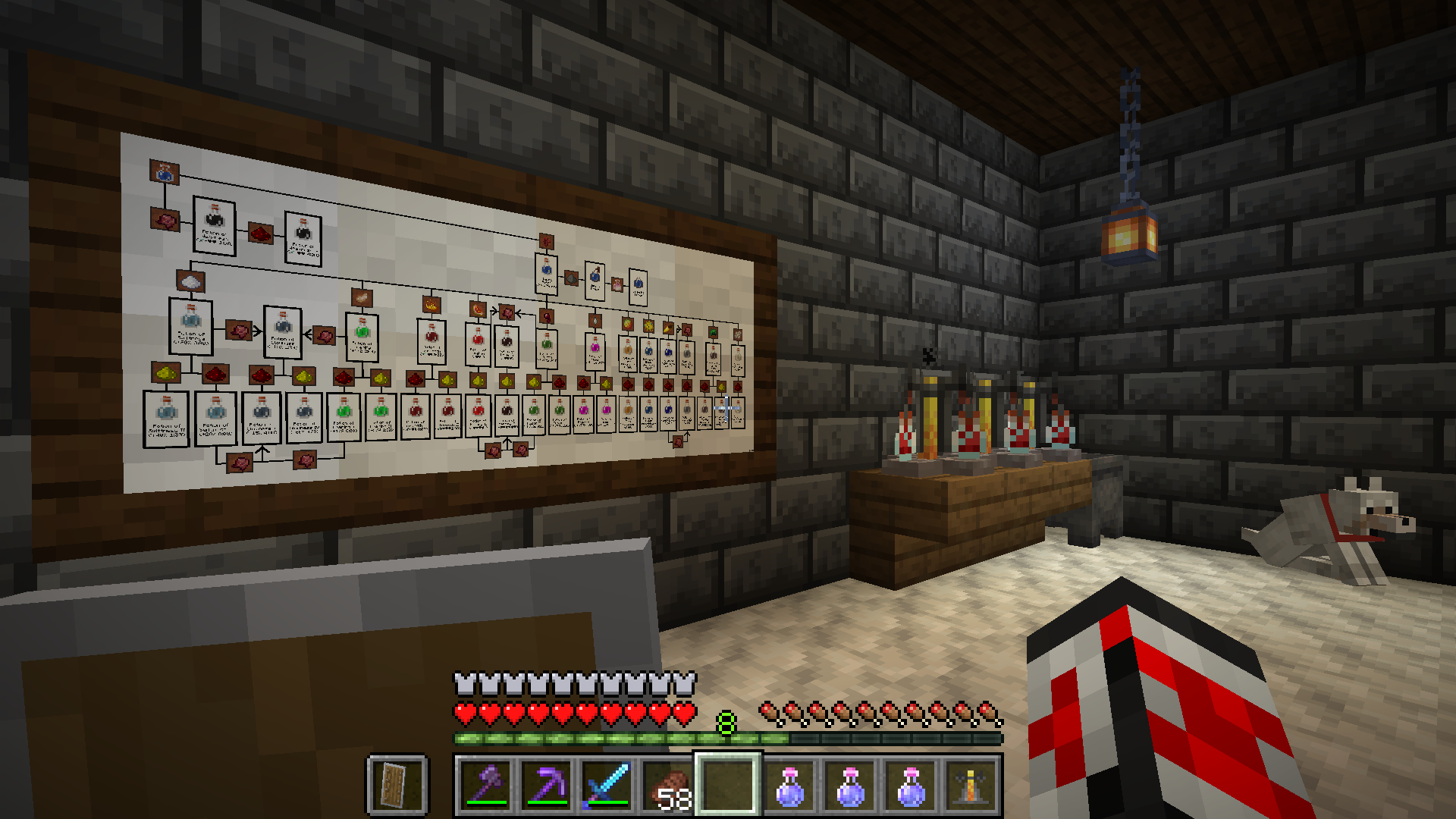
In-Game
. .
.
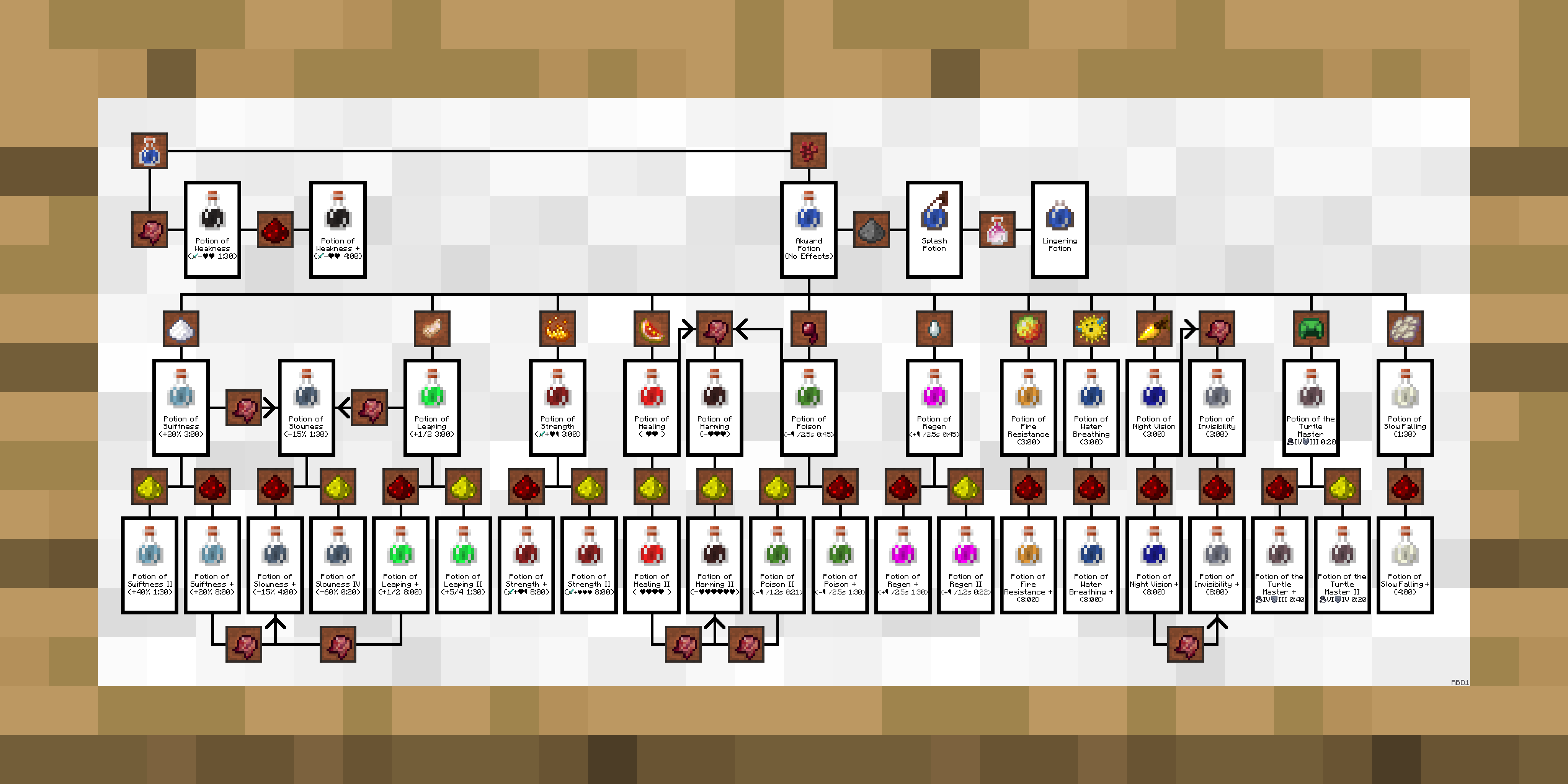
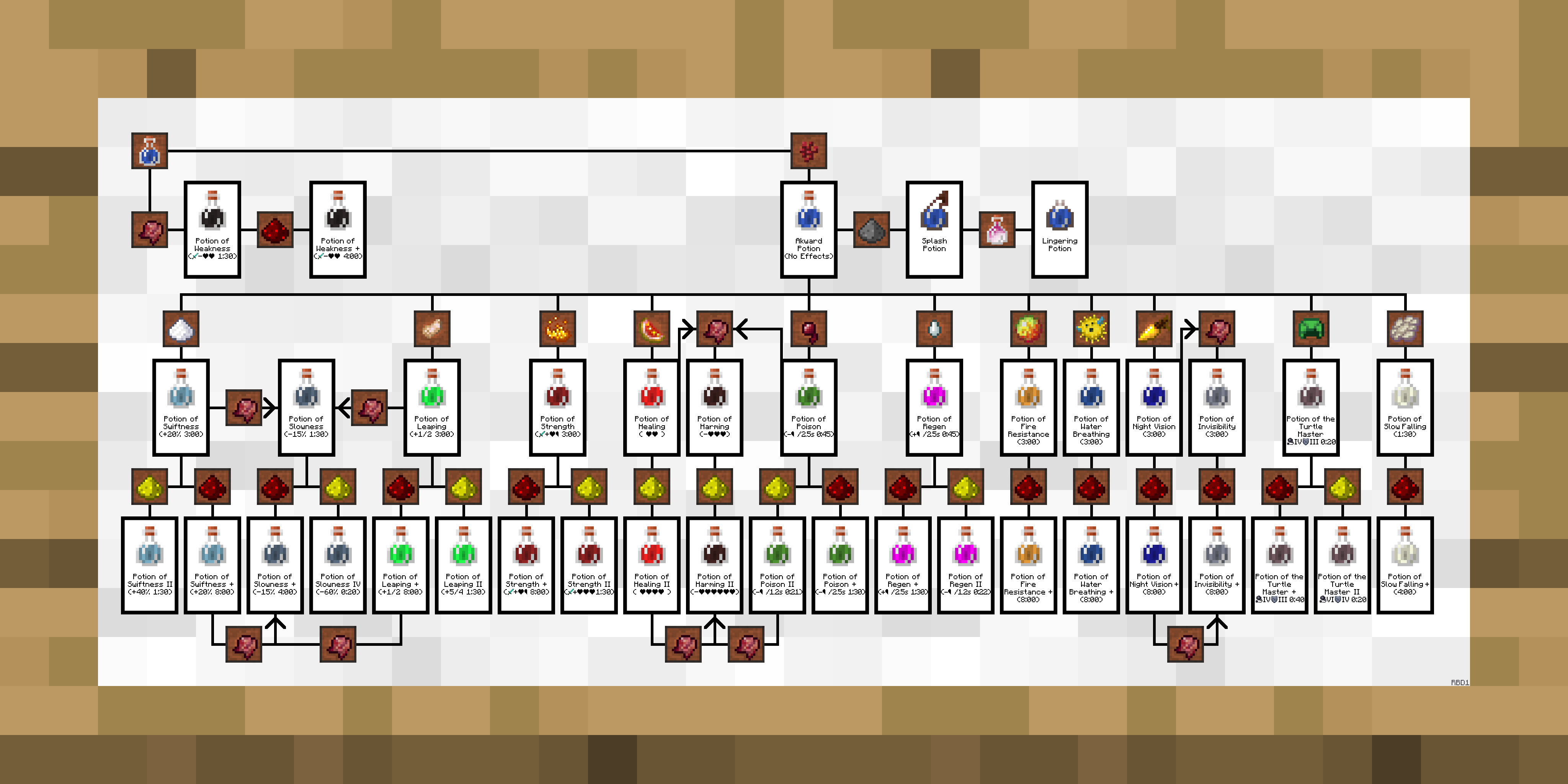
Default Texture
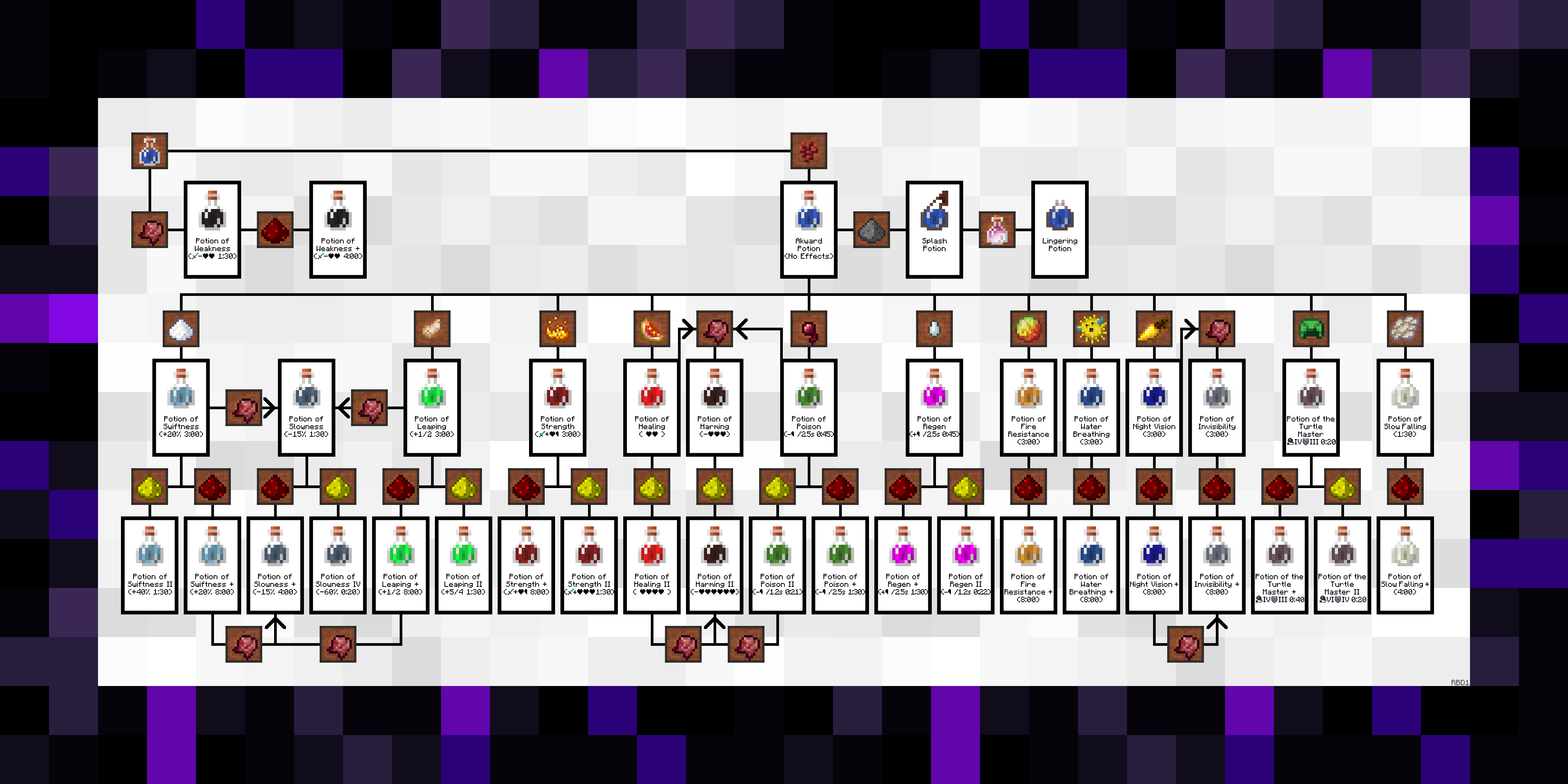
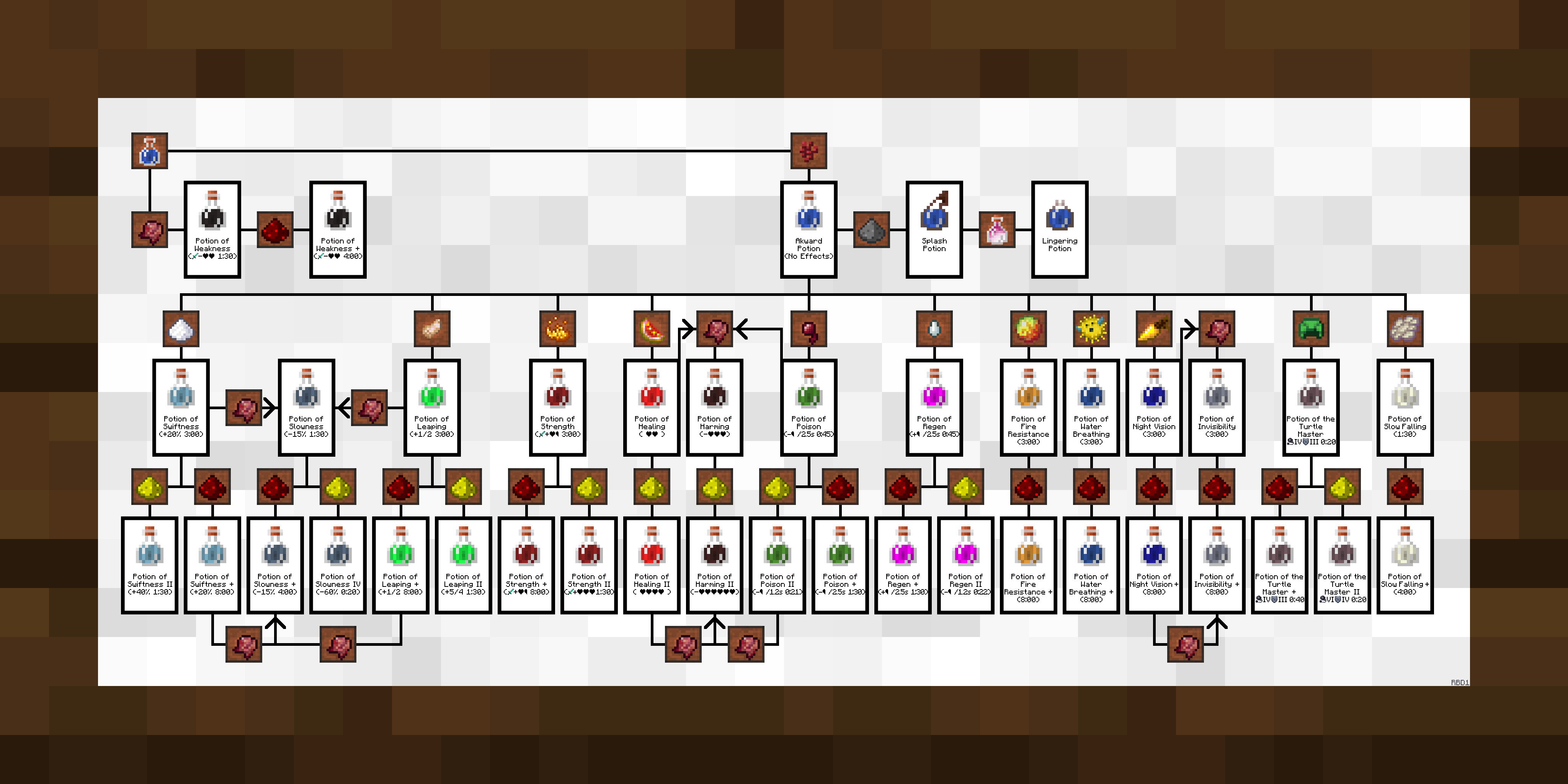
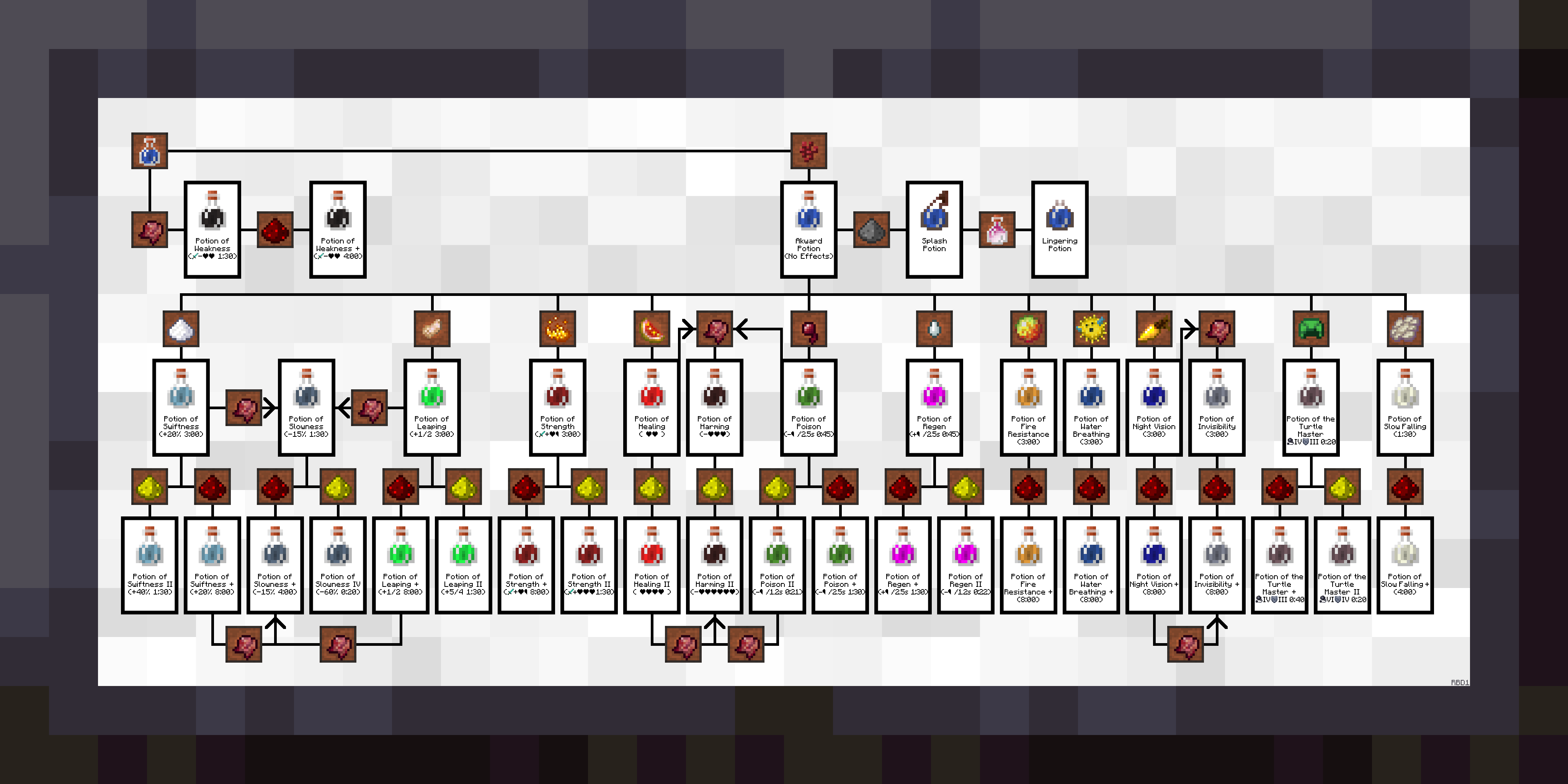
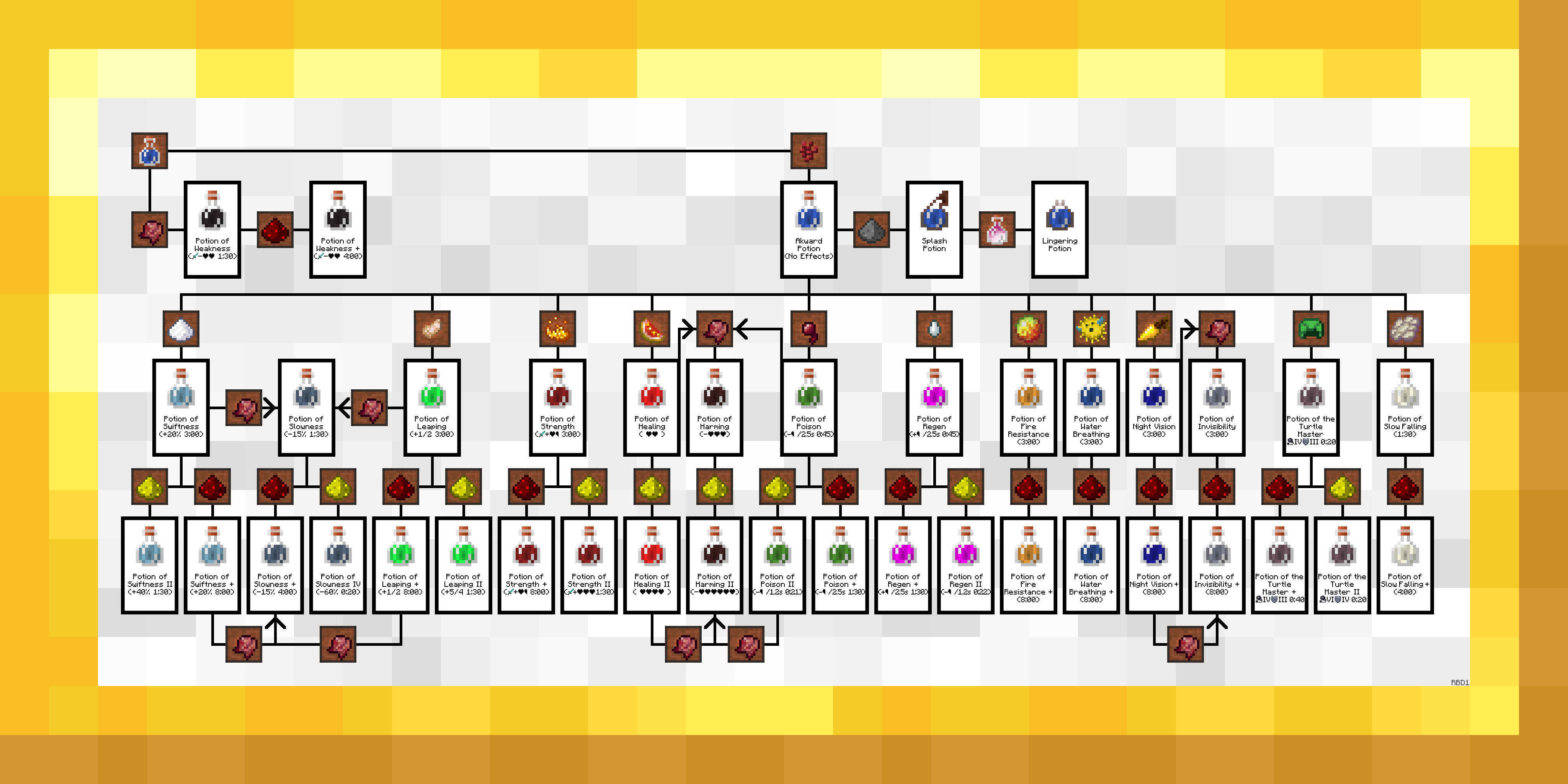
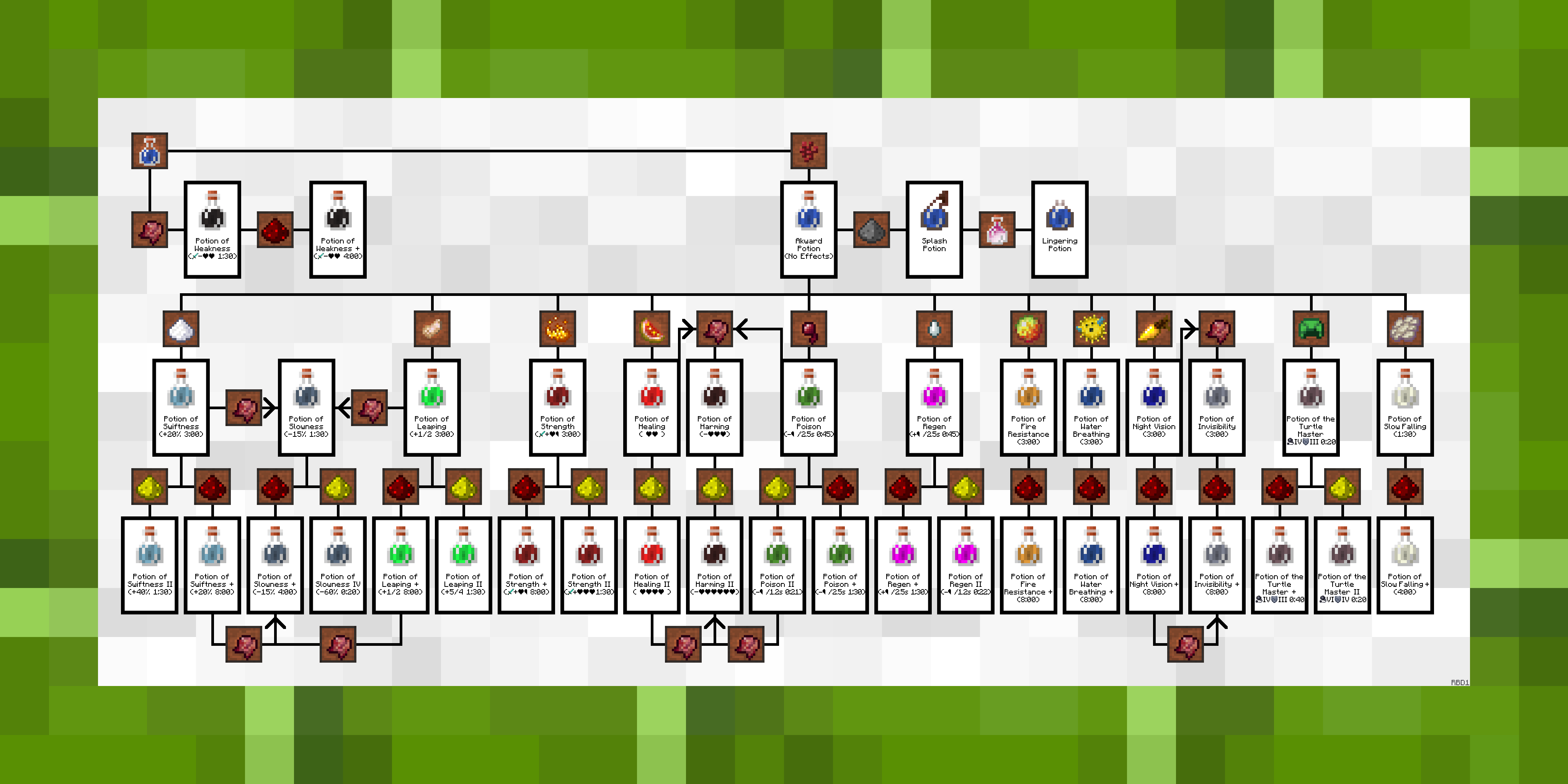
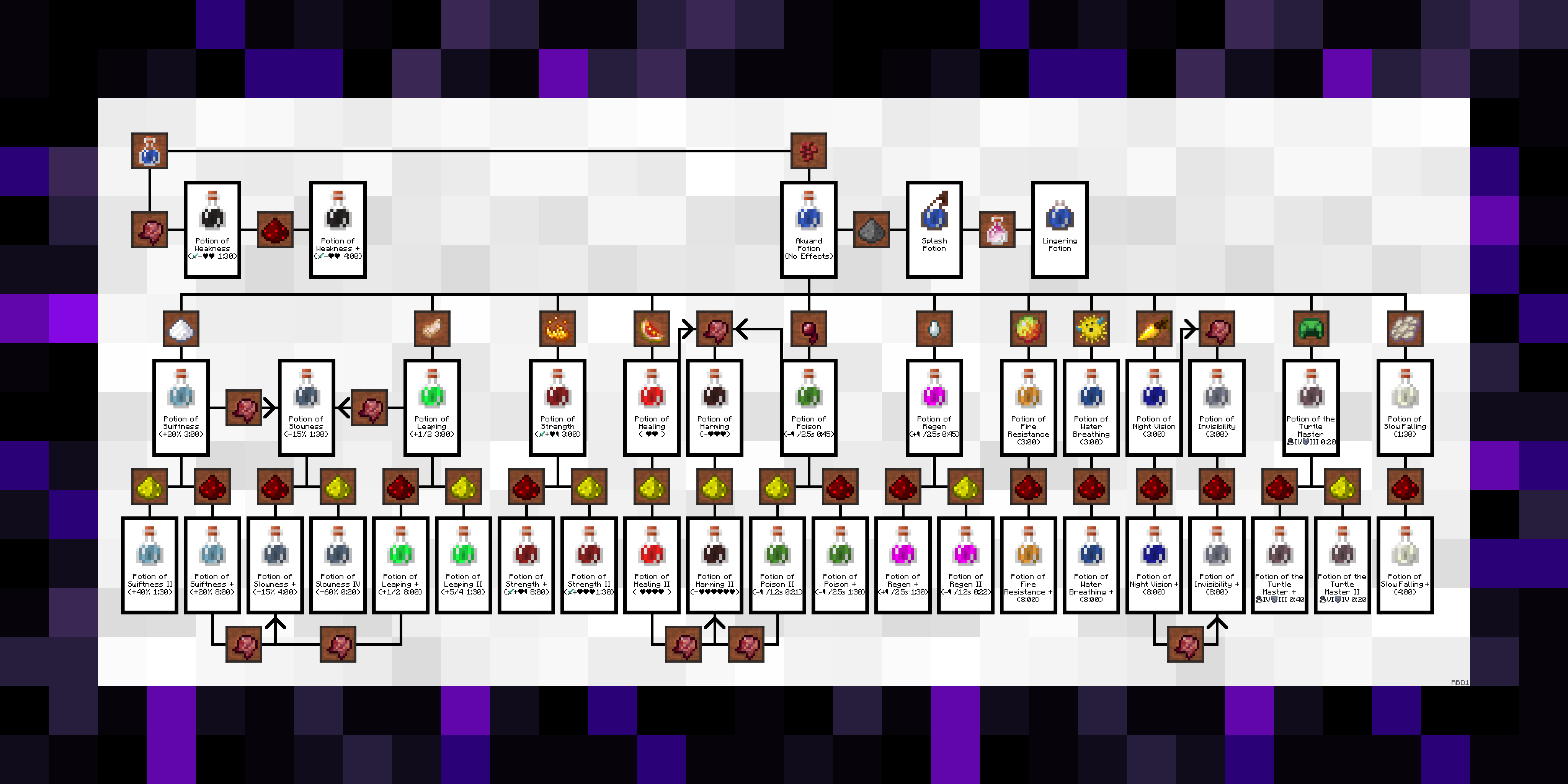
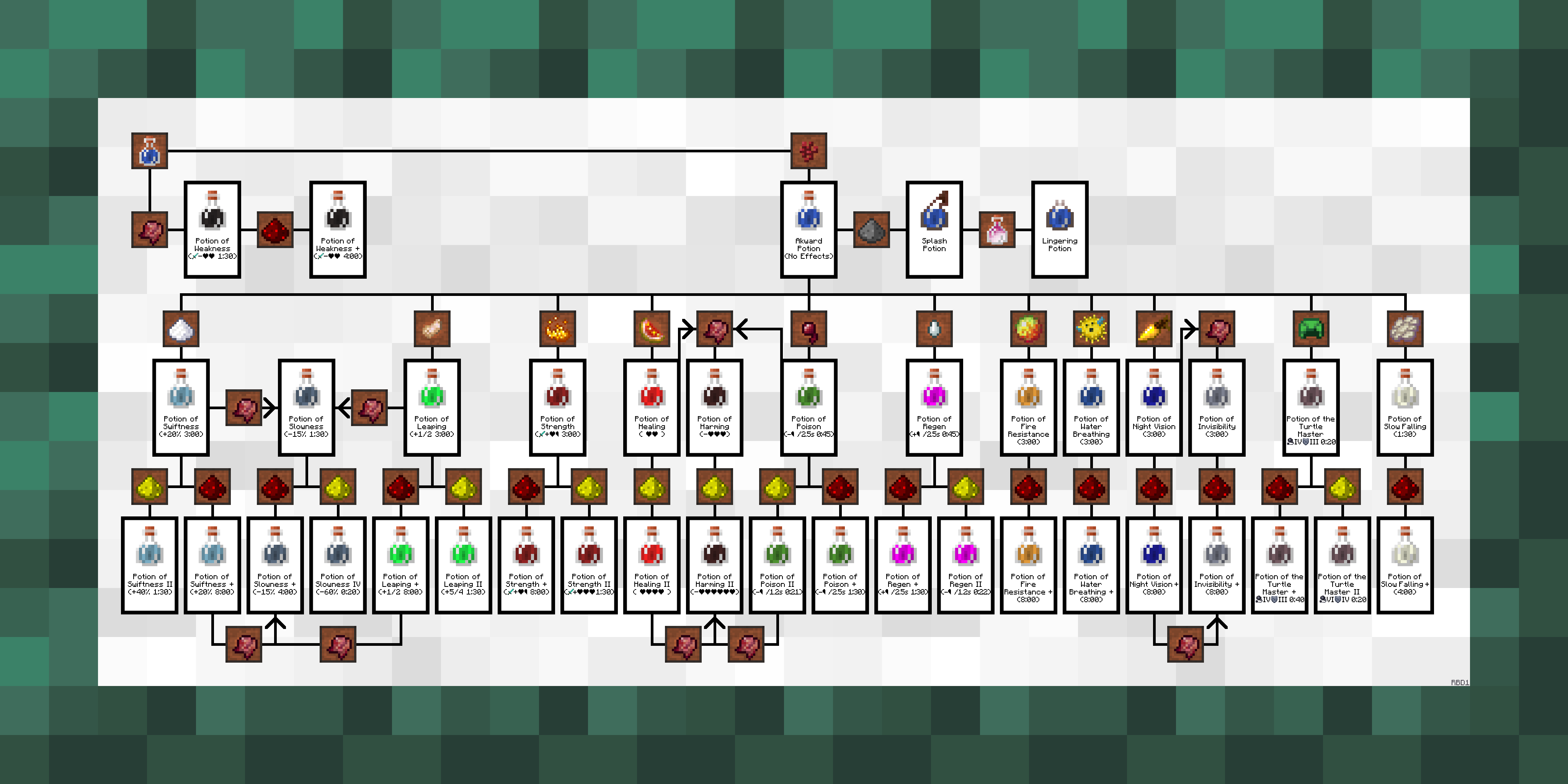
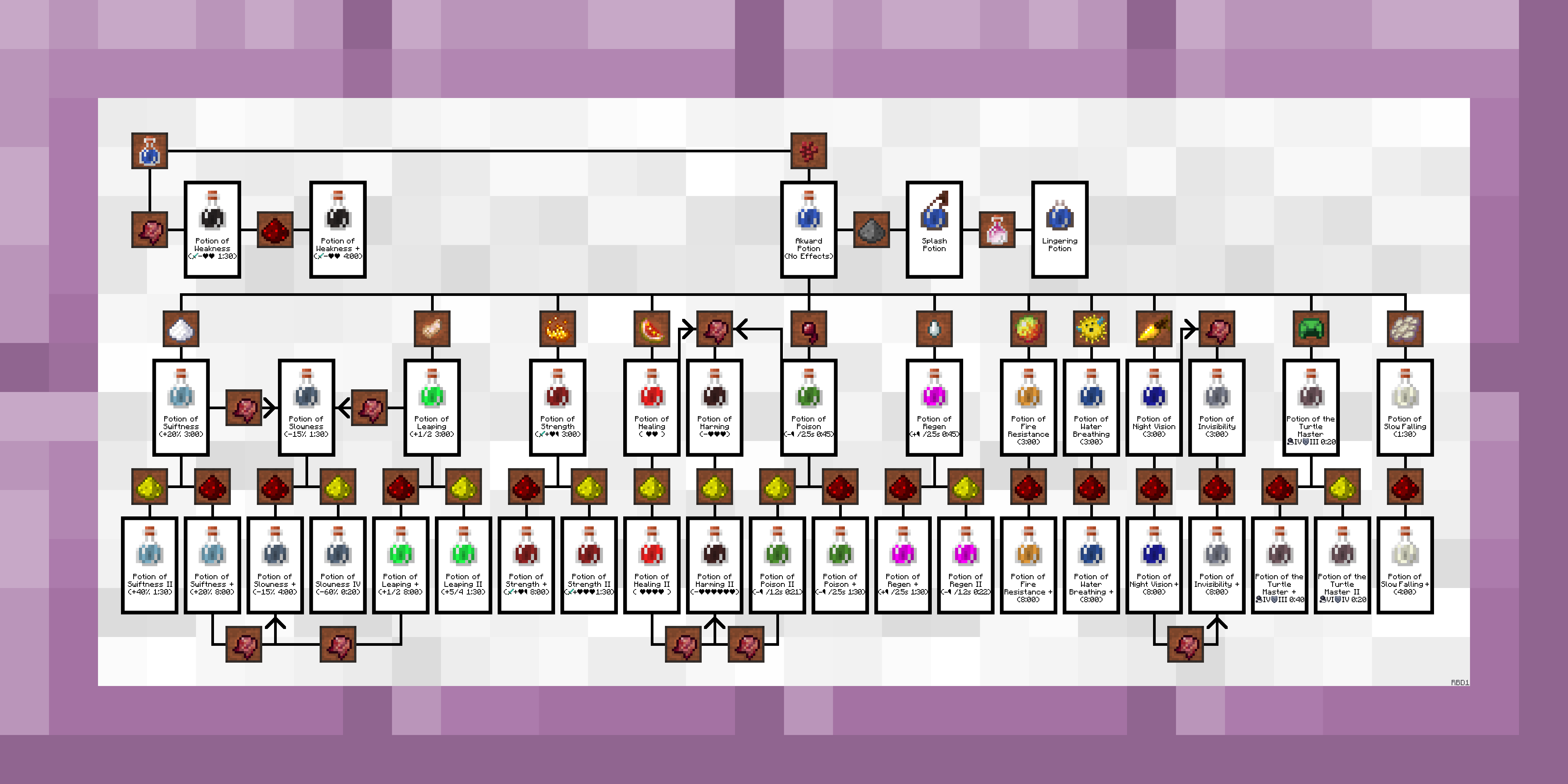
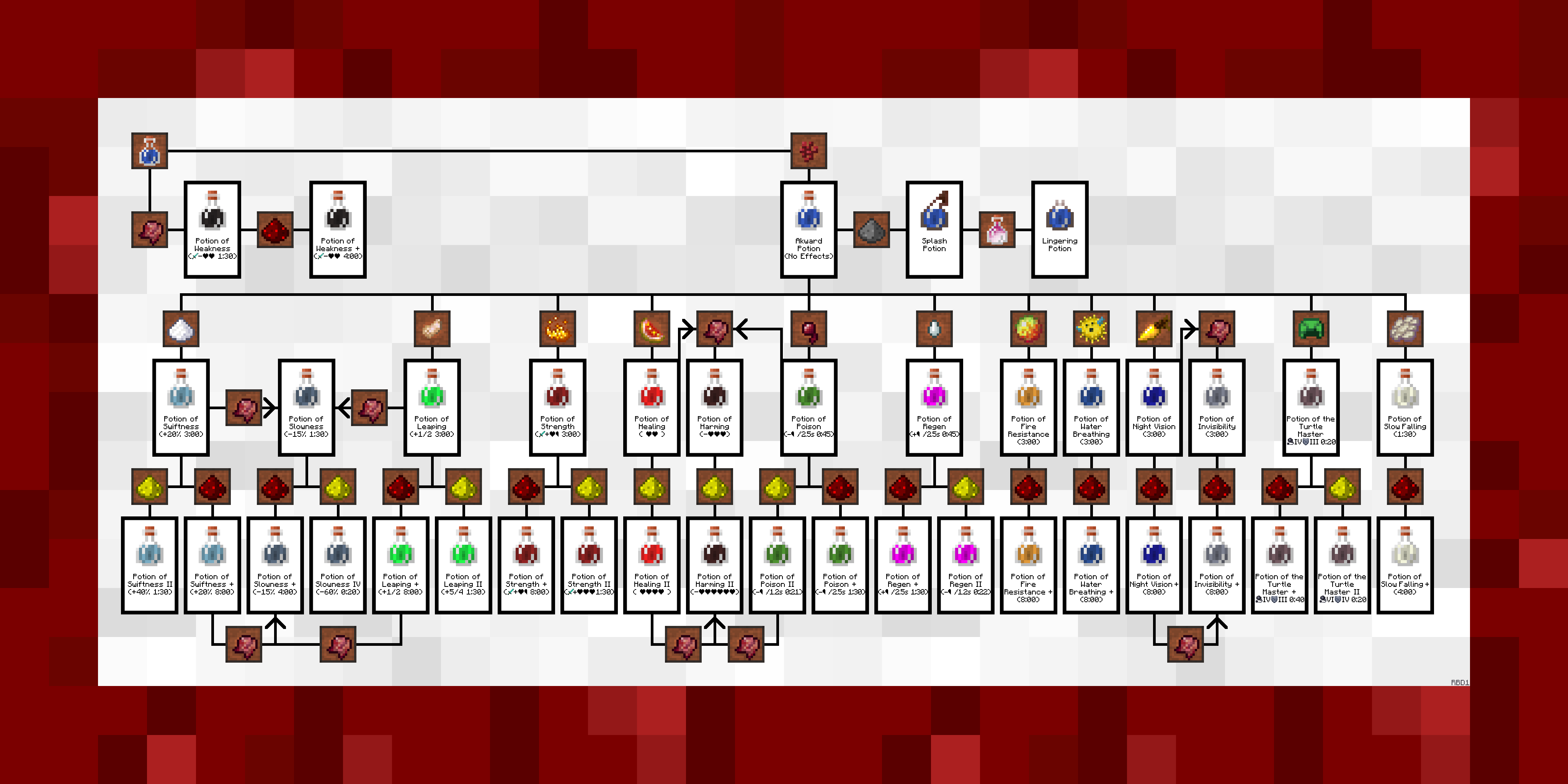
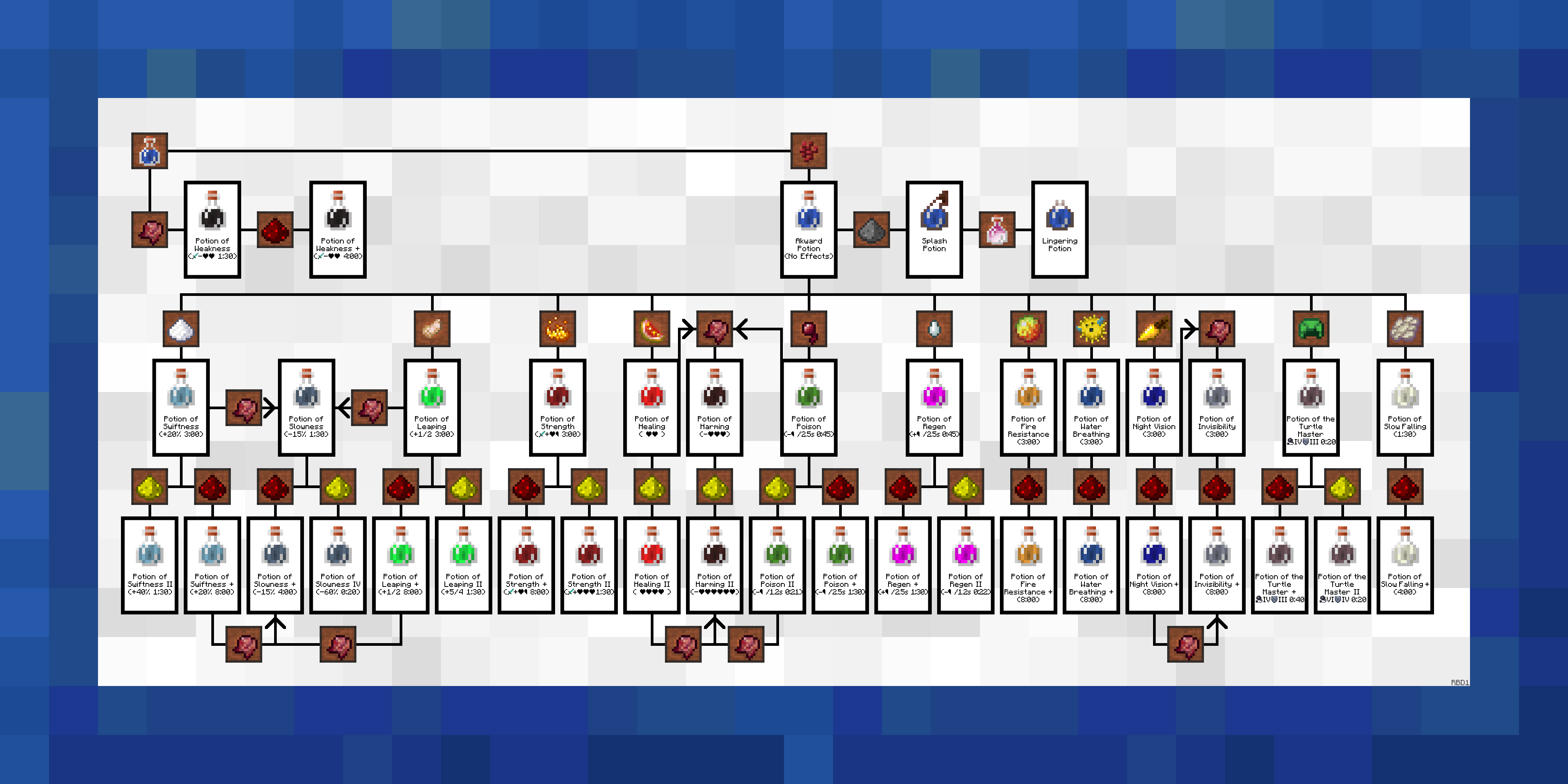
The alternative frames
. 
 .
.
. 
 .
.
. 
 .
.
.  .
.
Description / Instructions
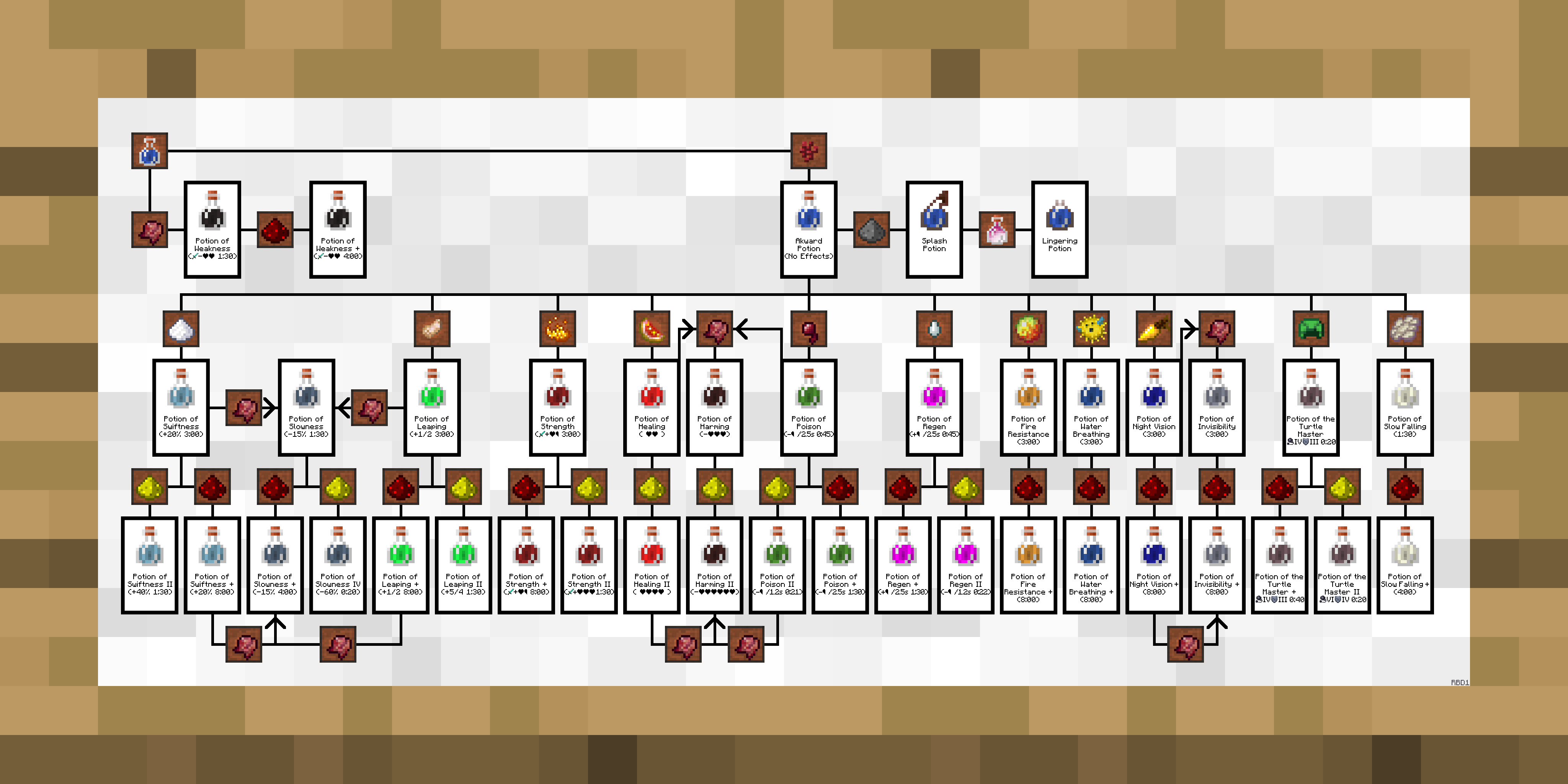
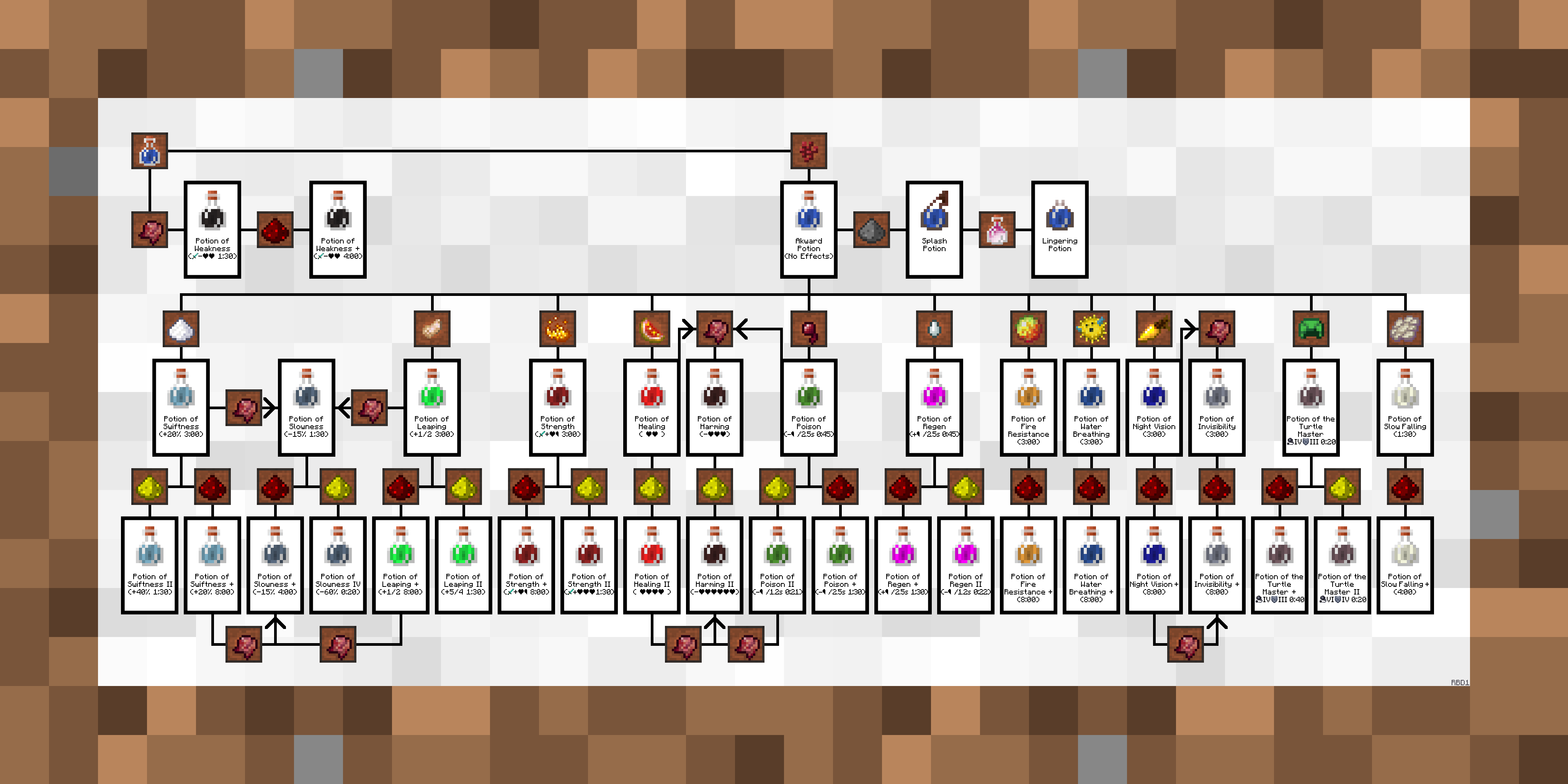
Just add to your game like any other texture pack and it will replace the "Courbet" painting (below) with the default wood frame potion guide. You can use the alternative frames by replacing the default one in the folder and naming them "courbet". You can also replace the other 4 vanilla landscape paintings, more information in the included .txt file. The difference between v0.4 and v0.3 is that the default frame was changed and v0.4 has many more extra frames.
. .
.
Original Courbet painting
A Lil' Backstory
I had gotten sick of pulling up the Minecraft wiki to check how to brew a potion every time I wanted to. So I went looking for in-game alternatives, there was a really simple one for Bedrock Edition but it was too simple, and I was on Java. There was also the VanillaTweaks potion guide but I wanted an easier to understand, step by step instructions for making potions. I ended up making this a month-long side project, received praise from my friends, and published it here.
Extra Notes
> You may use this pack in your maps and while I would prefer you to credit me somewhere (in the map or the map file) I'm not going to seek out and destroy those who don't, so do as you see fit.
> Clearly don't re-upload this pack as your own or edit it without permission (within custom maps are fine).
> If you use the alternative frames the sides of the paintings will still be wood, this is a limitation in Minecraft's engine and cannot be changed without changing ALL of the sides of Minecraft's paintings.
> Curseforge admins or developers, it currently isn't easy to center images in the description with the requirement of objects needing to be in paragraph tags. The way I used was the only workaround i have found currently but is totally possible i missed something.
![[512x] Default HD Bubble Pack](https://minecraftpatch.com/wp-content/themes/template/img/nopicSani.png)
![Faithful HD [x512]](https://files.minecraftpatch.com/addons_new/faithful-hd-x512-358302/screenshots/faithful-hd-x512-scr-1-mini.png)
Add a comment