


 Get 0.05 TON 💎
Earlier Versions
| Name | Size | Uploaded | Game Version | Downloads | |
| ChatLog v1.9.4 release | 75.88 KB | Jan 4, 2017 | 1.11 | 411 |  Download Download |
| ChatLog v1.8 release | 31.16 KB | Oct 25, 2014 | CB 1.7.2-R0.2 | 1,627 | Download |
| ChatLog v1.7.1 release | 28.92 KB | Oct 18, 2014 | CB 1.7.2-R0.3 | 113 | Download |
| ChatLog v1.7 release | 28.97 KB | Oct 18, 2014 | CB 1.7.2-R0.2 | 83 | Download |
| ChatLog v1.6 release | 28.21 KB | Oct 11, 2014 | CB 1.7.2-R0.3 | 100 | Download |
| ChatLog v1.5 release | 28.04 KB | Oct 11, 2014 | CB 1.7.2-R0.3 | 95 | Download |
| ChatLog v1.4 release | 26.85 KB | Sep 30, 2014 | CB 1.7.2-R0.3 | 116 | Download |
| ChatLog v1.3 release | 25.90 KB | Sep 28, 2014 | CB 1.7.2-R0.3 | 80 | Download |
| ChatLog v1.2 release | 25.71 KB | Sep 25, 2014 | CB 1.7.2-R0.3 | 118 | Download |
| ChatLog v1.1 release | 23.85 KB | Sep 19, 2014 | CB 1.7.2-R0.3 | 106 | Download |
Description
This is a very simple plugin to get ChatLogs from players ingame. Your players can use them to submit a report in your forums.
Requirements
- webserver
- bukkit server
- mysql database
Features
- easy to use – simply run /chatreport <player> and it will return an URL
- supports multi server setups with one database
- minigame / normal mode
- * minigame mode: The ChatLog will contain messages the player has sent since the plugin was loaded.
- * normal mode: The ChatLog will contain messages the player has sent in the last 15 minutes
- fast & secure – uses mysql prepared statements
Installation
- Put the Plugin in your plugins/ folder and restart/reload the server
- Open mysql.yml and enter your mysql details
- open config.yml and set the URL to your index.php file you'll upload in step 4
- Upload index.php on your webserver
- Open index.php and enter the same mysql details
Screenshots
help page

URL (example)

error

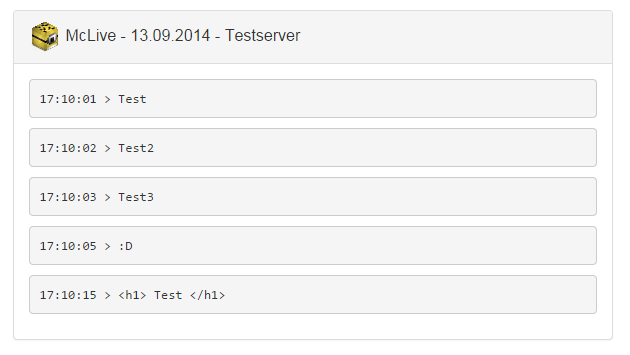
Web-Page
Metrics

Known bugs:
–
Coming soon:
- Backgrounds for the webpage
Please let me know if you found any bugs or have ideas to add to the plugin. Thanks 🙂
Have fun using my first plugin.



Add a comment