


 Get 0.05 TON 💎
Earlier Versions
| Name | Size | Uploaded | Game Version | Downloads | |
| witherstormmod-1.18.2-2.0.1.1.jar release | 17.96 MB | Jul 7, 2022 | 1.18.2 | 0 |  Download Download |
| witherstormmod-1.16.5-1.0.2.3.jar release | 17.94 MB | Jul 7, 2022 | 1.16.5 | 0 | Download |
| witherstormmod-1.18.2-2.0.1.jar release | 17.96 MB | Jul 4, 2022 | 1.18.2 | 3,503 | Download |
| witherstormmod-1.16.5-1.0.2.2.jar release | 17.94 MB | Jul 4, 2022 | 1.16.5 | 1,112 | Download |
| witherstormmod-1.18.2-2.0.jar release | 17.96 MB | Jun 30, 2022 | 1.18.2 | 4,347 | Download |
| witherstormmod-1.16.5-1.0.2.1.jar release | 17.92 MB | Jun 11, 2022 | 1.16.5 | 15,468 | Download |
| witherstormmod-1.16.5-1.0.2.jar release | 17.92 MB | May 18, 2022 | 1.16.5 | 18,953 | Download |
| witherstormmod-1.16.5-1.0.1.jar release | 17.90 MB | May 11, 2022 | 1.16.5 | 4,400 | Download |
| witherstormmod-1.16.5-1.0.jar release | 17.90 MB | May 7, 2022 | 1.16.5 | 2,084 | Download |
| witherstormmod-1.18.2-2.0-beta3.jar beta | 17.90 MB | Jun 15, 2022 | 1.18.2 | 3,416 | Download |
| witherstormmod-1.18.2-2.0-beta2.jar beta | 17.90 MB | Jun 13, 2022 | 1.18.2 | 836 | Download |
| witherstormmod-1.18.2-2.0-beta.jar beta | 17.90 MB | Jun 11, 2022 | 1.18.2 | 625 | Download |
Screenshots








Description
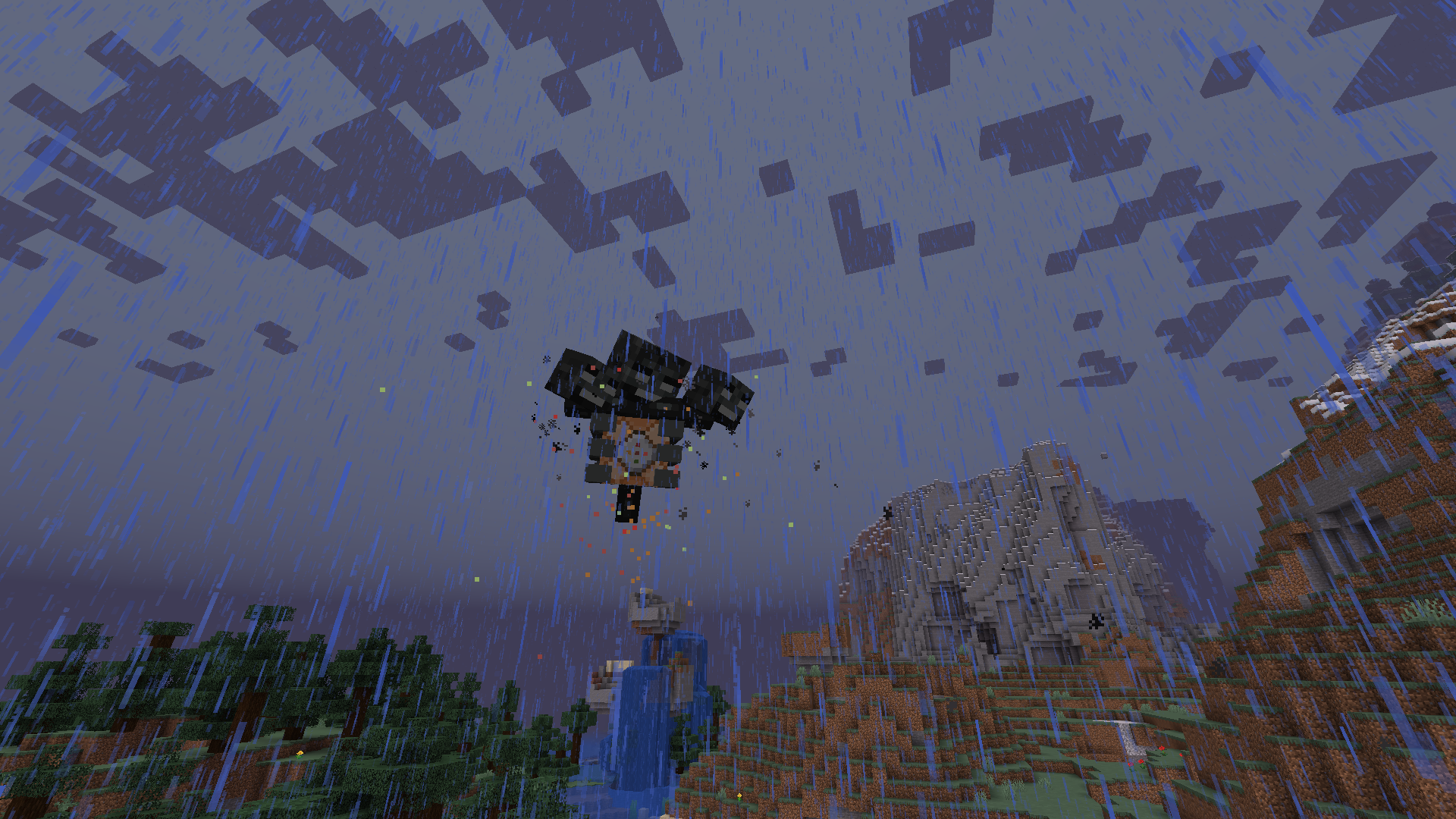
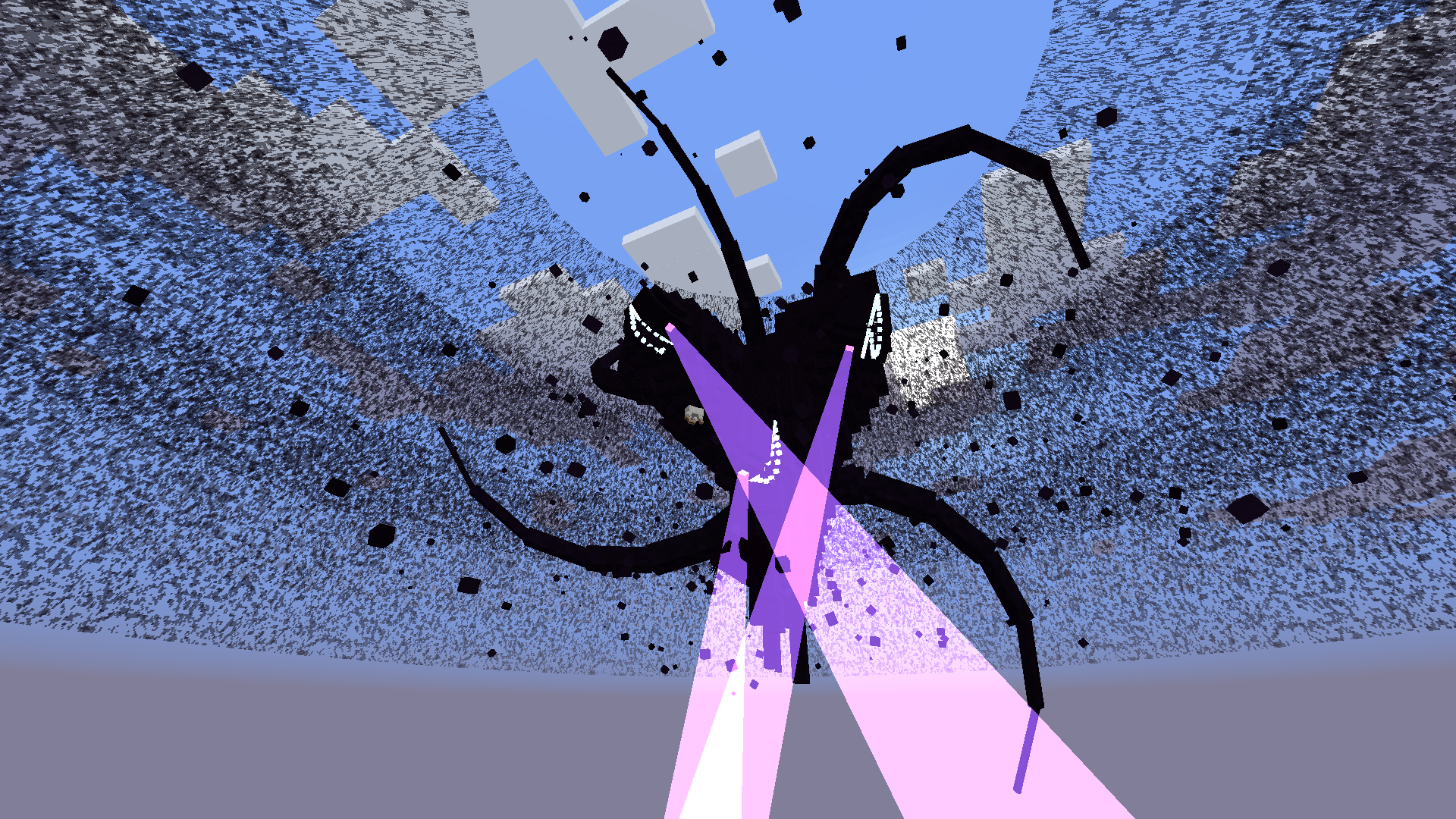
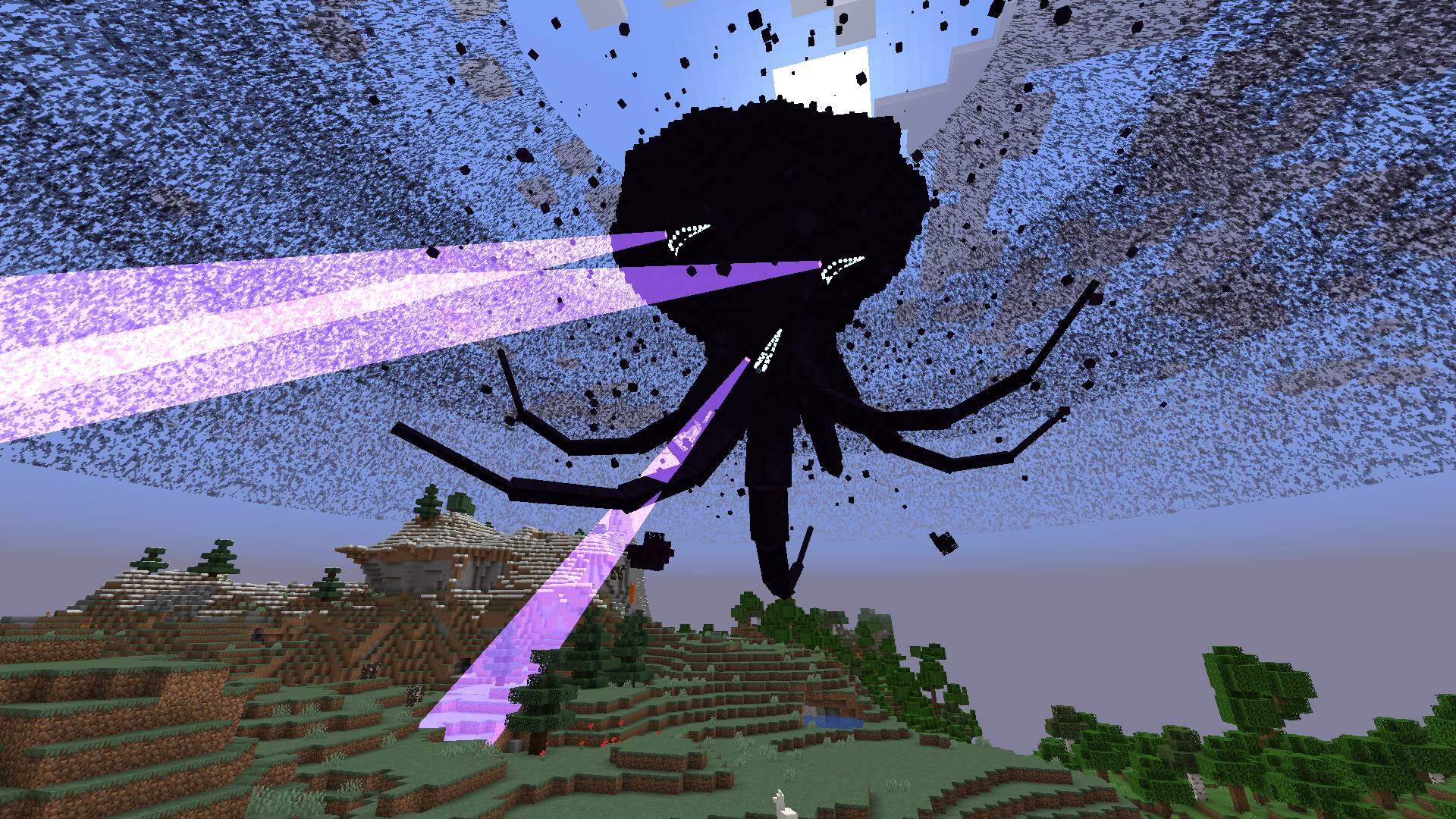
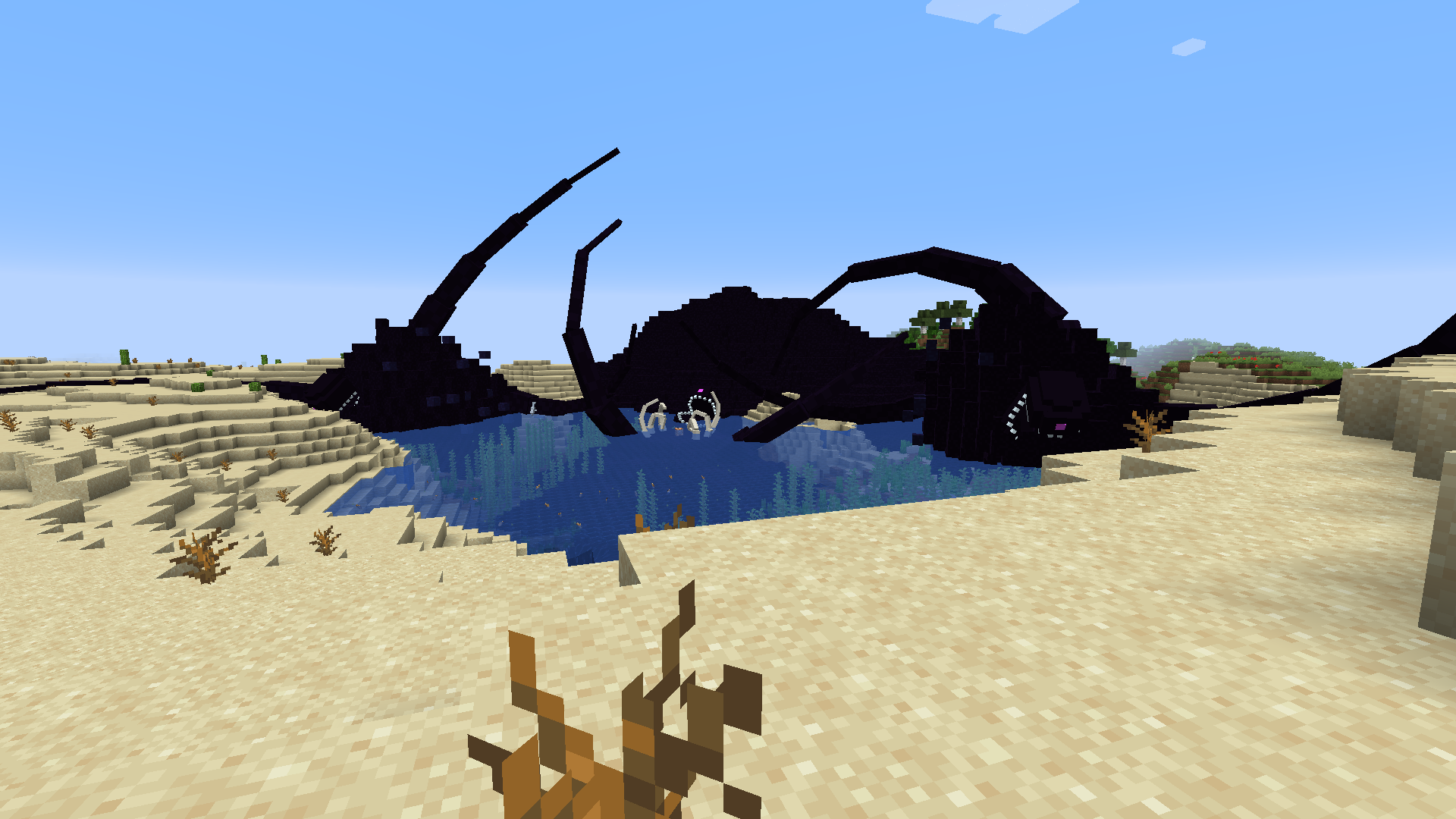
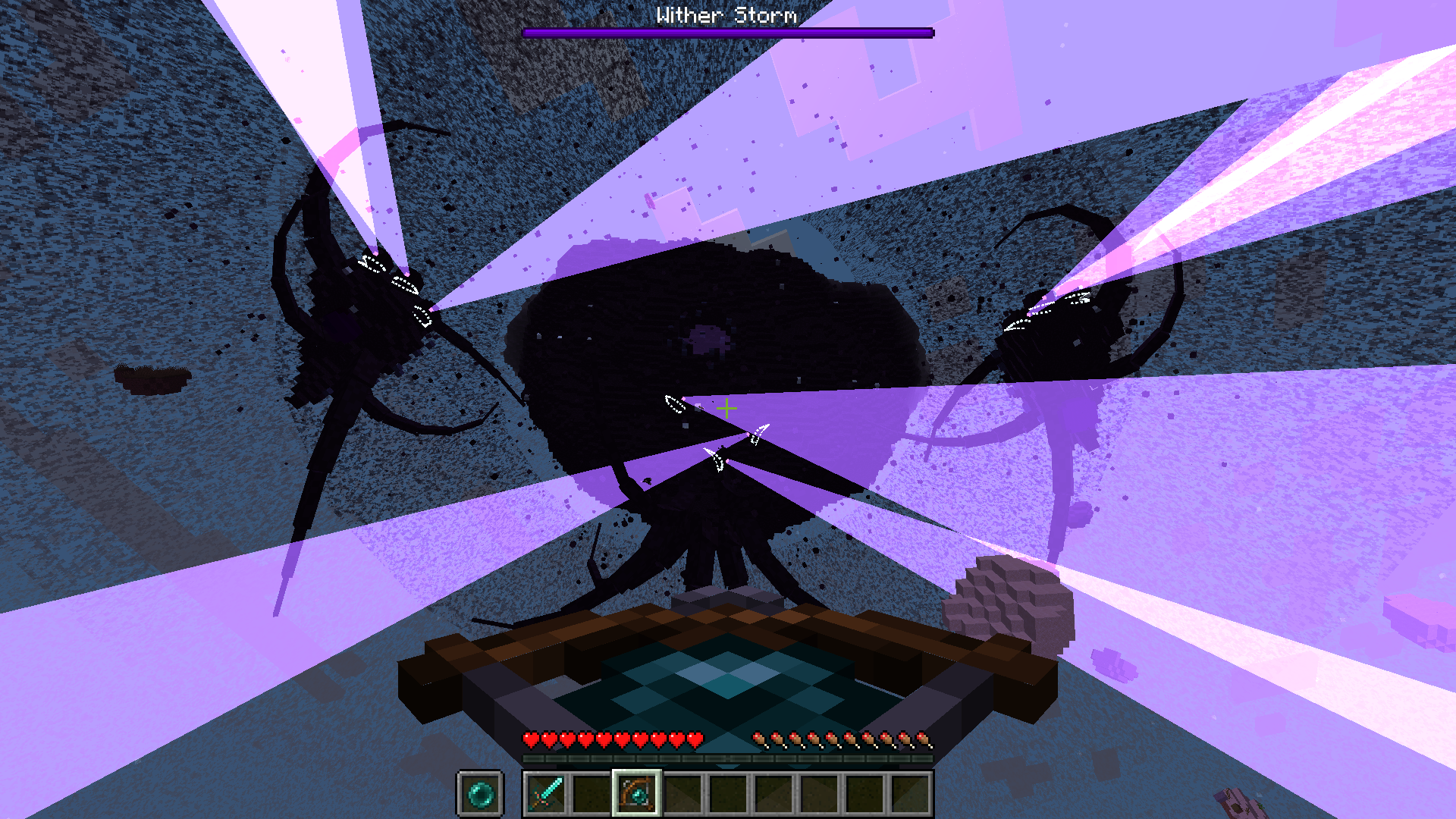
Welcome to Cracker’s Wither Storm Mod, a mod that adds a mutant, ginormous, evolved variant of the Wither programmed to hunt you down while destroying everything it can.
This mod adds the Wither Storm from Minecraft: Story Mode, and is designed to be mainly a survival challenge mod in where the player(s) try to defeat the Wither Storm while running, hiding, and gearing up as they go along.
No prior knowledge of Minecraft: Story Mode is required! One of the goals of this mod is to abstract the Wither Storm from the game as much as possible, so anyone can play.
To summon the Wither Storm, locate the rundown house at X: 0, Z: 0, and place the last wither skull on top of the incomplete wither-like structure!
I’d highly recommend going through this guide to get started playing in survival
- The Wither Storm:
Grows and evolves by absorbing its surroundings
Has the ability to track the nearest player from wherever, and may occasionally chase them
The Wither Storm has the ability to chunk load wherever, without the presence of a player, meaning the Wither Storm is always active
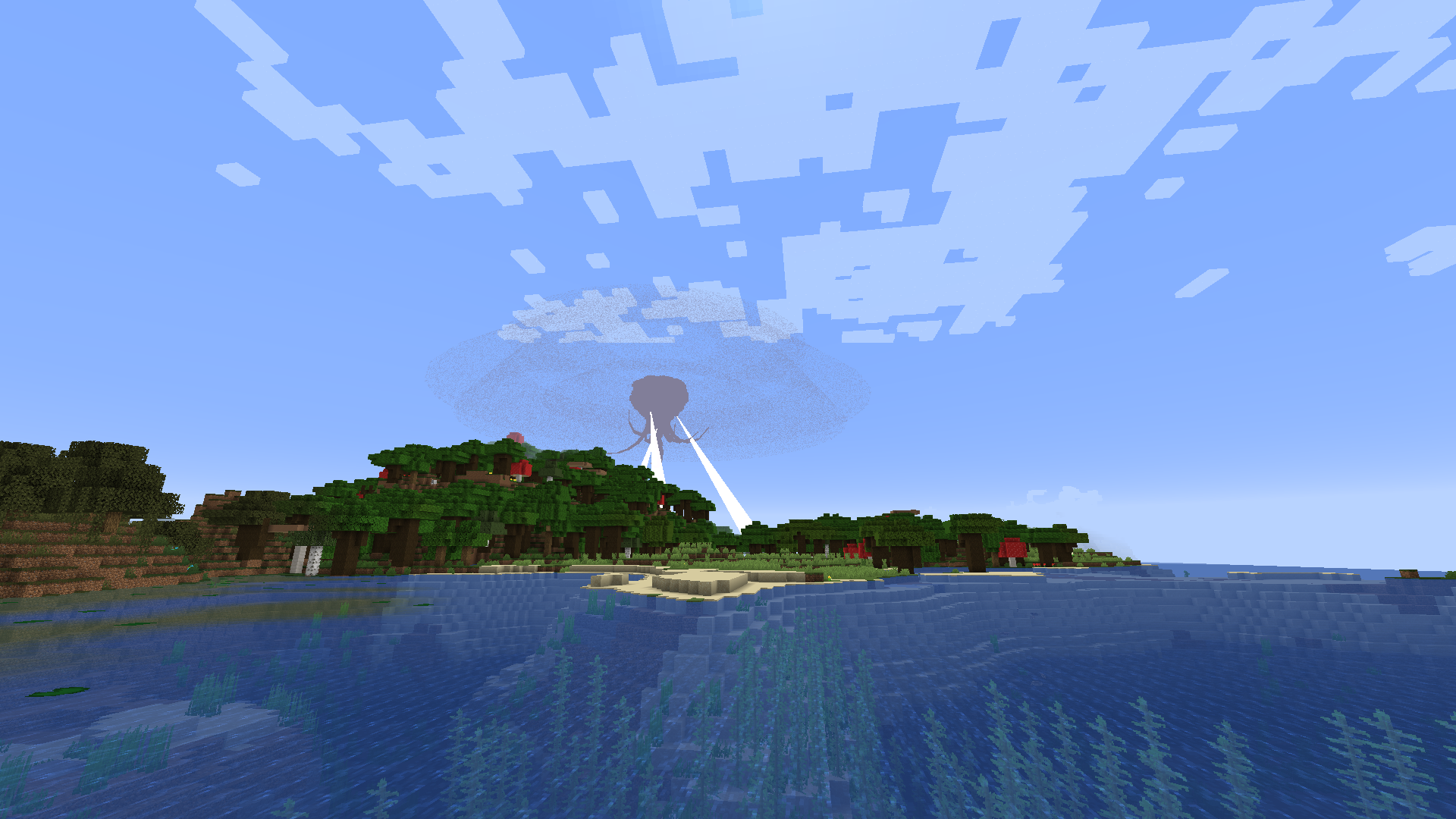
You can see the Wither Storm up to and over 10 000 blocks away thanks to the distant renderer added by the mod
The Wither Storm can pick up clusters of blocks, which can be entire trees or even villager houses!
The Wither Storm can pick up and consume almost any mob
- The Formidibomb
- Boss Battles
- Multiplayer compatibility
- Built-in config and config menu for customizability
- New tools and weapons
- Wither Sickness
- And more!
This mod completely changes the way you play Minecraft. I would not recommend summoning the Wither Storm on a pre-existing world, if it’s your only copy and it’s one that you care about.
FAQ:
- Where is the “server config?”
If you’re on singleplayer, the server config can be accessed via Pause Menu > Options > Purple “W” button, then clicking the “World Options” button. If you’d like to access it out of game (or your world is on a server), you can locate your world file (in your saves folder), go to the “serverconfig” file and open the witherstormmod-server.toml. Note: The server config is unique for each world. Changes made will not be applied to other saves.
- How do I make the Wither Storm evolve quicker?
By going to the same server config, change the “evolutionAttributeModifier” to a value below 1, the quickest allowed being 0.1. You will need to reload your world to apply this change! You can also use the /attribute command to change the evolution speed.
The mod is currently for Forge 1.16.5 and as it stands, only for Forge. Ports to the latest Minecraft version will happen eventually.
I will not be porting to older versions.
The initial release comes with everything that is expected, however certain features may deviate from what is seen in MC:SM. I also don’t plan on adding other mobs from the game into this mod specifically.
If certain aspects feel unbalanced, or you’d like to suggest a specific feature, I’d recommend going to the mod’s GitHub repository and submitting an issue.
Recipes for the blocks and items should get unlocked as you progress through the mod. Use your recipe book to check them out.
Known compatibility issues:
- Optifine causes some weird issues with the mod (however nothing game breaking), such as:
The Wither Storm may disappear with only its tractor beams showing for a moment when transitioning from the distant renderer to the default Minecraft entity rendering system.
The Wither Storm may disappear when looking at the top half of it. The Wither Storm, without Optifine, would not have this issue but Optifine changes stuff which causes this.
You may experience a crash when using shaders when trying to render block clusters. Turning “Block Cluster Colouring” to OFF in the mods client config menu should fix this crash, or you can just disable block cluster rendering entirely.
When testing some shaders I’ve notice the tractor beams aren’t as prominent as they would be without them and may be almost entirely invisible. Just something to note when using shaders.
- Vivecraft:
The distant rendered Wither Storm won’t be oriented correctly when playing in VR
- Distant Horizons
The distant Wither Storm may be rendered on top of the extra terrain rendered by Distant Horizons
- Magnesium Extras
Max Entity Distance when enabled will cause the Wither Storm to disappear when beyond certain distances
- If you experience any other compatibility issues (besides the ones listed here), please make a bug report!
Recommended settings/Performance settings:
- I’d recommend setting your entity distance to 500% to be able to see the Wither Storm as far as possible
- If you’re facing performance issues when looking at the Wither Storm, I’d recommend checking out the client config, located in Pause Menu > Options > Purple “W” button > Client (or Main Menu > Mods > Cracker’s Wither Storm Mod > Config > Client).
You can turn on “Low Res Models” which will use models with less cubes that ultimately increase performance. The overall shape of the Wither Storm is consistent between the two types of models.
The debris cloud is another source of lag. The debris cloud is separate to the “debris rings” which are 2D rings that orbit the Wither Storm. The “cloud” consists of small blocks that also orbit the Wither Storm. Because there are many debris particles in the cloud, rendering all of them can cause performance issues. You can disable it with “Render Debris Cloud,” either make it more performant with “Render Debris 2D,” or make it only render when you’re up close to the Wither Storm by disabling “Render Distant Debris Cloud.”
Block clusters, when in vast quantities, also cause frames to crumble and their rendering can be disabled via “Block Cluster Rendering”
You can cycle through the presets made and choose the one that works the best if you’d rather not mess with the settings yourself
- If you’d like to disable the boss music, you can either turn the “Jukebox/Note Blocks” volume slider down or disable “Play Boss Themes” in the client config
- If you’re experiencing TPS lag in the higher Wither Storm phases, I’d recommend turning on “Squash Hitboxes” in the server config and reloading the world (do note that there may be drawbacks or issues when using this feature)
For creative users:
You can summon the Wither Storm using the normal wither summoning structure (4 soul sand, 3 wither skulls), with only the center soul sand exchanged with a command block. You can get command blocks via “/give @s minecraft:command_block”
If you’d like to summon the Wither Storm in it’s higher phases, you can do so using “/summon witherstormmod:wither_storm ~ ~ ~ {Phase:<phase_number>}” and replace <phase_number> with a whole number ranging from 0 to 7. Phase 4 and up are the bigger phases (destroyer) while phase 3 and lower are the smaller phases (hunchback).
If you want to change the phase for an existing Wither Storm, use “/witherstormmod phase set @e[type=witherstormmod:wither_storm,limit=1] <phase_number>”, again replacing <phase_number> with a whole number from 0 to 7.
The Wither Storm can only be formidibombed when it has reached the end of phase 5. You can summon a Wither Storm at this stage using “/summon witherstormmod:wither_storm ~ ~ ~ {Phase:5,ConsumedEntities:300000},” or use “/witherstormmod phase set @e[type=witherstormmod:wither_storm,limit=1] 5” and “/witherstormmod consumedEntities set @e[type=witherstormmod:wither_storm,limit=1] 300000” on a pre-existing Wither Storm.
To bring the Wither Storm to the end of it’s evolution so you can enter its bowels through its “hole,” you can either again summon a Wither Storm using “/summon witherstormmod:wither_storm ~ ~ ~ {Phase:7,ConsumedEntities:3000000},” or use “/witherstormmod phase set @e[type=witherstormmod:wither_storm,limit=1] 7” and “/witherstormmod consumedEntities set @e[type=witherstormmod:wither_storm,limit=1] 3000000” on a pre-existing Wither Storm.
You can enter the bowels (the area of the final boss battle) of the Wither Storm whenever using “/witherstormmod bowels @s @e[type=witherstormmod:wither_storm,limit=1]”
Note: The target selector “@e[type=witherstormmod:wither_storm,limit=1]” can be exchanged to target different Wither Storms if there are multiple. e.x: “@e[type=witherstormmod:wither_storm,limit=1,sort=nearest]”
I wouldn’t recommend summoning Wither Storm segments on their own, or setting there phase with commands as it will do nothing.
Extra mods:
I’d highy recommend installing Shutup Experimental Settings! as you will get prompts when creating/joining singleplayer worlds saying that it uses experimental features. This is to be ignored.
Minecraft isn’t designed to support very large entities, and because of the complex mechanics used to make the Wither Storm do what it does, it can cause large amounts of lag. I don’t recommend summoning more than one Wither Storm in the same world, or else you may have serious lag issues.
Modpack usage
Feel free to use this mod in any modpack you’d like.
Installation
Simply download the mod for your specified version and drop it into your mods folder.
Copyright info:
This mod is based off the Wither Storm from Minecraft: Story Mode. Textures and models were made by me (nonamecrackers2) using reference images from the game. They are NOT exact models. The code for the mod is written by me (nonamecrackers2).
- Telltale: https://telltale.com/
- Minecraft: Story Mode is unfortunately discontinued and cannot be downloaded, and in-game purchases will not work. Reference images were found mostly online.
I DO NOT OWN any of the sounds/music used in this mod. ALL RIGHTS GO TO THEIR RESPECTFUL OWNERS
Sound effects:
- Heart beat sound under Attribution 3.0 from https://soundbible.com/2162-Human-Heartbeat.html, made by Daniel Simion.
- Shot gun sound under Attribution 3.0 from https://soundbible.com/1919-Shotgun-Blast.html, made by Jim Rogers.
- Sniper rifle sound under Public Domain from https://soundbible.com/1788-Sniper-Rifle.html, made by Kibblesbob
Music was made by Antimo & Welles:
- Wither Storm Theme: https://www.youtube.com/watch?v=WvZ3hwwRSkY
- Action Suspense: https://www.youtube.com/watch?v=78cRd6sWDCg
I am, by NO MEANS, a legal expert. This mod is meant to be a fan project. If something is of concern, please send a private message to my MinecraftPatch account (nonamecrackers2) and I hope we can figure something out.

![Star Wars in MC [Lightsabers, ships…]](https://minecraftpatch.com/wp-content/themes/template/img/nopicSani.png)



Add a comment