

 Get 0.05 TON 💎
Earlier Versions
| Name | Size | Uploaded | Game Version | Downloads | |
| CraftBay for Spigot 1.12 with modern Vault release | 110.99 KB | May 3, 2021 | 1.12 | 103 |  Download Download |
| CraftBay-2.26 for 1.14.2 release | 110.81 KB | Jun 18, 2019 | 1.14 | 1,930 | Download |
| CraftBay-2.25 release | 110.83 KB | Jun 13, 2019 | 1.13 | 110 | Download |
| CraftBay-2.24 release | 110.38 KB | Jun 12, 2019 | 1.13 | 321 | Download |
| CraftBay 2.23 for Spigot 1.13+ release | 110.32 KB | Oct 16, 2018 | 1.13 | 929 | Download |
| CraftBay 2.21 release | 111.63 KB | Aug 2, 2018 | 1.13 | 388 | Download |
| Skip Vault's item naming (1.13) release | 109.13 KB | Aug 1, 2018 | 1.13 | 77 | Download |
| CraftBay 2.1 release | 109.83 KB | Jun 2, 2017 | 1.11 | 1,765 | Download |
| CraftBay 2.1 release | 104.24 KB | Jul 17, 2016 | 1.10 | 1,899 | Download |
| CraftBay 2.0 release | 103.55 KB | Jun 16, 2016 | 1.10 | 626 | Download |
| CraftBay release | 103.56 KB | Jun 9, 2016 | 1.9 | 603 | Download |
| CraftBay-v1.2.8 release | 93.44 KB | Dec 8, 2013 | 1.7.2 | 19,598 | Download |
| CraftBay v1.2.7 release | 93.10 KB | Nov 8, 2013 | CB 1.6.4-R2.0 | 1,942 | Download |
| CraftBay v1.2.6 release | 92.19 KB | Jul 9, 2013 | 1.6.2 | 4,153 | Download |
| CraftBay v1.2.5 release | 92.19 KB | Jun 23, 2013 | CB 1.5.2-R1.0 | 2,124 | Download |
| CraftBay v1.2.4 release | 91.52 KB | Jan 15, 2013 | CB 1.4.6-R0.3 | 6,511 | Download |
| CraftBay v1.2.3 release | 90.57 KB | Jan 8, 2013 | CB 1.4.6-R0.3 | 957 | Download |
| CraftBay v1.2.2 release | 85.48 KB | Jan 1, 2013 | CB 1.4.6-R0.3 | 1,067 | Download |
| CraftBay v1.2 release | 84.85 KB | Dec 29, 2012 | CB 1.4.6-R0.1 | 507 | Download |
| CraftBay v1.1.4 release | 80.33 KB | Dec 28, 2012 | CB 1.4.6-R0.1 | 294 | Download |
| CraftBay v1.1.3 release | 80.15 KB | Aug 28, 2012 | CB 1.3.2-R0.1 | 2,705 | Download |
| CraftBay v1.1.2 release | 80.14 KB | Jun 9, 2012 | CB 1.2.5-R3.0 | 5,720 | Download |
| CraftBay v1.1.1 release | 75.34 KB | Jun 3, 2012 | CB 1.2.5-R3.0 | 1,330 | Download |
| CraftBay v1.1 release | 75.01 KB | Jun 2, 2012 | CB 1.2.5-R3.0 | 633 | Download |
| CraftBay v1.0.2 release | 27.04 KB | May 10, 2012 | CB 1.2.5-R1.2 | 1,532 | Download |
| CraftBay v1.0.1 release | 27.51 KB | Apr 18, 2012 | 1.2.5 | 789 | Download |
| CraftBay v1.0 release | 27.31 KB | Apr 18, 2012 | 1.2.5 | 263 | Download |
| CraftBay 2.22 alpha | 111.65 KB | Sep 12, 2018 | 1.13 | 233 | Download |
| CraftBay for Spigot 1.13-pre7 alpha | 109.25 KB | Jul 18, 2018 | 1.13 | 117 | Download |
Screenshots
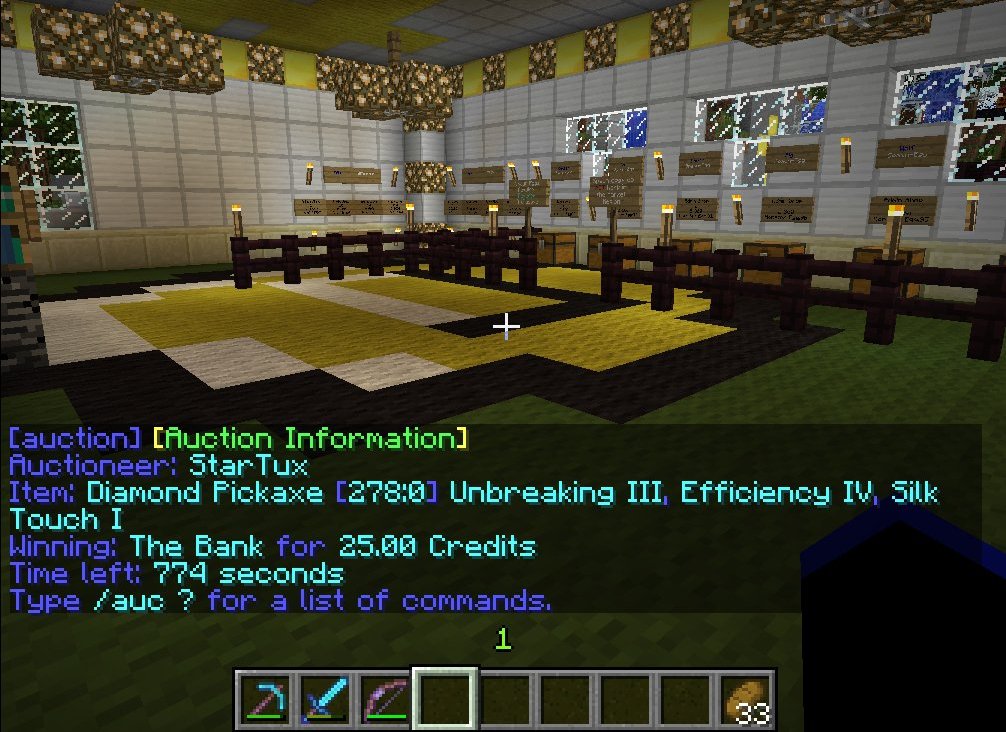
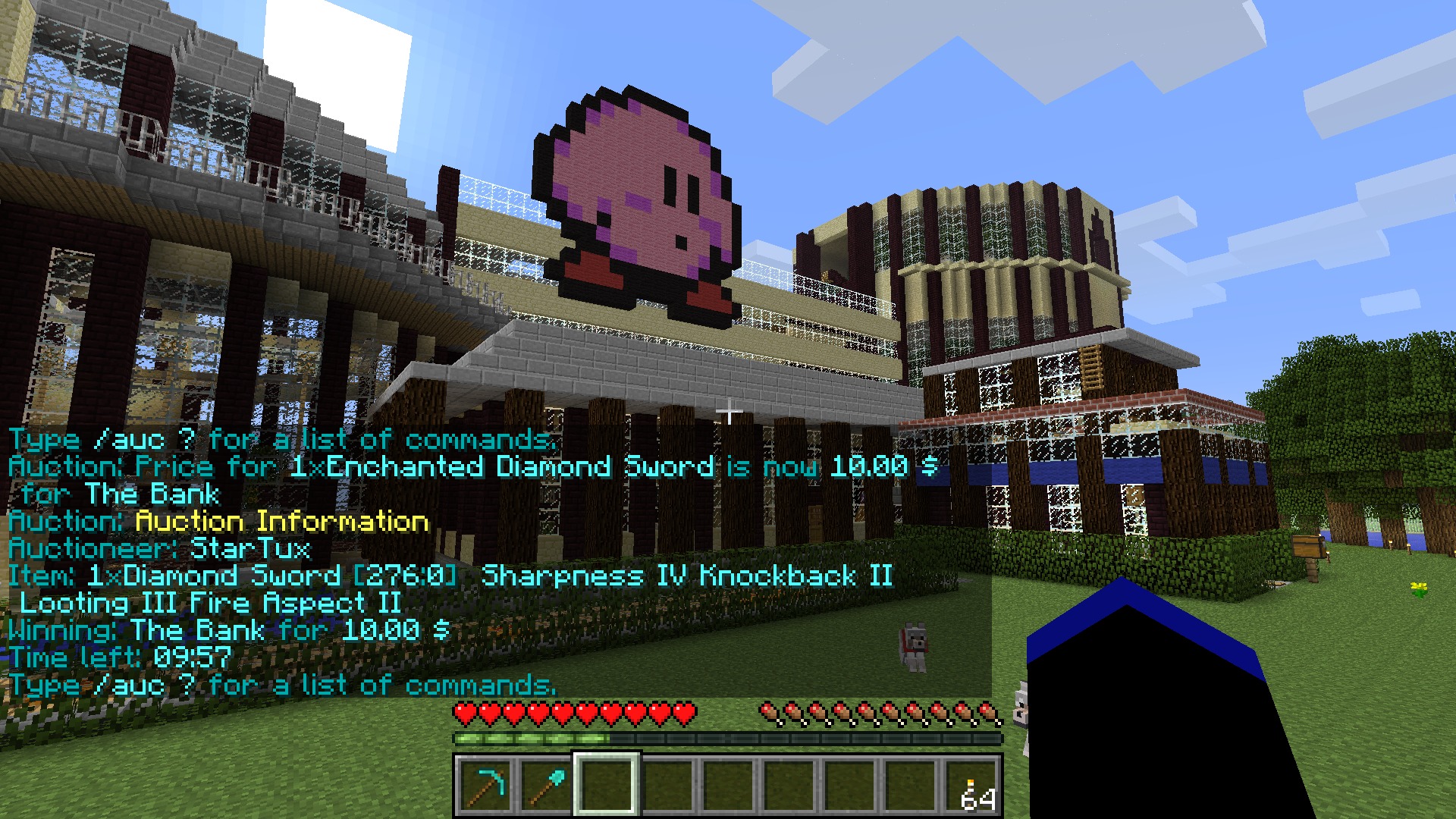

Description
Auction off your precious items! CraftBay is an auctioning system that allows players to trade their items by bidding for them. After a set amount of time, the highest bid wins. Payment is handled via Vault.
Links
- GitHub page (Source code)
- SpigotMC resource page (1.13+ downloads)
- BukkitDev plugin page (Current and legacy downloads)
- Configuration file (yaml)
- Language file (yaml)
Intended use
Despite the wide availability of shopping plugins, an auction is still the best way for auctioneers to achieve the maximum price for their goods by reaching a broad audience and having them duke it out. Experience shows that especially rare items such as enchanted tools and armor can make for a very intense and exciting fight for the highest bid. The winning bid may even exceed the price for the same item available in shops.
Features
- Players can auction off items from their inventory
- Bid for items with your in-game currency
- World blacklist
- Live notifications about auction activity (players can mute it)
- Spam protection: Suppress messages when people spam bids
- Fully customizable messages
- Admin commands to moderate auction activity
- Auction history for in-game review
- Auctions survive server restarts
- Informative display of item properties (damage, enchantments, etc)
- Auctions will survive a server restart.
- A cancelled auction or one that ends without any bids will return the item to the owner.
- If items are handed over to a player with a full inventory, they will be dropped where they are standing.
Commands
Auctions are managed with simple commands with an interactive on-line help.
/auctionThis command will always direct you to an overview of your current options./aucAn alias for /auction that works with all of the below/auc ?Get help/auc infoDisplay information about the current auction/auc previewPreview the auctioned item in a chest interface/auc history [id]Review past or queued future auctions/auc bid [amount]Place a bid/bid [amount]Shortcut for /auction bid/auc start [starting price]Auction off an item/auc hand [starting price]Auction off the item in your hand/auc end [delay]End the current auction/auc cancel [id]Cancel an auction/auc ignoreIgnore broadcasts/auc listenReceive broadcasts
Admin Commands
Admins have additional commands to get more information than normal users, moderate the market activity, auction off spawned items or stimulate the economy by bidding for items on behalf of the bank.
/auc bank <item> <amount> [starting price]Auction off a spawned item/auc fake <name> [starting price]Auction off a fake item/auc bankhandAuction off item in hand on behalf of the bank/auc bankbid [amount]Place a bid on behalf of the bank/auc log [id]Display the log of an auction/auc reloadReload the configuration file
Permissions
The defaults are set up so anyone can query auction information and place bids. Permission to start auctions, however, is not granted by default. Administrative actions default to op.
auction.infoQuery information about the current auctionauction.bidPlace bids for auctions. Implies auction.receiveauction.startStart your own auctionauction.adminPerform administrative commandsauction.receiveReceive items you won (since v1.2.1)auction.nofeePlayer is exempted from the auction feeauction.notaxPlayer is exempted from the auction tax
How it works
Every player with the appropriate permission can start an auction for any amount of items in their inventory. To do so, they can simply type /auc hand to sell whatever they are holding in their hand, or /auc start to be presented with a chest interface to put their items in. If everything is alright, the auction will be publicly announced and the plugin will claim the item and start accepting bids.
Placing a bid means declaring the maximum amount you are willing to pay for the item. After the auction times out, the participant with the highest bid wins, but all he has to pay is just enough to beat the second highest bid. This is how many online auction houses function.
The result of this system is that sniping, that is overbidding by a small amount in the last second, becomes very difficult. Also players don't have to worry about placing an unnecessarily high bid when nobody else is interested in paying nearly as much. They can just declare the maximum amount right away and be guaranteed to pay up to that but no more, and only as much as is necessary to win. Also, nobody else will know about it unless they bid even more.
Language
All in-game chat output is configurable and CraftBay comes with several language files: English (en_US), German (de_DE), Simplified Chinese (zh_CN), and Russian (ru_RU). The preferred language can be chosen in the configuration file and adjusted via configuration files.


Add a comment