

 Get 0.05 TON 💎
Earlier Versions
| Name | Size | Uploaded | Game Version | Downloads | |
| Creative Fireworks v1.1 release | 56.69 KB | Dec 28, 2012 | CB 1.4.6-R0.1 | 2,898 |  Download Download |
| Creative Fireworks v1.0 release | 56.69 KB | Dec 28, 2012 | CB 1.4.6-R0.1 | 508 | Download |
| Creative Fireworks v1.0 release | 56.69 KB | Dec 27, 2012 | CB 1.4.6-R0.1 | 581 | Download |
Screenshots

Description
Description:
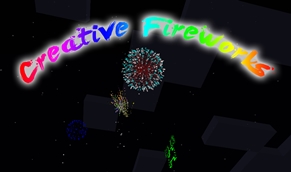
With CreativeFireworks you are able to create your own firework effects!
How to install:
- Download this plugin.
- Put CreativeFireworks.jar into your plugins folder.
- Start your server and get ready for your first firework effect! 🙂
Commands
/creativefireworks or /cf – Shows information about CreativeFireworks.
/cf help – Shows helping information.
/cf help types – Shows information about all available types.
/cf help colors – Shows information about all available colors.
/cf add <type> <colors> – Adds an effect to the firework rocket. <colors> can also be splitted by commas.
Example: /cf add ball orange,white
/cf add <type> <colors> <flicker> – Adds an effect with flicker (if "true") to the firework rocket.
/cf add <type> <colors> <flicker> <trail> – Adds an effect with flicker (if "true") and trail (if "true") to the firework rocket.
/cf add <type> <colors> <flicker> <trail> <fadecolors> – Adds an effect with flicker (if "true"), trail (if "true") and fadecolors to the firework rocket. <fadecolors> works as well as <colors>.
Example: /cf add ball orange,white true false green,red,blue
/cf add random – Adds a completely random created effect to your firework rocket.
/cf remove <type> – Removes a type from your firework rocket. Replace <type> with "-a" to remove all effects.
/cf set duration <duration> – Sets the flight duration to the specified <duration>.
<type> can be replaced with "-r" to get a random type.
<colors> can be replaced with "-a" for all colors or "-r" for a random color. To get more random chosen colors, you have to add ":amount" to "-r".
Example: /cf add star -r:6 – This adds 6 random chosen colors to your firework rocket.
<flicker> can be replaced with "-r" to let "true" or "false" be random chosen.
<trail> same as <flicker>.
<fadecolors> same as <colors>.
Permissions:
creativeFireworks.* – Gives you access to all permissions of CreativeFireworks.
creativeFireworks.help.* – Gives you access to all helping permissions of CreativeFireworks.
creativeFireworks – Gives you access to the default CreativeFireworks permission.
creativeFireworks.help – Gives you access to the helping information.
creativeFireworks.help.types – Gives you access to the helping information about types.
creativeFireworks.help.colors – Gives you access to the helping information about colors.
creativeFireworks.add – Gives you access to add effects to your firework rocket.
creativeFireworks.remove – Gives you access to remove effects from your firework rocket.
creativeFireworks.random – Gives you access to add a completely random created effect to your firework rocket.
creativeFireworks.set – Gives you access to set options for a firework rocket.
To-Do list:
Nothing. Do you have any suggestions? 🙂
Found an error or bug? Please let me know! Copy the command line you typed in before the error occurred and post it.
Changelog:
- Version 1.1
- – Bug fixes
- Version 1.0
- – Official release


Add a comment