

 Get 0.05 TON 💎
Earlier Versions
| Name | Size | Uploaded | Game Version | Downloads | |
| Release 1.1.1 for MC 1.15.2+ (Forge/Fabric) release | 16.98 KB | Dec 3, 2021 | 1.16.5 | 9,284 |  Download Download |
| Release 1.1.1 for MC 1.17+ (Fabric) release | 16.48 KB | Nov 25, 2021 | 1.18 | 66,353 | Download |
| Release 1.1.1 for MC 1.17+ (Forge) release | 15.84 KB | Nov 25, 2021 | 1.18 | 166 | Download |
| Release 1.1.0 for MC 1.15.2+ (Forge/Fabric) release | 16.56 KB | Sep 16, 2020 | 1.16.5 | 292,139 | Download |
| Release 1.0.2 for MC 1.15.2+ (Forge/Fabric) release | 14.22 KB | Sep 1, 2020 | 1.16.2 | 3,371 | Download |
| Release 1.0.1 for MC 1.15.2 (Forge/Fabric) release | 14.25 KB | Aug 13, 2020 | 1.15.2 | 14,345 | Download |
| Release 1.0.0 for MC 1.8 - 1.12 (Forge) release | 9.87 KB | Feb 6, 2020 | 1.12.2 | 133,596 | Download |
| Release 1.0.0 for MC 1.14.x (Forge/Fabric) release | 12.51 KB | Feb 6, 2020 | 1.14.4 | 85,016 | Download |
| Release 1.0.0 for MC 1.15.2 (Forge/Fabric) release | 14.25 KB | Jan 31, 2020 | 1.15.2 | 458,240 | Download |
Screenshots


Description
Installation
The mod supports Forge and Fabric (*) mod loaders, the same mod file will work in both. Follow either mod loader's installation guide, then download the mod file for your Minecraft version, and install it into the .minecraft/mods folder.
(*) Fabric API is not required.
Configuration
Run the game once to create the configuration file. By default, the window title will be set to Minecraft <version>. Unlike in vanilla 1.15.2 onwards, the title will not change when you enter a world/server.
To change the title or icon, navigate to the .minecraft/config folder, and open customwindowtitle-client.toml in a text editor. You will see the following entries:
title = 'Minecraft {mcversion}'
icon16 = ''
icon32 = ''
Only edit text inside quotes or apostrophes.
Changing the Title
You can use the following special tokens in the title configuration entry:
- {mcversion} – current Minecraft version
- {modversion:modid} – version of installed mod with the identifier modid
If any of the tokens aren't working, search the game log for CustomWindowTitle and you should see the reason, otherwise please file an issue on the issue tracker with as many details as possible.
Changing the Icon
You must create two PNG images with sizes 16×16 and 32×32 pixels. The images must be saved with transparency even if they don't use it, otherwise the icons will appear corrupted. In Krita for example, you must check Store alpha channel (transparency) when saving the image.
The icon16 and icon32 configuration entries point to the PNG files relative to the .minecraft/config folder. For example, if you place the two icons in a folder named customwindowtitle as follows:
- .minecraft/config/customwindowtitle-client.toml
- .minecraft/config/customwindowtitle/icon16.png
- .minecraft/config/customwindowtitle/icon32.png
Then, the two icon entries should look like this:
icon16 = 'customwindowtitle/icon16.png'
icon32 = 'customwindowtitle/icon32.png'
Custom icons require Custom Window Title 1.1.0 or newer.
Screenshots
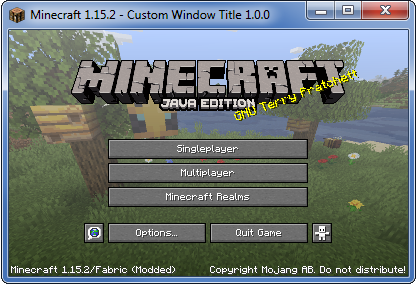
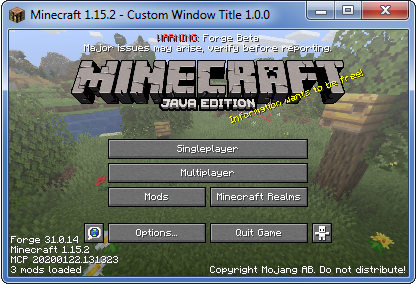
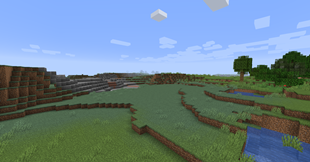
These screenshots were taken using the following example configuration:
title = "Minecraft {mcversion} – Custom Window Title {modversion:customwindowtitle}"


Add a comment