


 Get 0.05 TON 💎
Earlier Versions
| Name | Size | Uploaded | Game Version | Downloads | |
| cyclepaintings-fabric_1.19.x-2.3.jar release | 10.82 KB | Jun 7, 2022 | 1.19 | 1 |  Download Download |
| cyclepaintings-fabric_1.19.x-2.1.jar release | 10.80 KB | Mar 2, 2022 | 1.19-Snapshot | 78 | Download |
| cyclepaintings-fabric_1.18.x-2.1.jar release | 13.71 KB | Nov 30, 2021 | 1.18.2 | 18,079 | Download |
| cyclepaintings-fabric_1.17.x-2.1.jar release | 14.04 KB | Nov 26, 2021 | 1.17.1 | 276 | Download |
| cyclepaintings-fabric_1.16.x-2.1.jar release | 13.84 KB | Nov 26, 2021 | 1.16.5 | 104 | Download |
| cyclepaintings-fabric_1.17.x-2.0.jar release | 10.13 KB | Sep 25, 2021 | 1.17.1 | 632 | Download |
| cyclepaintings-fabric_1.16.x-2.0.jar release | 10.05 KB | Sep 25, 2021 | 1.16.5 | 65 | Download |
Description


Requires the library mod Collective (Fabric) and the Fabric API.
This mod is part of The Vanilla Experience.
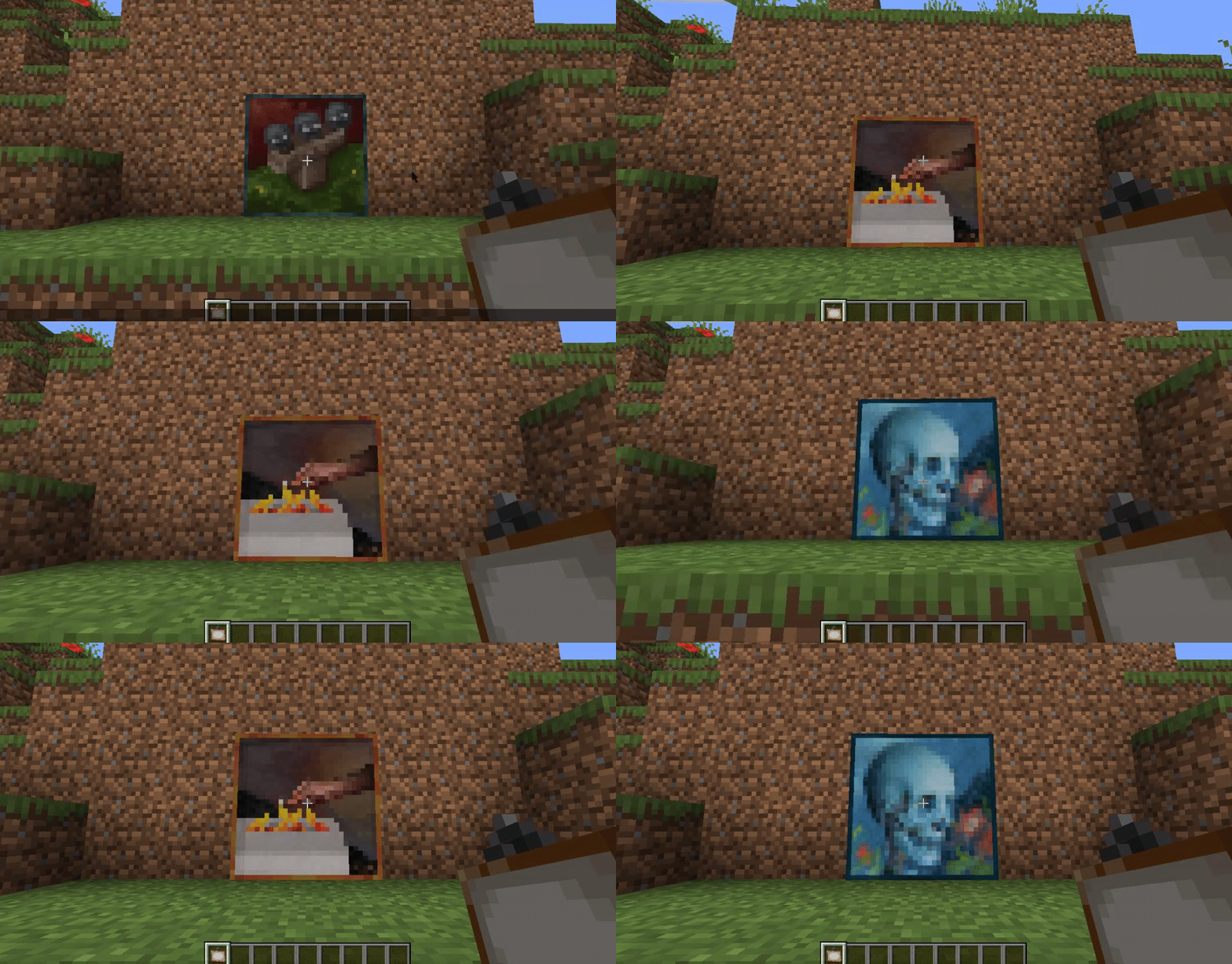
Cycle Paintings is a minimalistic mod which allows players to cycle through placed paintings by right-clicking them with another painting in their right hand. Also works with modded paintings. You can also blacklist certain motives from other mods or the vanilla game from appearing during the cycle via the config.
You no longer have to remove and place and remove and place and remove and place a painting! 🙂
Configurable: ( how do I configure? )
ignorePaintingsInCycleResourceLocation (default = "infernalexp,"): Split by a , (comma). The paintings to ignore during the cycle. You can either input an entire mod's prefix (only the part before the : (colon)) or the entire line found via 'showRegisteredPaintingsDebug'.
showRegisteredPaintingsDebug (default = false): When enabled, prints all paintings registered to the console. With this you can find which to add to the 'ignorePaintingsInCycleResourceLocationPrefix' config.
Here's an example of how it works:
You can also crouch to reverse the cycle order and go back a motive.


Add a comment