

![minecraft mod Death Finder [Fabric]](https://minecraftpatch.com/wp-content/themes/template/img/nopicSani.png)
 Get 0.05 TON 💎
Earlier Versions
| Name | Size | Uploaded | Game Version | Downloads | |
| DeathFinder-v3.1.1-1.18.1-Fabric.jar +1 More release | 83.23 KB | Feb 24, 2022 | 1.18.1 | 0 | ![download Death Finder [Fabric] DeathFinder-v3.1.1-1.18.1-Fabric.jar
+1 More release](https://minecraftpatch.com/wp-content/themes/template/img/download.png) Download Download |
Description





???? About:
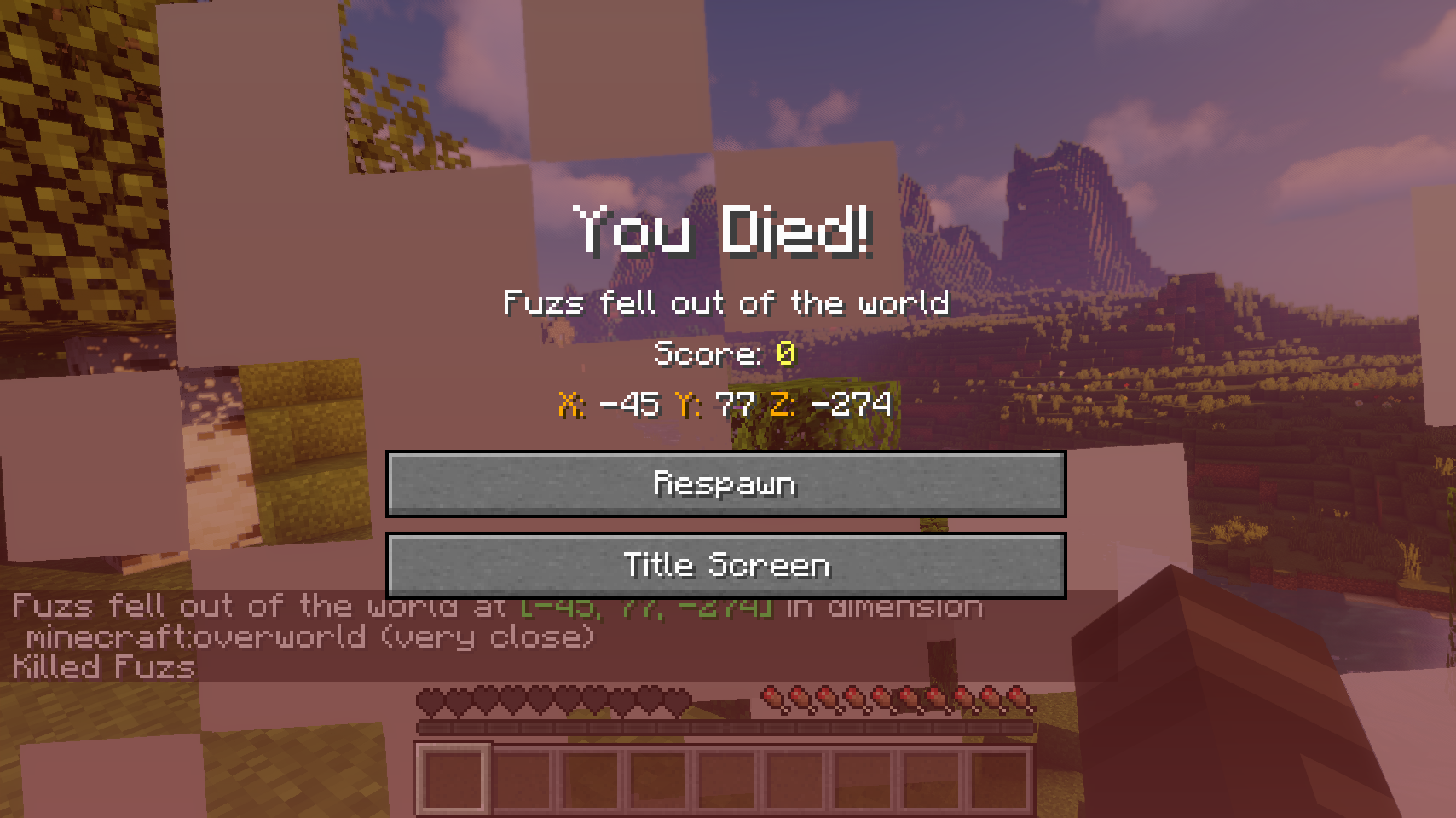
Death Finder adds the exact position of every death to the death screen as well as the death message, so you know exactly where to go looking for your items.
???? Contents:
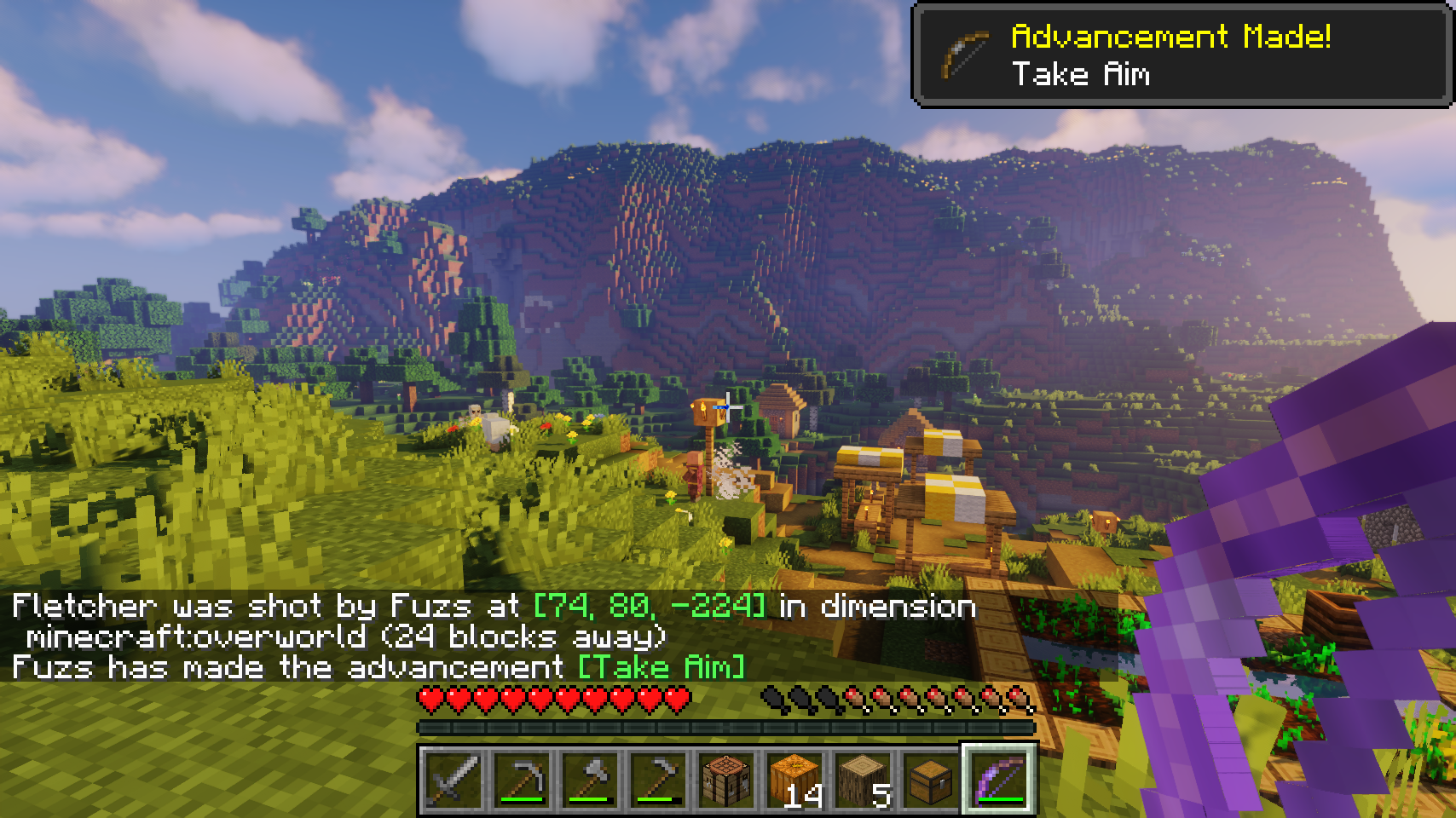
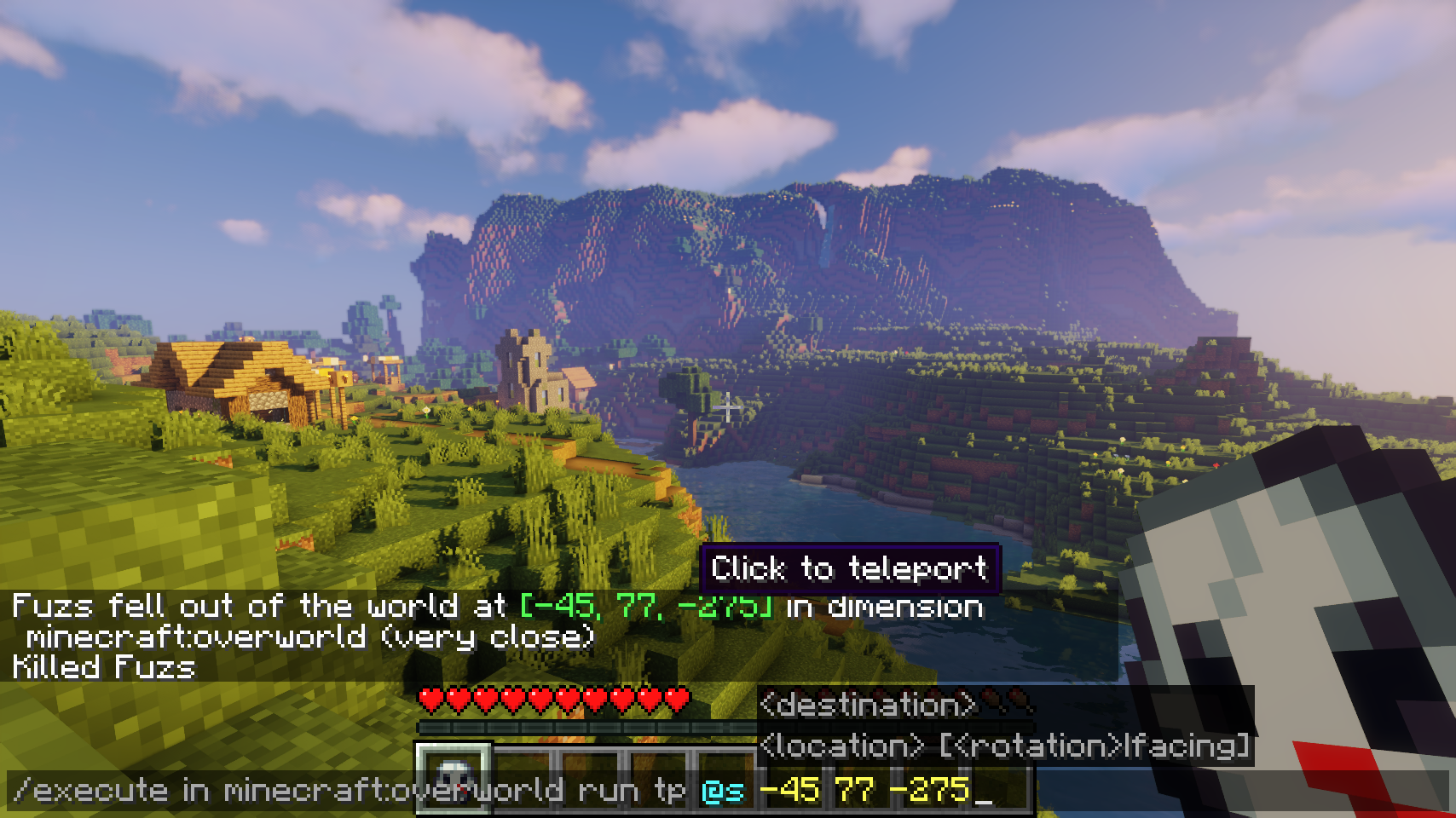
The death position is added to the death screen. Also coordinates, the dimension, as well as your current distance from the death point are added to every death message. Server operators can even click the coordinates in the death message to easily teleport to the death point. This feature can also be enabled for all players, but with a few restrictions: teleporting only works within the next 5 minutes after dying, and it’s only available for your own most recent death point.
Also a death message is shown whenever a villager or named entity dies. There also is an option to send out a death message for any entity death, which is disabled by default. This option comes together with a blacklist and whitelist. Additionally vanilla death messages sent out by players and pets can be separately toggled.
???? Media:
 |
 |
|
| Coordinates are added to all death messages | Quickly teleport to the death point with a simple click | |
 |
||
| Coordinates are displayed on the death screen | ||
???? FAQ:
Q: How do I configure this mod?
A: Editing configs directly in-game has not yet been implemented. Instead when in a world run the /config showfile <modid> command by choosing either CLIENT or SERVER (depending on the mod), then click the file name (ending with .toml) that appears in chat to be able to manually edit the config file in a separate editor. After saving the file, the config will automatically reload in-game after a couple of seconds, so no game restart required.







 |
 |
|
 |
 |
|
![Item Highlighter [Fabric]](https://files.minecraftpatch.com/addons_new/item-highlighter-fabric-541578/screenshots/item-highlighter-fabric-scr-1-mini.png)

![Merchant Markers [Fabric]](https://files.minecraftpatch.com/addons_new/merchant-markers-fabric-554836/screenshots/merchant-markers-fabric-scr-1-mini.png)
Add a comment