

 Get 0.05 TON 💎
Earlier Versions
| Name | Size | Uploaded | Game Version | Downloads | |
| Discord API - Discord Logs with Embeds 2.2 release | 31.98 KB | Jan 27, 2022 | 1.18.1 | 32 |  Download Download |
| discordlogs.jar release | 31.77 KB | Jan 20, 2022 | 1.18.1 | 15 | Download |
| [DiscordLogs] Update 2.3 alpha | 48.57 KB | Jan 27, 2022 | 1.18.1 | 2 | Download |
| Discord API - Discord Logs with Embeds 2.1 alpha | 31.77 KB | Jan 23, 2022 | 1.18.1 | 11 | Download |
Screenshots


Description

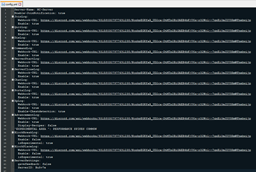
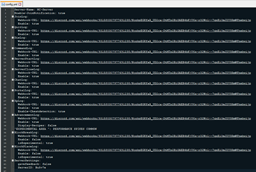
You can configurate a lot in the Config.yml.
You can select induvidually webhooks for every log, also you can select a Custom color!
Please report bugs or send Suggestions via /Feedback ( Message ) ingame.
Commands:
/discordlogs info = show config status
/discordlogs rl / reload = reloads config
/discordlogs serverid = shows serverid
/feedback (message) = send feedback
/javapanel = send messages to discord to check webhook
How to use javapanel?
1. Paste valid Webhook-URL
2. Press "Next"
3. Paste Message
4. Press "Send"

Permissions:
discordlogs.info = use /discordlogs info
discordlogs.reload = use /discordlogs rl / reload
discordlogs.serverid = use /discordlogs serverid
discordlogs.feedback = use /feedback (message)
discordlog.joinnote = get join config status
discordlogs.javapanel.command = use /javapanel
How to use?
1. drag the "discordlogs.jar" in the Plugins folder
2. Start the Server
3. go in plugins/discordlogs/config.yml
4. Type at
Enable: true or false to toggle the log
5. paste ur own Webhook-URL at
Webhook-URL: www.discordwebhook.com
6. Type /discordlogs rl/reload
7. Done
I used this API:
https://gist.github.com/k3kdude/fba6f6b37594eae3d6f9475330733bdb
Note:
Infos about your Server is getting send for Development reasons to the Developer, if you dont want this write "false" in the config.yml at "Sendserverinfo:"


Add a comment