

 Get 0.05 TON 💎
Earlier Versions
| Name | Size | Uploaded | Game Version | Downloads | |
| Version 1.1 release | 39.60 KB | May 6, 2016 | 1.9 | 153 |  Download Download |
| Version 1.0 release | 21.90 KB | May 5, 2016 | 1.9 | 70 | Download |
| Version 1.2 beta | 47.25 KB | May 10, 2016 | 1.9 | 86 | Download |
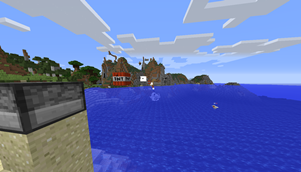
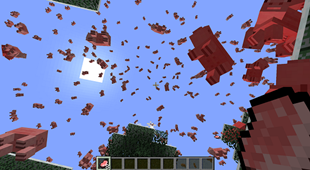
Screenshots

Description
DispenserTweaks allows you to customize the behavior of the Dispenser when dropping certain items and this plugin can also be used as an API for adding custom dispense behaviors.
This plugin uses internal Minecraft code and is only compatible with already implemented versions, currently 1.7.10, 1.8.8 and 1.9,
if your server runs a different version, write a comment and I'll add support for it.
Commands
Version 1.1 supports commands to change dispenser settings for a single dispenser (and the config options have been removed).
Just use one of the following commands as a player and then right click a dispenser to apply the setting.
- /dispenserTweaks reset – Resets all values.
- /dispenserTweaks velocityMultiplier [value] – Changes the velocity multiplier. If the value is 1.0, the default Vanilla velocity/behavior is used for example TNT just falls down.
- /dispenserTweaks tntFuseTicks [value] – How long (in ticks) it takes for the TNT, when shot out of the dispenser, to explode.
- /dispenserTweaks explosionStrength [value] – The explosion strength of TNT and Fireballs.
- /dispenserTweaks fieryExplosions [1 or 0] – If the explosion leaves fire behind.
Making a custom DispenseBehavior
DispenserTweaker.registerCustomDispenseBehavior(262, new ArrowDispenseBehavior());
The first argument is the item id which you want to register a custom behavior for, for example 262, the id of an arrow and the second argument is a class implementing DTDispenseBehavior or extending DTDispenseBehaviorItem or DTDispenseBehaviorProjectile.
The source code is available on the Github Repository.


Add a comment