


 Get 0.05 TON 💎
Earlier Versions
| Name | Size | Uploaded | Game Version | Downloads | |
| Enhanced Mobs 1.4.zip release | 1.65 MB | Nov 29, 2019 | 1.14.4 | 12,778 |  Download Download |
| Enhanced Mobs 1.3 "Bipeds Update" release | 1.11 MB | Sep 3, 2019 | 1.14.4 | 3,709 | Download |
| Enhanced Mobs 1.2 "Arthropod Update" release | 827.85 KB | Jul 31, 2019 | 1.14.4 | 2,007 | Download |
| Enhanced Mobs 1.1 release | 1,006.77 KB | Mar 9, 2019 | 1.13.2 | 2,466 | Download |
| Enhanced Mobs 1.0 release | 1.15 MB | Jan 8, 2019 | 1.13.2 | 1,787 | Download |
Screenshots




Description
Please note: Optifine is required for this resource pack to function, as I take advantage of an Optifine feature to be able to change the models of mobs.
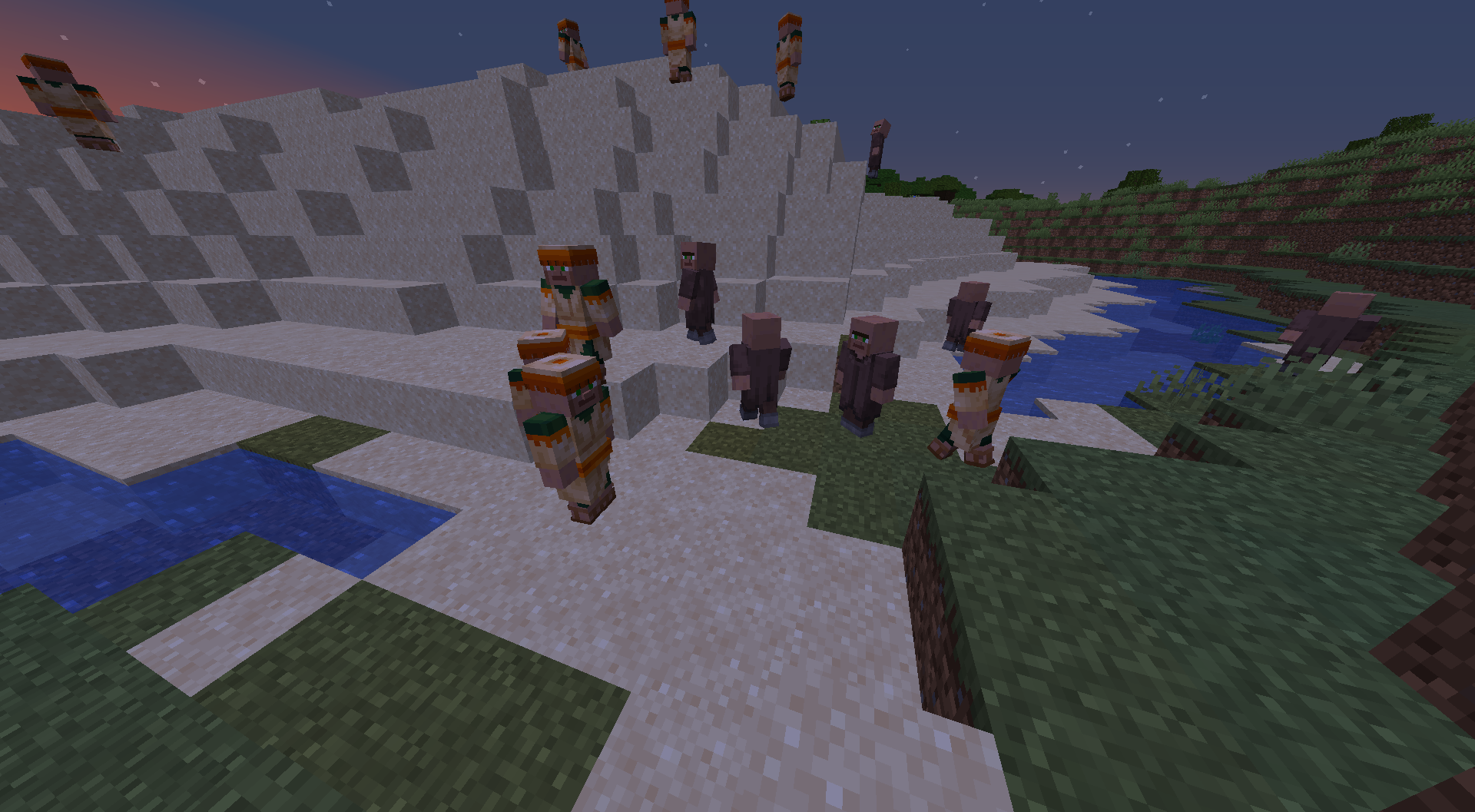
This pack updates the models and revamps the textures of mobs to be more realistic, while also trying to keep to the Minecraft feel. Each mob upgraded will have a set of textures that will either be randomized or be specific to certain biomes. I plan on updating every mob in the game, but this will take quite a while, so be patient and check in periodically for updates (Or follow me on Twitter for more frequent updates on my progress). If you have suggestions for a mob that you would like upgraded next or a species texture that can be added to an already upgraded mob I will work on those first and get them out to you as soon as possible. Thank you for your support!
Here is a list of the mobs that have an updated model and textures:
Cow: Model + 9 Variants
Mooshroom: Model + 6 Variants
Chicken: Model + 6 Variants
Rabbit: Model + Normal variants updated + Randomized ears feature
Pig: Model + 6 Variants
Sheep: Model + 3 Variants + Randomized wool feature
Parrot: Model + 12 Variants
Llama: Model + 9 Variants
Ocelot: Model + 3 Variants
Wolf: Model + 7 Variants
Spider: Model + 2 Variants
Cave Spider: Model + 3 Variants
Silverfish: Model + 3 Variants
Endermite: Model + 3 Variants
Creeper: Model + 10 Variants
Bat: Model + 4 Variants
Dolphin: Model + 3 Variants
Zombie: Model + 6 Variants
Husk: Model + 6 Variants
Drowned: Model + 4 Variants
Zombie Pigman: Model + 3 Variants
Villager: Model + Normal Variants + 1
Zombie VIllager: Model + Normal Variants + 1
Witch: Model
Vindicator: Model
Evoker: Model
Vex: Model + 3 Variants
Skeleton: Model
Stray: Model
Wither Skeleton: Model
Blaze: Model + 4 Variants
Enderman: Model + 2 Variants
Illusioner: Model
PIllager: Model
Horse: Model
Donkey: Model
Mule: Model
Giant: Model + 6 Variants
Magma Cube: Model
Polar Bear: Model
Turtle: Model + 3 Variants
Baby Mobs: Models for all breedable mobs
And finally, this is the list of mobs that will be modified in the next update, "Aqua-Pillage Update":
Cod / Salmon / Tropical Fish / Pufferfish / Panda / Fox / Ravager / Phantom / Wandering Trader / Trader Llama / Guardian / Elder Guardian
If for any reason you want to remove certain mobs from your copy of the resource pack, all you need to do is delete the textures and models for those specific mobs in the resource pack. This can be done by searching "%appdata%" on your computer, then going to '.minecraft/resourcepacks/Enhanced Mobs 1.3/assets/minecraft/'. From there, the textures can be found in 'textures/entity' and 'optifine/mob' folders, and the models can be found in the 'optifine/cem' folder. As for the models, all you have to do is delete the .jem files. Leave the .jpm files alone, because sometimes they are related to other mobs and you might break something.
Showcase Video by Phoenix Prevailing:
Other Info: All textures and models were created solely by myself, however, I did receive advice from SixFootBlue (Twitter: https://twitter.com/SixFootBlue ) when I was learning how to model in optifine. If you would like to follow me for updates on progress for this resource pack and other projects I am working on, feel free to follow me on Twitter as well: https://twitter.com/DragendGhast
Add a comment