

 Get 0.05 TON 💎
Earlier Versions
| Name | Size | Uploaded | Game Version | Downloads | |
| EternalItems-1.10.2-0.2.3.26.jar release | 21.07 KB | Dec 31, 2016 | 1.10.2 | 626 |  Download Download |
| EternalItems-1.11.2-0.2.3.22.jar release | 21.07 KB | Dec 31, 2016 | 1.11.2 | 544 | Download |
| EternalItems-1.9.4-0.2.2.19.jar release | 18.72 KB | May 20, 2016 | 1.9.4 | 511 | Download |
| EternalItems-1.9-0.2.1.17.jar release | 18.33 KB | Apr 28, 2016 | 1.9 | 367 | Download |
| EternalItems-1.8-0.1.0.5.jar beta | 14.90 KB | May 20, 2015 | 1.8 | 856 | Download |
Screenshots


Description
Installation:
1.11.x / 1.10.x / 1.9.x:
- Normal forge mod, just drop this mod into the mods folder and it should work just fine. This DOES NOT require AlexIILLib.
1.8:
- Normal forge mod, just drop this mod into the mods folder and it should work just fine. This also requires AlexIILLib (http://minecraft.curseforge.com/mc-mods/229301-alexiillib)
This mod makes all items last forever in the world (so no more losing items after death or losing items to mobs because you couldn't get back in time). Since the 5-minuite item despawn mechanic was probably implemented to prevent lag, this mod only allows up to a certain number of item entities (default 100) in the world to tick and render, and puts the overflow into a queue that is added to and removed from as items are dropped into the world and despawn from the world.
Specifically, whenever an item in world hits the 5th minute (when it would normally despawn), it is added to the queue and removed from the world, to let any other items in the queue take its place in the world. This means that if you go to where you last saw your items, and they are not all there, it is a good idea to wait around for a minute to see if they reappear again. Items which have been in the queue or have passed their 5th minute of existence are only given another 50 seconds before being checked again if they should be swapped out in the queue. This keeps the waiting time lower, while not really affecting the tick time of the server.
This should provide a solution to servers that have too many items floating around, and to clients on those servers trying to render out too many items.
The number of items allowed in the world can be configured from the config file (eternalitems.cfg in the config folder). The range is 20 to 600 item entities. It is important to note that a stack of 64 stone is only a single item entity when dropped.
This also has 4 commands: "eternalitems debug", "eternalitems position", "eternalitems stats", and "eternalitems reset".
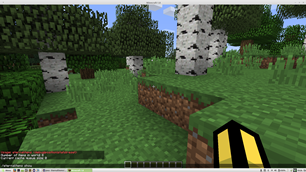
The "debug" sub-command shows the current number of items in the world, and the number of items in the queue.
The "position" sub-command shows the positions of all the items currently in the world.
The "stats" sub-command shows the 5 chunks that have produced the most items (Useful if you want to track down a badly built automation).
The "reset" sub-command resets the "stats" information to 0 for all chunks (so future calls of "eternalitems stats" only show the statistics from when you last reset it)
This should be compatible with all forge mods.
If you have a crash report, please upload it to pastebin and link it as to not fill up the comments section (also, crash reports are easier to read on pastebin than in the comments)




Add a comment