

 Get 0.05 TON 💎
Earlier Versions
| Name | Size | Uploaded | Game Version | Downloads | |
| 2 release | 29.75 KB | Mar 28, 2015 | 1.8.1 | 5,337 |  Download Download |
| v1.0.0 release | 24.85 KB | Nov 25, 2014 | CB 1.7.9-R0.2 | 1,055 | Download |
| v0.1.0 release | 23.02 KB | Aug 14, 2014 | 1.7.4 | 853 | Download |
| v0.0.2 release | 15.01 KB | Aug 9, 2014 | 1.7.4 | 452 | Download |
| v0.0.1 beta | 14.58 KB | Jul 29, 2014 | 1.7.4 | 427 | Download |
Screenshots


Description
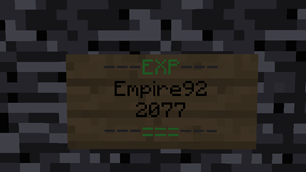
Go to any EXP bank sign, see your own stats, and deposit or withdraw EXP. Just one EXP bank can manage the EXP of the whole server.
Click here for the SPANISH documentation
[Experience Bank II v0.1.0]
This plugin was created at the request of Stormbow (Check him out 🙂 )
It uses a similar mechanic to my other plugin: Individual Signs Plus
– You can walk up to any EXP Bank sign and see your OWN stats!
– There is no limit to how many people can look at and use a single sign
– You can have as many signs as you would like
– Sign locations are NEVER stored in any database
– Completely configurable sign text (6 placeholders to choose from)
– 100% Ready and compatible with UUIDs in 1.8
– Optional MySQL table for stored EXP
More features coming soon! (tell me if you want something adding)

[Creation]
Permission node: expbank.create
Place a sign and type: [EXP] on the first line (configurable)
– The sign should now be created
[Usage]
Permission node: expbank.use
To deposit 1lvl: LEFT CLICK
To deposit everything: SHIFT + LEFT CLICK
To withdraw 1lvl: RIGHT CLICK
To withdraw everything: SHIFT + RIGHT CLICK
To withdraw as EXP_BOTTLE: RIGHT CLICK GLASS BOTTLE/S
– ^requires the permission node expbank.use.bottle
[Permissions]
expbank.create – to create the sign
expbank.use – to use the sign
expbank.use.bottle – used to withdraw EXP as a bottle
[Configuration]
LANGUAGE: change the language file to use
| Setting | Description | Default Value |
|---|---|---|
| language | The yml file to use for the messages | english |
TEXT: change the appearance of the signs
| Setting | Description | Default Value |
|---|---|---|
| version | The plugin version | version specific |
| text.1 | The appearance of line 1 of an EXP BANK | –––EXP––– |
| text.2 | The appearance of line 2 of an EXP BANK | {player} |
| text.3 | The appearance of line 3 of an EXP BANK | {expbank} |
| text.4 | The appearance of line 4 of an EXP BANK | –––===––– |
| text.create | The text to enter on a sign to create an EXP BANK | [EXP] |
Placeholders:
The following placeholders can be used in the lines of the sign
– {player} – the player's name
– {expbank} – the stored exp
– {lvlbank} – the stored exp in levels
– {lvlbank2} – no. of levels you will gain if you withdraw
– {exp} – the player's current exp
– {lvl} – the player's exp level
STORAGE: set limits on how much EXP can be stored
~ Storage is used to set exp bank storage limits for different users.
| Setting | Description | Default Value |
|---|---|---|
| storage.default | The default limit (no permission associated) | 825 |
To add a new limit, simply create a new key under storage. e.g. "donator"
A player with the permission node expbank.limit.donator will then have this as their new limit
– The permission with the highest limit has priority
MYSQL: use MySQL to store a player's exp
| Setting | Description | Default Value |
|---|---|---|
| mysql.connection.host | The host for the MySQL database | localhost |
| mysql.connection.port | The port to use to connect to MySQL | 3306 |
| mysql.connection.username | Your MySQL username | root |
| mysql.connection.password | Your MySQL password | |
| mysql.connection.database | The name of the database to use | mysql |
| mysql.connection.table | The name of the MySQL table to use | expbank |
| mysql.enabled | Whether MySQL should be enabled or not | false |
Placeholders
[Standalone Class]
Please PM me if you need some help in creating a standalone plugin with similar mechanics.
Alternatively you could use my InSignsPlus API
TODO
– Individual Messages features
– Add a command to withdraw/deposit exp (if you dislike the signs)
– Add a command to trade exp with other players
– Multiworld support?
– Add a command to see a table of how much EXP is in each level.




Add a comment