


 Get 0.05 TON 💎
Earlier Versions
| Name | Size | Uploaded | Game Version | Downloads | |
| Hub Server Helper release | 7.65 KB | Dec 20, 2015 | 1.8 | 409 |  Download Download |
Description

Hub Server Helper is my first ever plugin made, it's mainly aimed for a hub server.
It gives users access to commands which give information.
Commands
/staff – Lists the server staff.
/website – Lists the server website.
Permissions
This plugin as of now does not have any permissions, just a simple install and once installed all users
have access to all commands.
Configuration
Lite and easy to use config, explains every part of it.
How to setup the config
This is what your config will look like after installation.
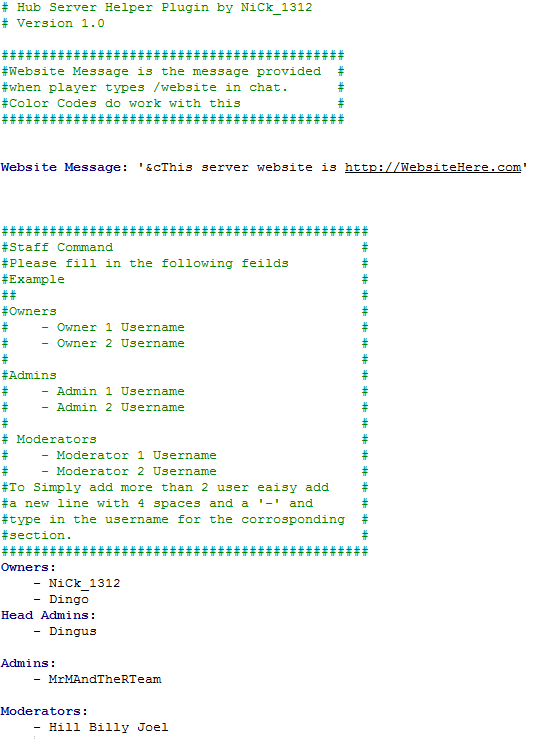
We will start from top to bottom.

This is the message that will be shown once a player types /website.
It fully supports color codes. -> http://ess.khhq.net/mc/
So if I change the string to

The outcome in-game would turn out to be

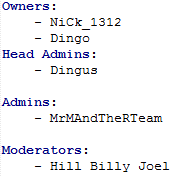
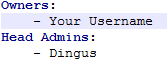
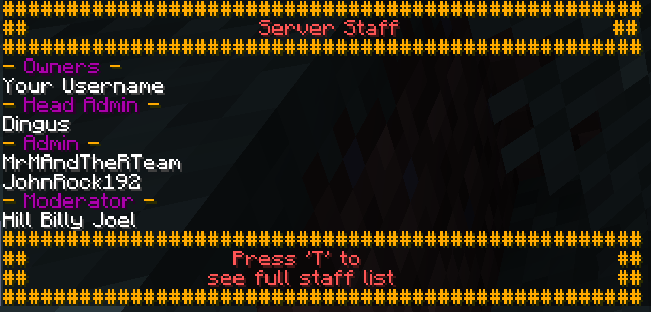
This is the staff list that will be shown once a player types /staff.
Simply rename the names in the config to the users that fill the current ranks.
Example I'm pretty sure that I'm not the owner of your server, so you would
change the name from my name to your name as provided.

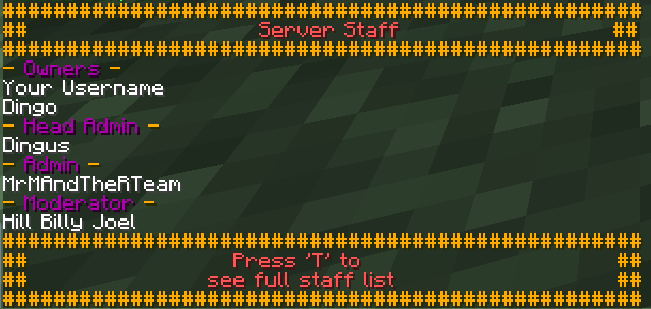
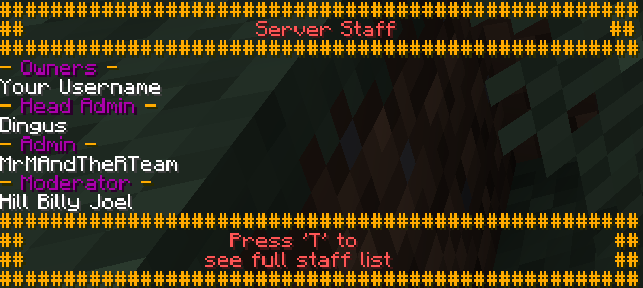
It will look like this ingame
To remove a user
Simply highlight the user you would like to remove from the list
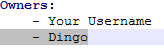
and click delete. So now it should look like this
Config File:
Ingame:
To add a user
Simply go to the rank you would like to add a user to, in this case I will add a user to Admins.

Create a new line under the last existing user on that list.
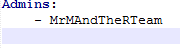
Once done simply press backspace and then press space 4 times and add a –
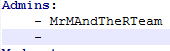
Now simply press space and type in the username you would like to add to that group.
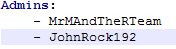
Final Result Ingame:
Anti Grief
Anti Grief is an in-built feature I decided to add instead of downloading world guard.
It doesn't have all the features of world guard but gets the job done if your have
PvP Disabled
Mob Spawning Disabled
It simply adds you can't break or place blocks anywhere on the server, unless your an op, if so you are allowed to.
Future to Come
- Instead of just op being able to place and break blocks, if your username is on the staff list Admin or higher you are allowed to place/break blocks.
- A feature where it makes it auto day instead of having command blocks or staff having to type /day all the time.
Please help
This is my first plugin ever created by me. It will be amazing you do one or more of the following things to help me continue and or create more plugins.
- Comment bugs and what you would like to be added / changed.
- Subscribe to me on YouTube to keep in contact -> Click Here
- Donate to me on Paypal

Add a comment