


 Get 0.05 TON 💎
Earlier Versions
| Name | Size | Uploaded | Game Version | Downloads | |
| ItemMessages V1.2 release | 3.67 KB | May 20, 2014 | CB 1.7.2-R0.3 | 210 |  Download Download |
| ItemMessages V1.1 beta | 3.33 KB | Apr 23, 2014 | CB 1.7.2-R0.2 | 101 | Download |
| ItemMessages V1.0 beta | 2.64 KB | Apr 23, 2014 | CB 1.7.2-R0.2 | 101 | Download |
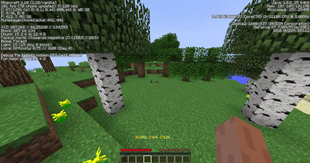
Screenshots

Description


A very simple plugin that allows custom messages to display when a player right clicks an emerald, Although you can change the item in the config.yml. Use color codes to add colour formatting to your message!
Great plugin to display Website url or other information you want to display to your server's players.
GREAT FOR HUB SERVERS!

- /imreload – Reloads the config.yml – itemmessages.imreload
- /motd – displays motd – itemmessages.motd

- Click the download link.
- Drag ItemMessages.jar to your plugins folder.
- Restart or start your server (or reload server)
- Config should be generated in folder called "ItemMessages"
- Change config file to your liking! Reload, and enjoy!

# This is the message that will display when you use the item! Color Codes are accepted!
Message: '&1This is a test message!'
# This is the item that when you right click it will display the message you defined above!
Item: EMERALD
# This is the message that will display when you log onto the server! Color Codes are accepted!
MOTD: '&6This is the MOTD!'
#use this for enabling / disabling the MOTD!
Enable_MOTD: true

Add colour code compatibility to allow colour in messages! (coming in 1.1)
Allow configuration on right click item. (Right now its set to an emerald)
Report Bugs
Check out my Minecraft Server!

Click Here



Add a comment