


 Get 0.05 TON 💎
Earlier Versions
| Name | Size | Uploaded | Game Version | Downloads | |
| litematica-fabric-1.18.1-0.10.0.jar beta | 871.69 KB | Jan 21, 2022 | 1.18.1 | 0 |  Download Download |
| litematica-fabric-1.18.0-0.9.0.jar beta | 848.75 KB | Dec 26, 2021 | 1.18.1 | 87,749 | Download |
| litematica-fabric-1.17.1-0.9.0.jar beta | 844.62 KB | Dec 26, 2021 | 1.17.1 | 9,543 | Download |
| litematica-fabric-1.18.0-0.0.0-dev.20211203.013300.jar beta | 844.06 KB | Dec 3, 2021 | 1.18 | 91,294 | Download |
| litematica-fabric-1.17.1-0.0.0-dev.20211203.010230.jar beta | 839.38 KB | Dec 2, 2021 | 1.17.1 | 13,058 | Download |
| litematica-fabric-1.17.1-0.0.0-dev.20211201.000016.jar beta | 838.03 KB | Nov 30, 2021 | 1.17.1 | 4,171 | Download |
| litematica-fabric-1.16.5-0.0.0-dev.20210917.192300.jar beta | 818.55 KB | Nov 30, 2021 | 1.16.5 | 11,919 | Download |
| litematica-fabric-1.17.1-0.0.0-dev.20210906.183617.jar beta | 822.04 KB | Sep 6, 2021 | 1.17.1 | 146,180 | Download |
| litematica-fabric-1.17.1-0.0.0-dev.20210713.103711.jar beta | 817.20 KB | Jul 13, 2021 | 1.17.1 | 140,175 | Download |
| litematica-fabric-1.17.1-0.0.0-dev.20210707.011234.jar beta | 812.92 KB | Jul 6, 2021 | 1.17.1 | 23,280 | Download |
| litematica-fabric-1.17.0-0.0.0-dev.20210616.033538.jar beta | 785.48 KB | Jun 16, 2021 | 1.17 | 65,729 | Download |
| litematica-fabric-1.17.0-0.0.0-dev.20210614.175836.jar beta | 786.12 KB | Jun 14, 2021 | 1.17 | 4,706 | Download |
| litematica-fabric-1.16.4-0.0.0-dev.20210612.170003.jar beta | 811.07 KB | Jun 12, 2021 | 1.16.5 | 85,039 | Download |
| litematica-fabric-1.17.0-0.0.0-dev.20210608.211719.jar beta | 785.95 KB | Jun 8, 2021 | 1.17 | 17,536 | Download |
| litematica-fabric-1.16.4-0.0.0-dev.20210120.213004.jar beta | 800.60 KB | Jan 20, 2021 | 1.16.5 | 298,695 | Download |
| litematica-fabric-1.16.4-0.0.0-dev.20210112.155314.jar beta | 800.65 KB | Jan 17, 2021 | 1.16.5 | 11,799 | Download |
| litematica-fabric-1.16.4-0.0.0-dev.20201103.184101.jar beta | 796.97 KB | Nov 3, 2020 | 1.16.4 | 142,247 | Download |
| litematica-fabric-1.16.3-0.0.0-dev.20200913.215807.jar beta | 796.70 KB | Sep 13, 2020 | 1.16.3 | 68,711 | Download |
| litematica-fabric-1.16.2-0.0.0-dev.20200824.031346.jar beta | 795.68 KB | Aug 24, 2020 | 1.16.2 | 26,532 | Download |
| litematica-fabric-1.16.2-0.0.0-dev.20200812.031039.jar beta | 792.99 KB | Aug 12, 2020 | 1.16.2 | 9,541 | Download |
| litematica-fabric-1.16.1-0.0.0-dev.20200711.162756.jar beta | 793.07 KB | Jul 11, 2020 | 1.16.1 | 41,255 | Download |
| litematica-fabric-1.16.1-0.0.0-dev.20200630.022912.jar beta | 787.21 KB | Jun 30, 2020 | 1.16.1 | 12,994 | Download |
| litematica-fabric-1.15.2-0.0.0-dev.20200515.184506.jar beta | 782.14 KB | May 15, 2020 | 1.15.2 | 48,399 | Download |
| litematica-fabric-1.15.2-0.0.0-dev.20200501.214810.jar beta | 781.79 KB | May 1, 2020 | 1.15.2 | 19,331 | Download |
| litematica-fabric-1.15.2-0.0.0-dev.20200424.222747.jar beta | 781.93 KB | Apr 27, 2020 | 1.15.2 | 5,093 | Download |
| litematica-fabric-1.15.2-0.0.0-dev.20200409.182607.jar beta | 781.92 KB | Apr 9, 2020 | 1.15.2 | 27,407 | Download |
| litematica-fabric-1.15.2-0.0.0-dev.20200302.233247.jar beta | 781.60 KB | Mar 2, 2020 | 1.15.2 | 34,834 | Download |
| litematica-fabric-1.15.2-0.0.0-dev.20200212.174750.jar beta | 781.78 KB | Feb 12, 2020 | 1.15.2 | 9,557 | Download |
| litematica-fabric-1.14.4-0.0.0-dev.20191222.014040.jar beta | 785.85 KB | Dec 21, 2019 | 1.14.4 | 48,205 | Download |
| litematica-fabric-1.14.4-0.0.0-dev.20190720.191654.jar beta | 741.88 KB | Jul 20, 2019 | 1.14.4 | 72,067 | Download |
| litematica-fabric-1.14.3-0.0.0-dev.20190630.024955.jar beta | 741.85 KB | Jul 5, 2019 | 1.14.3 | 12,963 | Download |
| litematica-rift-1.13.2-0.0.0-dev.20190611.200317.jar beta | 719.70 KB | Jun 11, 2019 | 1.13.2 | 15,320 | Download |
| litematica-rift-1.13.2-0.0.0-dev.20190203.221737.jar alpha | 544.51 KB | Feb 3, 2019 | 1.13.2 | 22,355 | Download |
| litematica-rift-1.13.2-0.0.0-dev.20190107.025216.jar alpha | 544.37 KB | Jan 7, 2019 | 1.13.2 | 3,961 | Download |
| litematica-rift-1.13.2-0.0.0-dev.20181212.233025.jar alpha | 544.62 KB | Dec 12, 2018 | 1.13.2 | 5,570 | Download |
Screenshots
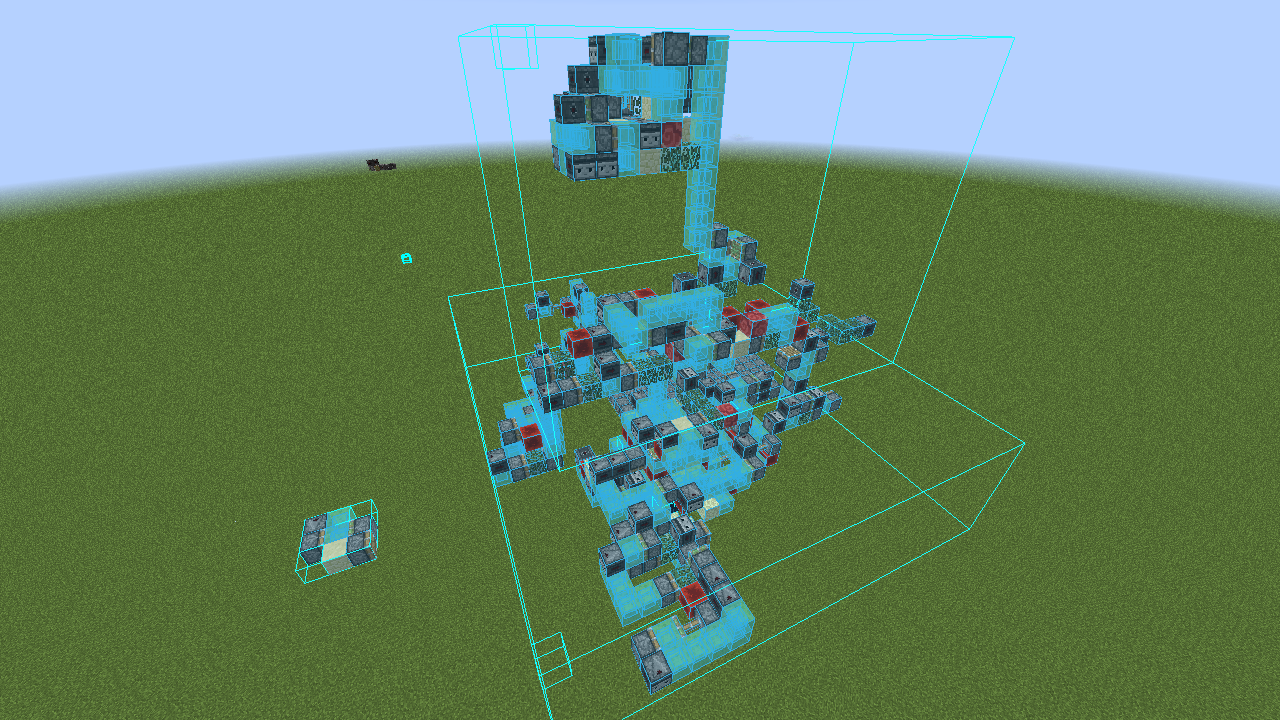
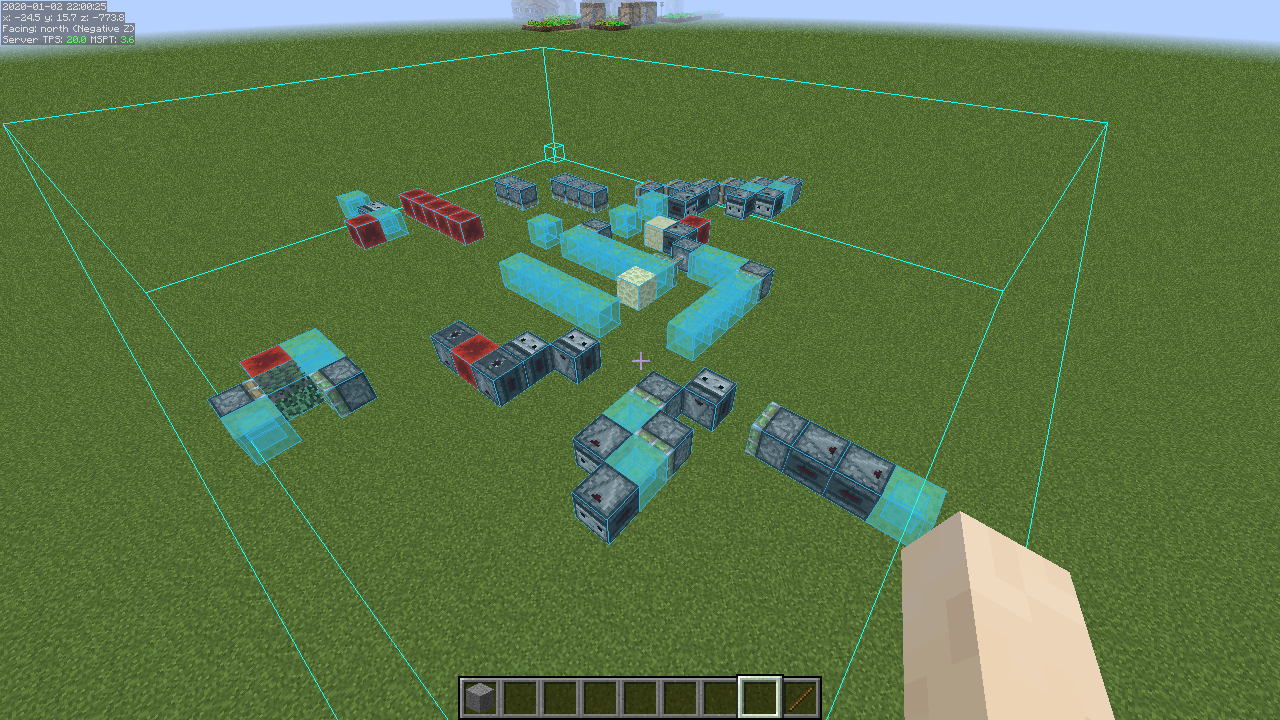


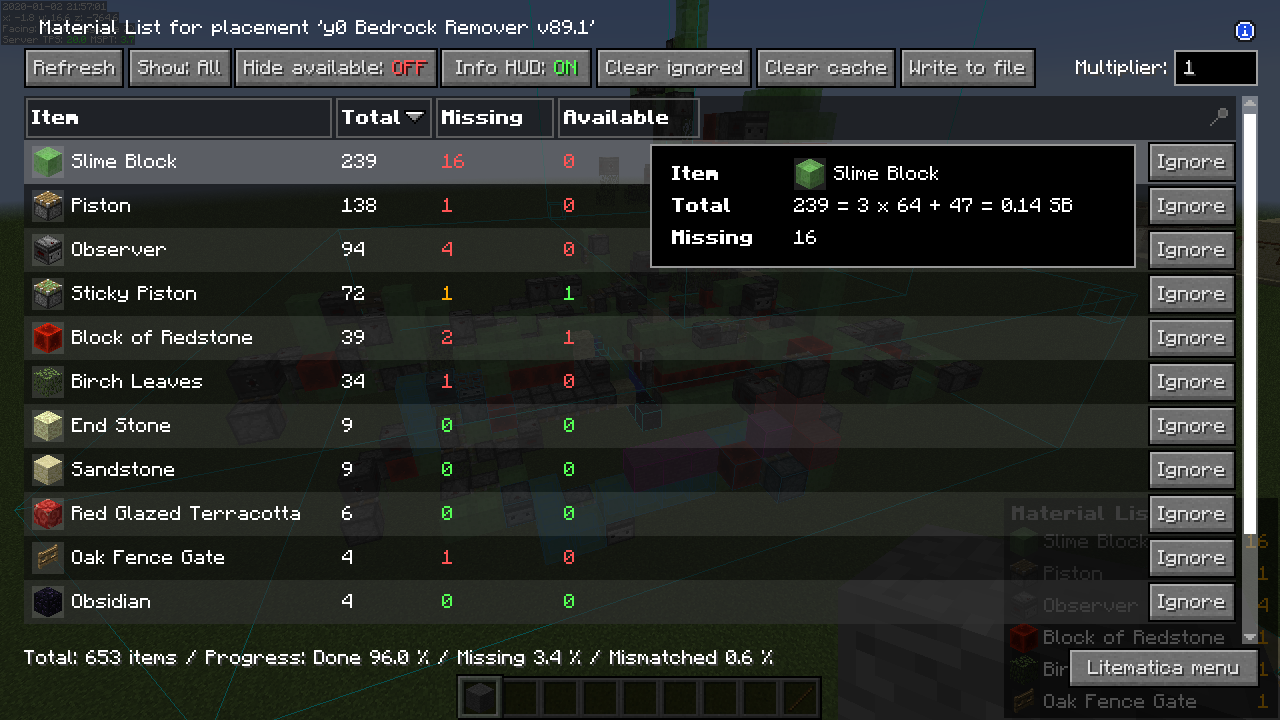
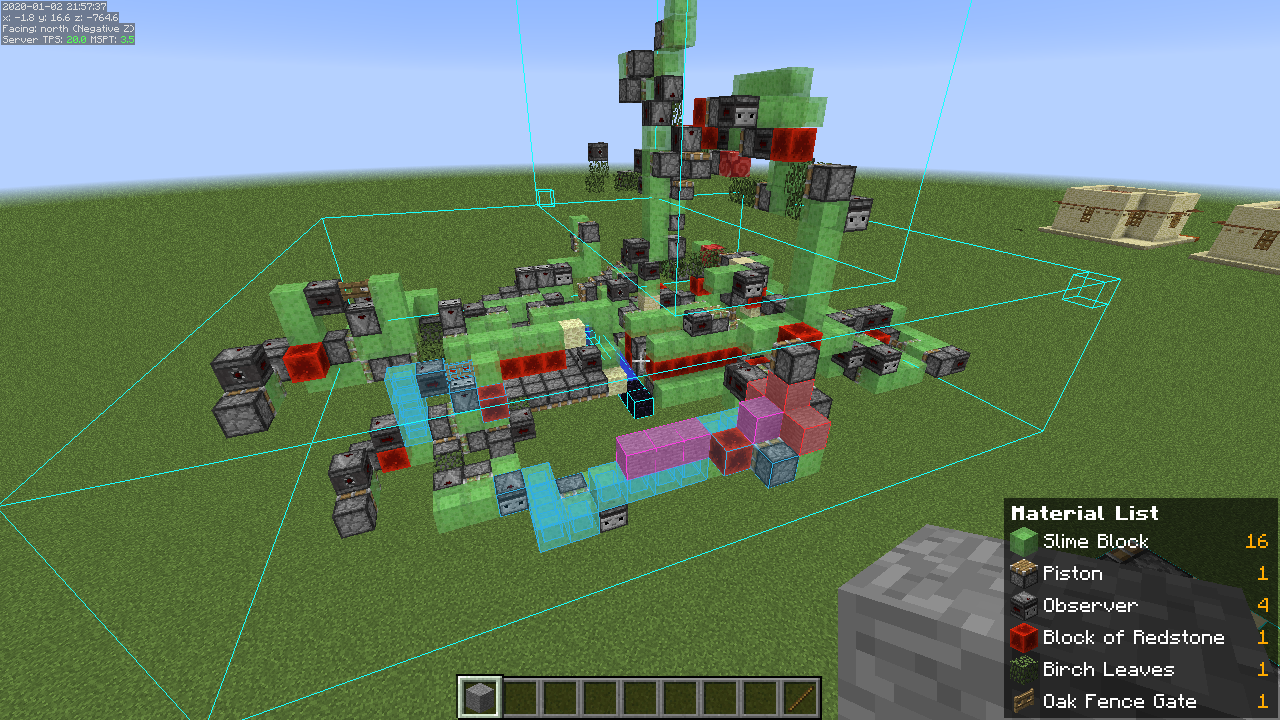
Description
Description:
Litematica is a new schematic mod written from scratch, and it is primarily targeting light mod loaders like LiteLoader on 1.12.x, Rift on 1.13.x and Fabric on 1.14+. There is also a Forge version for 1.12.2, but not yet for 1.14.4+ (but Forge ports for 1.14.4+ are also planned, see below).
It has all the features of the old Schematica mod except for the printer (which is also planned), plus a bunch more.
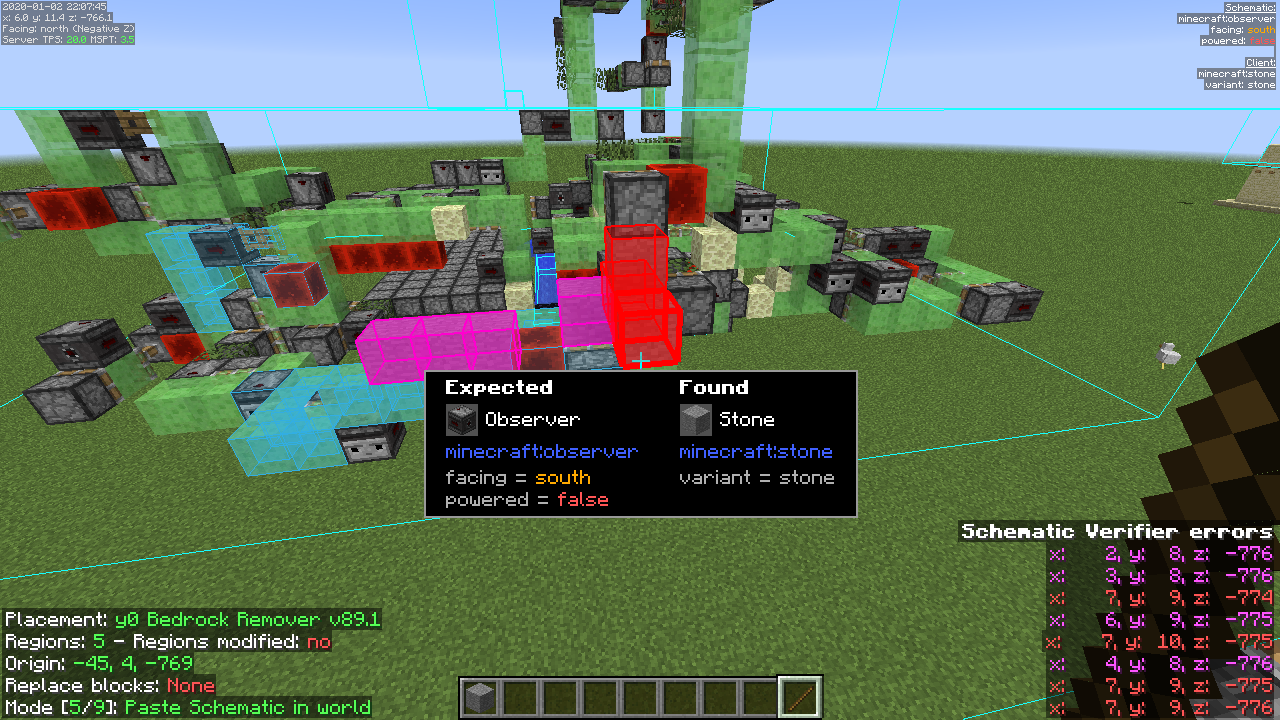
- The main feature of a schematic mod is to display a "hologram" version of a structure, which shows you exactly how to build the structure and where to place the blocks. It also includes a (configurable) overlay to highlight missing, extra or wrongly placed blocks.
- Litematica also includes a nice Material List, including a Material List HUD, to help you collect the materials needed for the build.
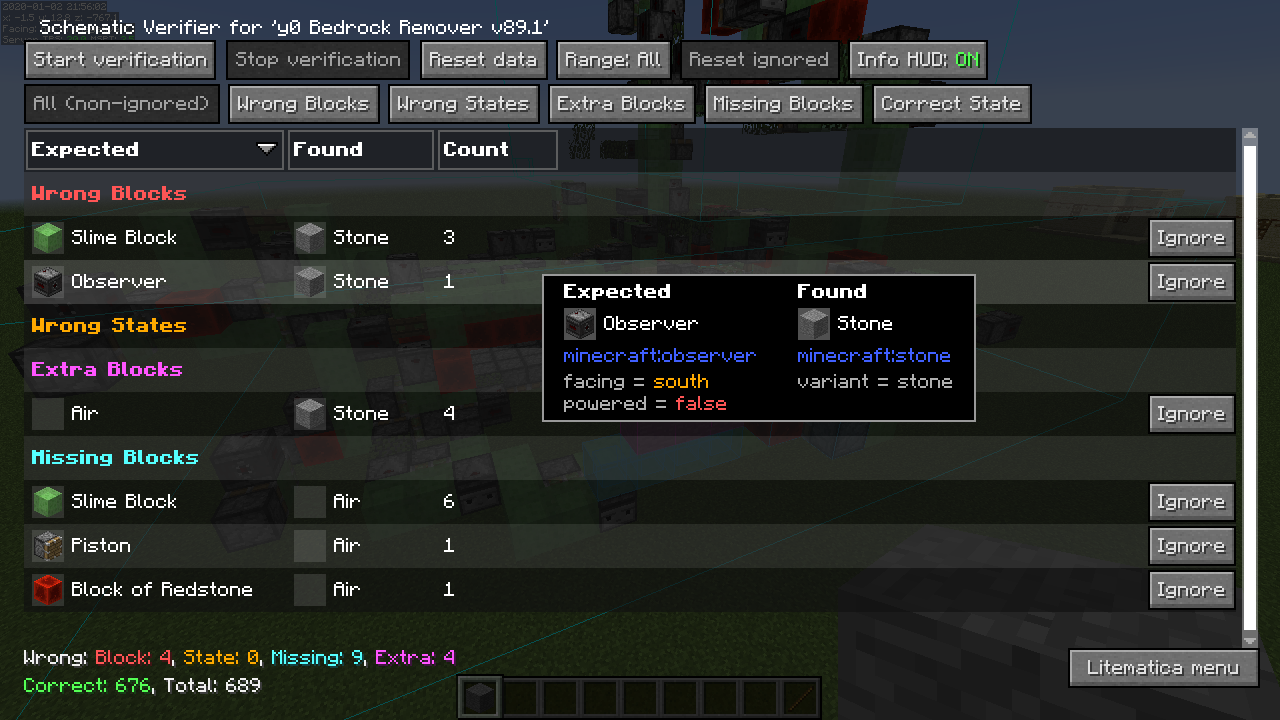
- There is also a Schematic Verifier feature, including an overlay, which you can use to scan the entire schematic area and look for any mistakes. This can be extremely useful especially with technical/redstone builds, where tiny mistakes can break everything.
- There are also several Creative-mode-only helper features, such as Fill, Replace, Delete and also a Paste mode for "pasting" schematics into the world (immediate/direct in single player, using /setblock commands in multiplayer).
NOTE: Litematica also requires the MaLiLib library mod:
https://www.curseforge.com/minecraft/mc-mods/malilib
NOTE: The translucent schematic rendering is known to be broken in the current 1.17 versions.
It hasn't been updated to the vanilla rendering changes in 1.17 yet. There are also some other things like the line thickness related configs that also haven't been re-implemented yet.
About Forge ports for 1.14.4+
Forge versions for 1.14.4 and later (possibly only for 1.16.5+) are planned.
Still no ETA about the "official port", which will only be done from the still being worked on new development code. But ZacSharp already ported the current 1.16.4 Fabric version to 1.16.5 Forge. I have one build of that available here: https://masa.dy.fi/tmp/minecraft/mods/misc_test_versions/unsupported_temporary_forge_1.16.5/
Some more info and discussion about the Forge port/builds is here: https://github.com/maruohon/litematica/issues/234
The default hotkey to open the in-game config GUI is M + C. If you are for example on AZERTY keyboard layout instead, then the keys are different, and M + C becomes , + C instead, etc.
Got glitchy weird triangles? See below!
If you have Optifine installed, then there are some options that you most likely will need to disable in Optifine, or otherwise it will break the schematic rendering:
- If you get glitchy weird triangles, then in 1.16+ first try updating to the latest Litematica version. If that doesn't work, then set shaders to OFF (not Internal) and restart the game.
- Render Regions probably needs to be disabled to prevent weird rendering issues (the schematic (partially?) rendering in weird places)
- Fast Render might also need to be disabled if there are still some weird HUD/GUI rendering issues
Snapshot versions and latest development builds
There are (at least at times) versions of my mods available for the latest Minecraft snapshots here: https://masa.dy.fi/mcmods/client_mods/
That page also often includes newer development builds than what is available here on MinecraftPatch.
If you encounter bugs, then try to update all the mods (from the ones that you use) from that page to see if the issue has been fixed already.
(There are at times changes in malilib or the dependent mods that require both malilib and the mods to be updated at the same time!)
FAQ – please read first if you have questions
- Q: The main menu and the config menu don't open with M and M + C
- A: 1.) Check that the mod is installed and working: check if you see the orange Litematica text on the F3 screen.
2.) If you are on a non-QWERTY keyboard layout, then the default hotkeys are different. For example on AZERTY the M key is , (comma) instead, so the config menu hotkey for example is , + C. I'm looking for a solution to this issue. - Q: How do I rotate a schematic (placement)?
- A: In the Placement configuration GUI. You can open it (for the currently selected Placement) with a hotkey, or you can go via the Main menu -> Schematic Placements -> Configure.
- Q: How do I only render one layer at a time
- A: You can control the rendered layers on the Render Layers tab inside the in-game config menu (via the Main menu -> Configuration Menu, or the default hotkey M + C
- Q: How do I change blocks in the schematic? Is there a /schematicaReplace command?
- A: There is no command, but there is the Schematic Rebuild mode (should be called Schematic Edit mode…). See the wiki here for more details: https://github.com/maruohon/litematica/wiki/schematic_editing
- Q: Is there a printer like in Schematica?
- A: 1.) There is no printer for survival yet. It is on my TODO-list and will be added at some point.
2.) For Creative mode there is the Paste Schematic in world tool mode, which places the entire schematic at once in a single player world, or using setblock commands in multiplayer. - Q: I get an error "Failed to load schematic" when trying to load a '*.schematic' file in 1.13+.
- A: 1.) The 1.13+ versions of Litematica can't currently load the new Sponge schematic format yet. That format is used for example by World Edit in 1.13+. Although those schematics should preferably be named with the *.schem file name extension, many web sites use the *.schematic extension, which makes them hard to tell apart from the old, completely different MCEdit/Schematica format, which Litematica can already load. Support for the Sponge format already exists in the main development version in 1.12.2, and it will come to the other versions with the next bigger update.
2.) Currently the way to load Sponge schematics with Litematica is:- Create a temporary (flat) world.
- Place the schematic there using World Edit (quick guide: https://old.reddit.com/r/Minecraft/comments/kt2znv/convert_schem_file_to_litematic_file/gilwla8/)
- Make a new Litematica schematic from the placed structure from that world
The mod is still under development, and some of the planned "extra" features (for example some of the "tool modes") haven't yet been implemented fully or at all.
Currently it has everything else Schematica had, except the "full/automatic" printer hasn't been implemented yet, but it's on my TODO-list.
Here is a Reddit post that explains the very basics of the mod:
https://old.reddit.com/r/Minecraft/comments/cqdmkk/anyone_can_help_me_how_do_i_make_schematics_with/exeug78/
Here are some tutorials for the basics of the mod. A more detailed, "official" tutorial is planned after I finish some changes and still missing features I'm still working on for the mod:
If you have questions or need help with something, the best/fastest way to get answers is currently the #masas-mods channel on the SciCraft Discord server.



Add a comment