


 Get 0.05 TON 💎
Earlier Versions
| Name | Size | Uploaded | Game Version | Downloads | |
| [1.12.2] Map Controllers - 16r +2 More+2 Others release | 95.13 KB | Nov 8, 2018 | 1.12.2 | 1,356 | ![download Map Controllers [1.12.2] Map Controllers - 16r
+2 More+2 Others release](https://minecraftpatch.com/wp-content/themes/template/img/download.png) Download Download |
| [1.12.2] Map Controllers - 15r +2 More+2 Others release | 102.98 KB | Jul 18, 2018 | 1.12.2 | 286 | Download |
| [1.12.2] Speakers - 12r +2 More+2 Others release | 54.78 KB | Jul 8, 2018 | 1.12.2 | 148 | Download |
| [1.12.2] Speakers - 10a +2 More+2 Others beta | 42.51 KB | Jul 3, 2018 | 1.12.2 | 271 | Download |
| [1.10.2] Speakers - 1b +2 More+2 Others beta | 38.21 KB | Aug 13, 2017 | 1.10.2 | 657 | Download |
Description
Note:
- This mod requires
Hammer Core library.
- This mod requires
Music Layer library for Minecraft 1.12.2+.
How-to-use example:
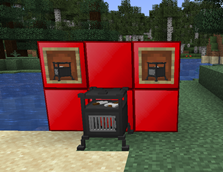
- Speaker controller:
- Copy your .ogg files to ".minecraft/HammerCore/Speakers/sounds/" (if you are using local audio, expained later)
- Place Speaker Controller and insert your sound name (for ex. you pasted "hello.ogg" into the sounds folder, your name would be "hello") or URL (this way you don't need to have those .ogg files in the "sounds/" directory, but this requires time to download the sound)
- Execute /speaker [start/stop/pause/resume] <x> <y> <z>
- Narrator controller:
- Place Narrator Controller and write the text that will get narrated, specify the hearable distance, press Save.
- Provide a Redstone pulse to Narrator Controller.
- (Or simply use /narrate [player selector] any text with spaces is allowed afterward)
- Tip: To disable subtitles, run /gamerule mapcontrollers_narrator_subtitles false.
- Display controller:
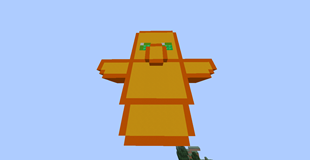
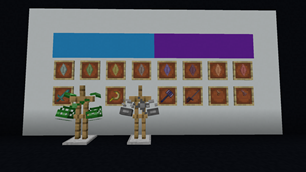
- Place Display Controller and paste URL of the image (maybe PNG, JPEG, animated/static GIF, and few others) *
- Change its offsets (X, Y, Z)
- Change its scale (you need X and Y to change with and height, in the order)
- Change its rotation, if needed. (Y rotation rotates clockwise)
- Press Save.

Permissions:
- You can use this mod in your modpack.
- You are not allowed to re-publish this mod to other sites without providing a MinecraftPatch download link and my permission (PM to
Zeitheron, or via Discord)
- You are not allowed to include this (or any other mods of the DragonForge team) in your own mod. Building add-ons, however, is allowed, but a friendly PM would be good.
Note:
- The only supported version of Minecraft is the latest one that this mod exists for. DO NOT ASK TO DOWNGRADE!
Want to discuss anything? Need help with APIs?
Join the discord server and follow Zeitheron on 
If you would like to support my work, you can become a patron via  Patreon.


Add a comment