


 Get 0.05 TON 💎
Earlier Versions
| Name | Size | Uploaded | Game Version | Downloads | |
| MaskedFaces-0.1 release | 59.33 KB | Jul 31, 2015 | 1.8 | 311 |  Download Download |
Description
ProZifro's Masked Faces
ProZifro's Masked Faces
This Plugin add some cool new features into you server. Such as Treasure Chests or Abilities. In the section The Menue is all explained.
Actually there a some few bugs. If you seeing any bugs of this plugin, write it in this forum post of me.
What you need
- Download the latest version of this plugin (At this time it is only for 1.8.3. In the next updates will be more versions)
- Download a compatible version of Holographic Displays by filoghost [Version 2.0 and above]
- Download and install XAMPP for MySQL
How to install
- Install XAMPP from apachefriends.org (MySQL)
- Drag the MaskedFaces.jar file in your plugins Folder of your server
- Start your server
- Edit the MySQL.yml File in /plugins/MaskedFaces
- host: default: localhost Change this to the host of the MySQL-Database
- port: default: 3306 Change this to the port of your MySQL-Database
- database: Type in the name of the database where the tables of this plugin will saved
- username: default: root Change this to the username for the MySQL-Database
- password: default: password This means no password will load Change this to the password (if you have one) of your MySQL-Database
- connect: Set this to true if all other things in this File are set.
5. Reload your server
6. Enjoy the plugin
Commands and Permissions
Commands:
- /mfaces – Alternative to maskedfaces
- /maskedfaces change <Player> <rem|add|set> <value> – Change the amount of Maskpoints of a specific player
- /maskedfaces help – Displays all commands
- /maskedfaces – Information about the plugin
Permissions:
- maskedfaces.cmds.help – Allow a user to use /maskedfaces help
- maskedfaces.cmds.change – Allow a user to use /maskedfaces change <Player> <rem|add|set> <value>
How to get the items
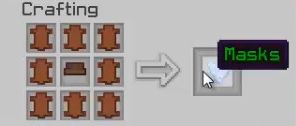
Mask Menue
Magnetical Staff:
- Throw a Stick, Gold Ingot, Redstone and than a Book and Quill on the ground (items will be removed)
- You created a Magnetical Staff
- Repair:
- Throw a Blaze Powder, Iron Ingot and than a Torch on the ground
- Your Magnetical Staff can now used 100 times again
The Menue
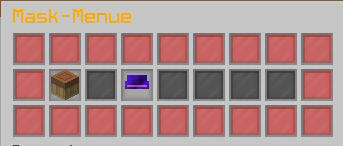
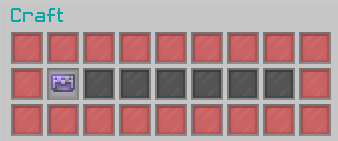
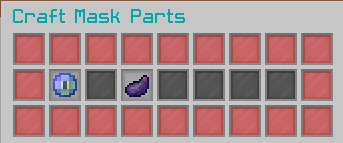
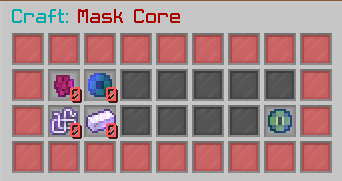
- Click on any item inside this Craft Section to open up a another Inventory to set the items inside
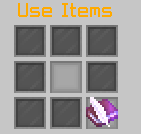
- Click on Apply to set the item in the middle slot (the amount of the Item inside the middle slot will be setted to the specific item. If you has 3 Mask Cores, than set the plugin the amount of Mask Core inside the Inventory to 3)
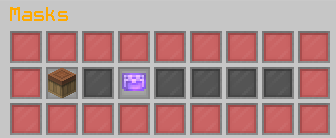
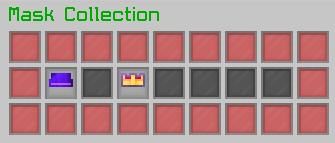
- The workbench will guide you to the Craft Section of the Masks. The Chainmail Helmet to the Mask Collection
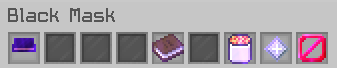
- A specific inventory opened with special items inside. The Book tells you what the mask do when wearing. The Lava Bucket will remove the mask from your head. The Nether Star let you wear the mask. The Barrier guides you back to your Mask Collection
Treasure Chests
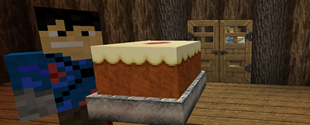
Treasure Chest is a normal or Ender Chest which you can open with a Sneak+Rightclick.
Ender Treasure Chests can only opened with wearing a Treasure Hunter Mask

- The loots of the Chest are a secret. You can find them on yourself

Add a comment