


 Get 0.05 TON 💎
Earlier Versions
| Name | Size | Uploaded | Game Version | Downloads | |
| MobArmor v1.5 release | 11.02 KB | Apr 27, 2013 | CB 1.5.1-R0.2 | 6,790 |  Download Download |
| MobArmor v1.4 release | 10.06 KB | Feb 23, 2013 | CB 1.4.7-R1.0 | 1,888 | Download |
| MobArmor v1.3 release | 8.57 KB | Feb 14, 2013 | CB 1.4.7-R1.0 | 1,126 | Download |
| MobArmor v1.2 release | 7.76 KB | Feb 13, 2013 | CB 1.4.7-R0.1 | 695 | Download |
| MobArmor v1.1 release | 4.62 KB | Feb 12, 2013 | CB 1.4.7-R0.1 | 612 | Download |
| MobArmor release | 3.64 KB | Feb 6, 2013 | CB 1.4.7-R0.1 | 379 | Download |
Screenshots

Description
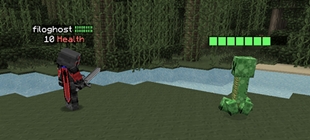
Since minecraft 1.4, mobs have had a chance to spawn with armor. This plugin allows you to spawn mobs with ANY armor, ANY item in their hand, ANYTIME!
Features:
– 4 armored mob types: zombie, skeleton, wither skeleton, and zombie pigman.
– 4 passive mobs: sheep, pig, dog, cat
– Easy to use: wear the armor you want and do a command!
– Baby mobs! (Zombie, Zombie Pigman, Sheep, Pig, Cat, Dog)
– Works with dyed and enchanted items!
– Mobs can be spawned using command blocks and the console!
– Customizable armor drop chance!
– You can make armored mobs spawn naturally too!
In-game use:
– Wear the desired armor (the armor you want the mob to have).
– Hold the desired item in your hand.
– Do /armormob <mob>!
* Optional: To make a baby mob, do /armormob <mob> baby
* Permission: mobarmor.mob
Console and Command Block use:
– The command: /armormob <mob> <item> <armor> <world> <x> <y> <z>
– <item> is the item the mob will be holding
– valid <armor> types: leather, chainmail, gold, iron, diamond
– <world> means the name of your world.
– <x> <y> <z> specify the location where the mob will be spawned.
* You can spawn baby mobs here too, just add 'baby' to the end.
* Using this, you can create invisible overpowered mob spawners!
Passive Mobs:
– Only works as player: /passivemob <mob> [data] [baby]
– Works anywhere: /passivemob <mob> <world> <x> <y> <z> [data] [baby]
– When spawning sheep, [data] means the wool color
– When spawning pigs, type 'saddle' for [data] to spawn a saddle pig
– Adding 'baby' makes the mob a baby.
* Same permission: mobarmor.mob
* You CAN make baby pigs with saddles and ride them!
Natural Spawning:
– Go to the config.yml, which is generated the first time you run your server with MobArmor
– Set "enable" to true to enable natural armored mob spawning
– From there, you can customize the items and spawning chance per mob
– Here's a tutorial on how to do it: http://dev.bukkit.org/server-mods/mob-armor/pages/config-tutorial/
Custom Drop Chance:
– Look at the block the target mob is standing on
– Do /dropchance <item> <helmet> <chestplate> <leggings> <boots>
– <item> is the chance of the mob dropping the item in its hand, <helmet> is the chance of dropping the helmet, etc.
* You should see a message saying "You have set the drop chance for [mob]"
Hope you enjoy!



Add a comment