


 Get 0.05 TON 💎
Earlier Versions
| Name | Size | Uploaded | Game Version | Downloads | |
| MobFarmHelpers-1.16.5-1.4.3-fabric.jar release | 193.83 KB | Jul 17, 2021 | 1.16.5 | 0 |  Download Download |
| MobFarmHelpers-1.16.5-1.4.2-fabric.jar release | 188.48 KB | Apr 12, 2021 | 1.16.5 | 1,869 | Download |
| MobFarmHelpers-1.16.5-1.4.1-fabric.jar beta | 185.39 KB | Mar 17, 2021 | 1.16.5 | 641 | Download |
| MobFarmHelpers-1.16.5-1.4.0-fabric.jar beta | 178.45 KB | Mar 15, 2021 | 1.16.5 | 64 | Download |
| MobFarmHelpers-1.16.5-1.3.1-fabric.jar beta | 149.75 KB | Mar 9, 2021 | 1.16.5 | 254 | Download |
| MobFarmHelpers-1.16.5-1.3.0-fabric.jar beta | 144.46 KB | Mar 4, 2021 | 1.16.5 | 101 | Download |
| MobFarmUtilities-1.16.5-1.2.1-fabric.jar beta | 137.61 KB | Mar 1, 2021 | 1.16.5 | 110 | Download |
| MobFarmUtilities-1.16.5-1.2.0-fabric.jar beta | 137.52 KB | Feb 28, 2021 | 1.16.5 | 35 | Download |
| MobFarmUtilities-1.16.5-1.1.1-fabric.jar beta | 92.74 KB | Feb 22, 2021 | 1.16.5 | 164 | Download |
| MobFarmUtilities-1.16.5-1.1.0-fabric.jar beta | 93.17 KB | Feb 22, 2021 | 1.16.5 | 27 | Download |
| MobFarmUtilities-1.16.5-1.0.1-fabric.jar beta | 77.34 KB | Feb 21, 2021 | 1.16.5 | 18 | Download |
Description
This mod adds tools to help player create their mob farm more easily
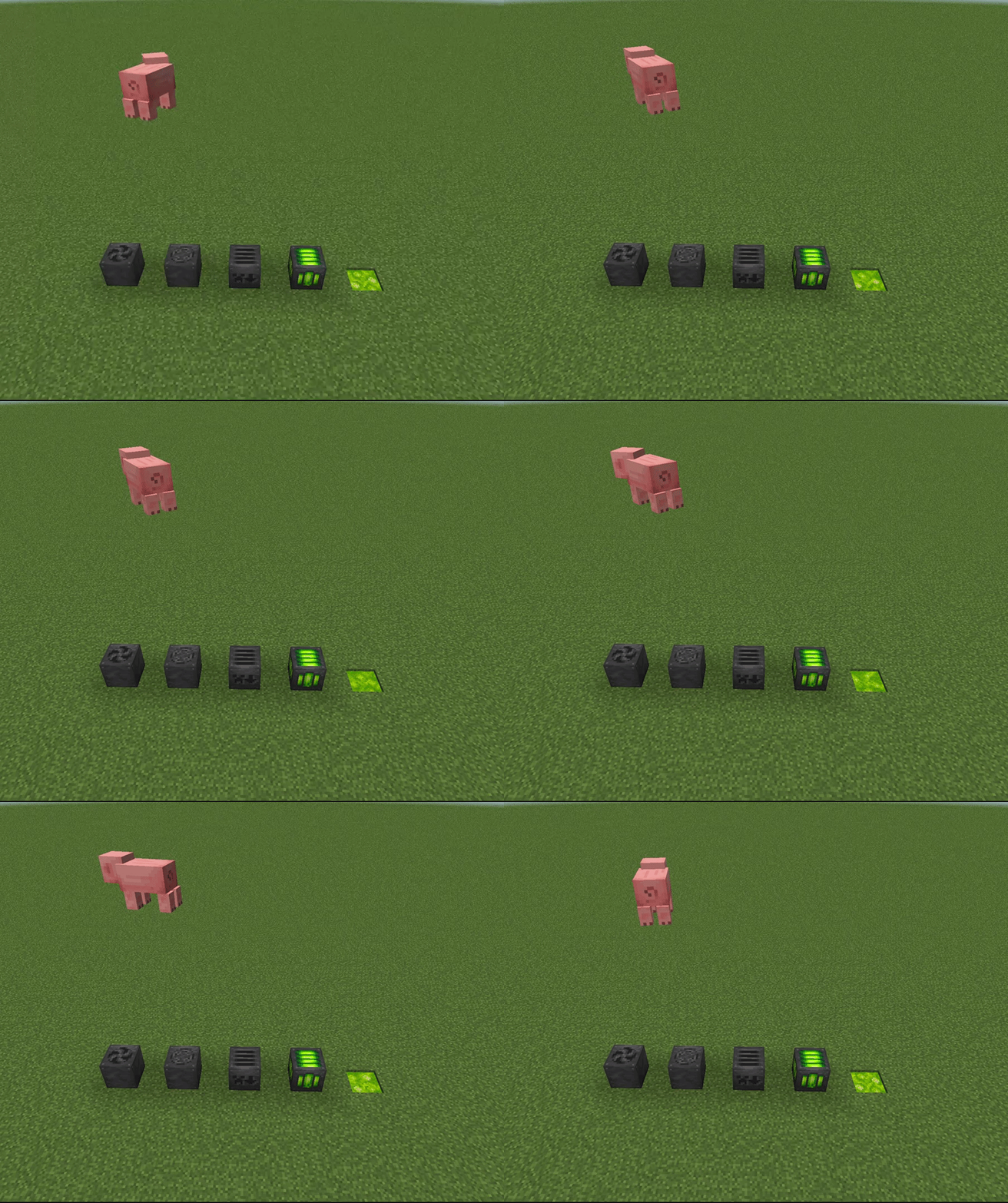
Update to date documentation at here: https://yzl210.gitbook.io/mob-farm-helpers
Join my discord server if you have any questions or suggestions!
Support me on Patreon if you like this mod!
Features:
– Fan and upgrades
– Item Collector
– Experience Collector and Liquid Experience
– Slaughterer
Planned Features:
WARNING:
Upgrade Items have been removed since version 1.3.0 , please backup your save before updating to this version!
This is a fabric mod
forge version is here
Fan:
Fans can push entities to the direction it's facing and can also be upgraded.
Upgrades:
Width: Iron ingot * 4
Height: Redstone Dust * 4
Speed: Feather * 4
Distance: Sugar * 2
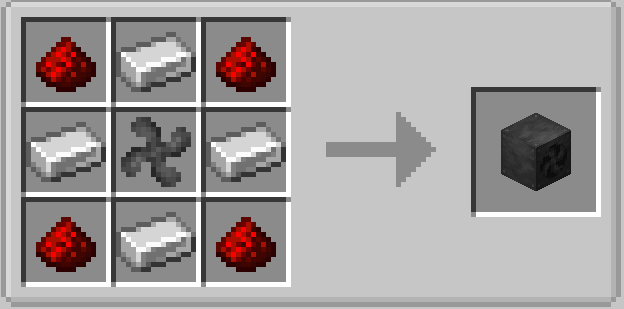
Crafting Recipe:
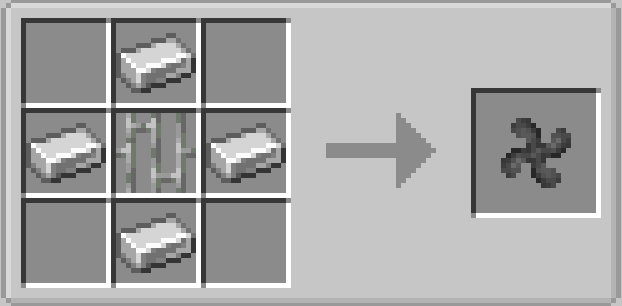
Fan Blade:
Item Collector:
The Item Collector can collect all the items around 10x5x10 and will be stored inside its inventory.
Crafting Recipe: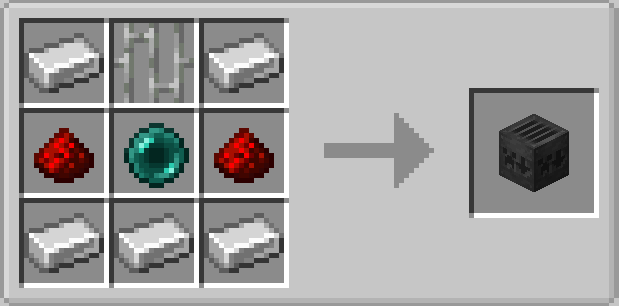
Experience Collector:
The Experience Collector will collect all the xb orbs in an area of 10x5x10.
The collected xp will store in the machine and will drop out if the block has been mined.
Crafting Recipe:

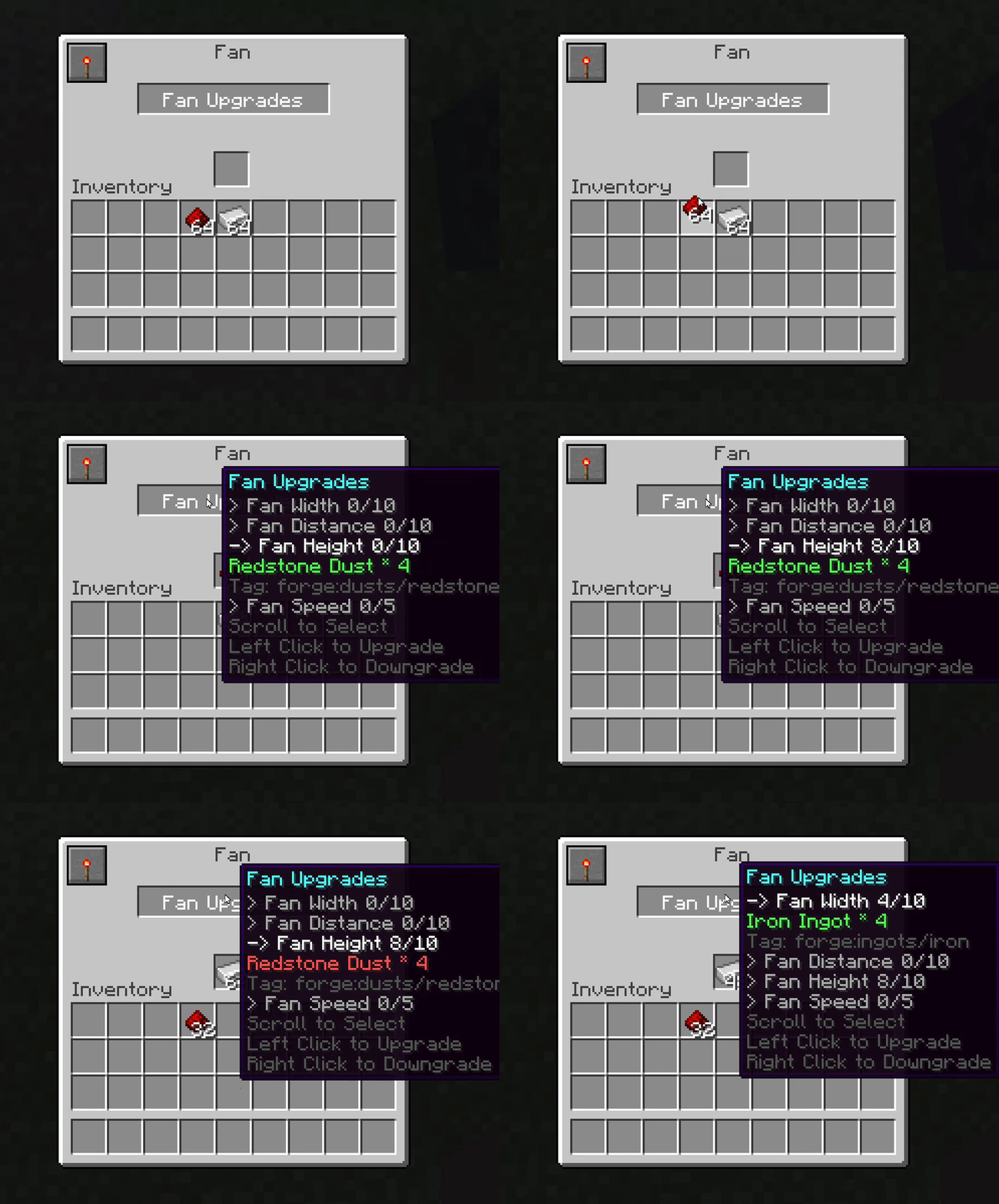
Upgrade System:
You can upgrade machines to get a better efficiency.
Scroll up and down to select the upgrade and left click to upgrade(make sure you have enough materials!), right click to downgrade(make sure the slot has enough space).
If multiple materials are supported, it will show one by one(the tag will also be displayed).
If you have mined a block with the upgrades, materials will be dropped.
Redstone Modes:
You may notice that redstone can control the machine. There are 3 modes in total:
High: Active if powered
Low: Active if unpowered
Ignore: Ignores all redstone signal and keep active
You can change the mode by clicking the button on the left top corner.
Thanks to temhotaokeaha for textures!
Add a comment