


 Get 0.05 TON 💎
Earlier Versions
| Name | Size | Uploaded | Game Version | Downloads | |
| 1.5.14r7 release | 54.96 MB | Jun 27, 2022 | 1.7.3 | 1 |  Download Download |
| v1.5.14r8 release | 55.37 MB | Jun 17, 2022 | 1.8.9 | 324 | Download |
| v1.5.14r12a release | 56.41 MB | Jun 17, 2022 | 1.12.2 | 29 | Download |
| v1.5.14 release | 57.64 MB | Jun 12, 2022 | 1.19 | 2,433 | Download |
| v1.5.13r12 release | 56.41 MB | May 29, 2022 | 1.12.2 | 342 | Download |
| v1.5.13r14a release | 56.96 MB | May 28, 2022 | 1.14.4 | 75 | Download |
| v1.5.13r14 release | 56.98 MB | May 22, 2022 | 1.14.4 | 259 | Download |
| v1.5.13 release | 57.53 MB | May 13, 2022 | 1.18.2 | 4,957 | Download |
| v1.5.8.1 +4 More+4 Others release | 50.89 MB | Nov 30, 2021 | 1.18.2 | 13,882 | Download |
Screenshots


Description

NBTpack Description
NBTpack is inspired by New Vanilla.
Pack contains a lot of related to vanilla changes, some more drastic and some not, but everything is themed around clear Minecraft. If you're looking for a pack that doesn't change the feel of Minecraft, then congratulations. You just found it!
Terms of Use
By using NBTpack resource pack, or any of its Official Plugins you agree to observe the rules written in TOU.
If you wouldn't like to accept the rules of TOU, just stop using this pack.
General provisions:
You are allowed to use, share, write articles and modify the pack for personal use only.
You are not allowed to: monetize, share the original from unofficial download sources, redistribute unmodified or modified version and claim to be the author of the original resource pack, redistribute unmodified or modified version even if the original author is mentioned.
Full Terms of Use can be found inside of README.txt file.
Updates & Official Releases Info
NBTpack v1.5.8.1 – RELEASED
NBTpack v1.5.13 – COMING SOON


NBTpack Change logs
Blocks:
Items:

Mobs and Entities:

Status Effects:

Plugins
NBTpack provides support for extensions called Plugins. Below you'll find all of the plugins and what they do.
Blackstone (Dark theme)
Example of dark themed GUI

Bee Nest (3D models)
3D models list

Melon (Food statistics)
Examples of the plugin

Note Block (H note instead of B)
Changes B to H note visually

How to install
- Look for %APPDATA%
- Put the downloaded file in the resourcepacks folder in .minecraft – full path:
C:\Users\your_name\AppData\Roaming\.minecraft\resourcepacks You're ready to play with the pack once you select it in the game.
Summary:
Pack adds stuff such as:
- Snowier snow
- White grass and foliage on snowy biomes
- Note block's note and instrument visualisation
- Taller wheat
- Even better armor
- Lot of cool effects icons
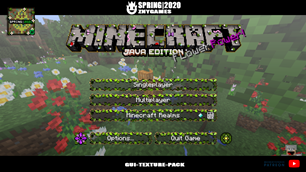
- Even cooler GUIs
- Beautiful panorama
- Update name instead of Java Edition splash
- Connectable bookshelf
- Diminishing tools
- Better shield perspective
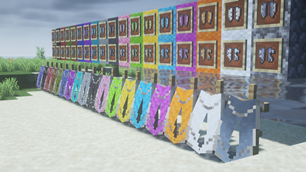
- Better looking shield banners
- Epic Bad Omen and Hero of the Village icons
- Lots of animated stuff
- Lots of variants for many things
- Better prismarine colors
- Better looking torches
- Hopper direction and lock indicator
- Mob beds
- Better colored minerals
- Few easter eggs
- Colorfull connection status icons
- Green scaffolding
- New splash texts
- And much, much more!
And by Plugins, you can get access to
- Dark theme
- Food statistics
- 3D models
- H note
Things and sources I used to create this pack:
- Gimp
- Model Creator
- Blockbench
- Minecraft Assets
- Minecraft Wiki
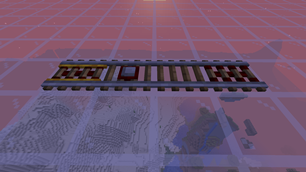
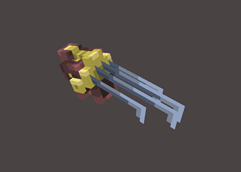
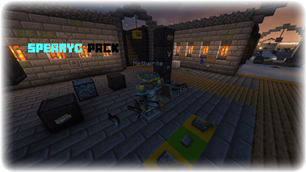
![[WIP – BETA] YuLee’s Doctor O’Brian 16×16 RPG-Style Resouce Pack!](https://files.minecraftpatch.com/addons_new/wip-beta-yulees-doctor-obrian-16x16-rpg-style-resouce-pack-475006/screenshots/wip-beta-yulees-doctor-obrian-16x16-rpg-style-resouce-pack-scr-1-mini.png)
Add a comment