


 Get 0.05 TON 💎
Earlier Versions
| Name | Size | Uploaded | Game Version | Downloads | |
| nether_ice-1.15.2-1.0.jar release | 9.92 KB | Jun 7, 2020 | 1.15.2 | 61 |  Download Download |
Screenshots

Description
Supersonic travel using only vanilla features!
This mod adds a layer of blue ice (plus air, top trap doors, and a bedrock roof) to the top of the nether, so you can boat around at blue ice speeds anywhere in the world.
This lets you travel 600 blocks/sec = 2160 km/hr = 1342 mph = 1.75 Mach without building any track in advance – the speed and convenience of a supersonic jet! (Since boats travel > 75 blocks/second on blue ice, and nether travel is 8x overworld travel.)
Thus "real-world" distance trips of 1000's of kms become possible, with trip times even shorter than in real life. Perhaps it's time to load up a 1-1 map of the Earth?
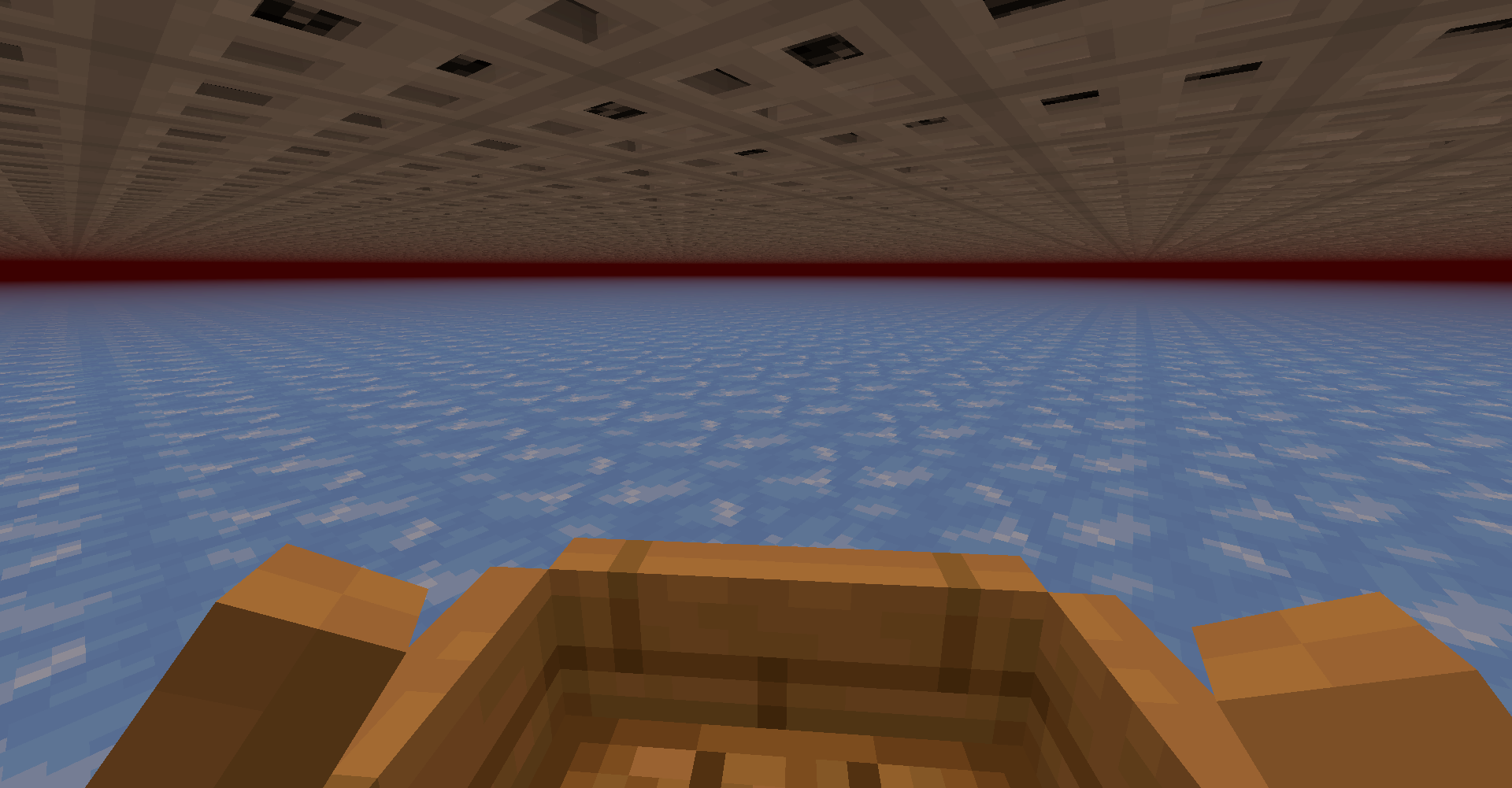
Notes:
- The trap door roof prevents mobs from spawning in your way.
- When getting out of a boat, you may briefly suffocate in the ice; jump to get out. I haven't found a way to fix this without letting monsters spawn.
- You can automate travel by using a die with a paperweight on top to hold down 'w'.
- The mod should work if added to an existing world, but anything in the top four layers of the nether will be overwritten.
- Your speeds may be slower if your computer cannot load chunks fast enough, causing you to briefly pause when you run into unloaded chunks.
File size warning:
While traveling, the 17 x 17 chunk region centered on your player will be created for the whole length of your journey. This increases your world save size by about 3 Gb/hour.
If that is an issue, you can go back later and delete region files for areas that you passed through but didn't build anything in. They are stored in the folder DIM-1/region/ in your save file (note this is not DIM1/region, which stores the overworld). The file r.X.Z.mca stores blocks with x coordinates 512X <= x < 512(X+1) and z coordinates 512Z <= z < 512(Z+1). Be careful not to delete any regions containing builds or players!
Add a comment