


 Get 0.05 TON 💎
Earlier Versions
| Name | Size | Uploaded | Game Version | Downloads | |
| c̶u̶t̶i̶e̶y̶ツ゚'s PixelArt.zip release | 15.19 MB | Dec 7, 2021 | 1.18 | 0 |  Download Download |
Screenshots


Description
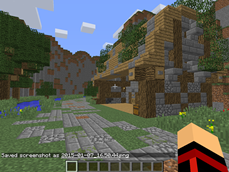
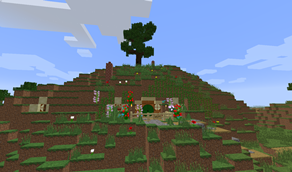
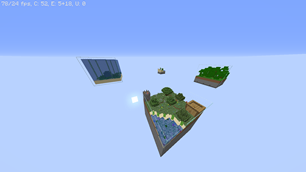
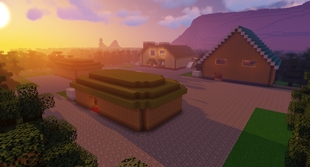
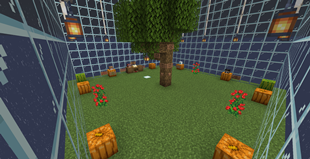
<p><span style="font-size: 18px;"><strong>Hello!</strong></span></p> <p> </p> <p><span style="font-size: 14px;"><strong>This is my pixel art world! Minecraft Version 1.18.0 !! </strong></span></p> <p> </p> <p><span style="font-size: 14px;"><strong>Currently a work in progress as i want to have many many displays, but while i currently only have five i wanted to share this world w the public </strong></span></p> <p> </p> <p><span style="font-size: 14px;"><strong>How to use my world:</strong></span></p> <p><span style="font-size: 14px;"><strong> (For people unfamiliar with github and minecraft java) </strong></span></p> <p> </p> <p><span style="font-size: 14px;">First off, click the button that says "code" in green. Click "download as a zip", then once its installed into your downloads right click the file select "extract files", select your desktop and click ok. Now, once the files on your desktop you can delete the zip. After that navigate to your ".minecraft" folder, which should typically be located in "C:\Users\your_profile\AppData\Roaming\.minecraft". Now click on the saves folder and drag in "c̶u̶t̶i̶e̶y̶ツ゚'s PixelArt" (My world file) From the "My-PixelArt-MC-World-v1" folder. Then when you open Minecraft 1.18.0 and select singleplayer, the world should appear! Enjoy!!</span></p> <p> </p> <p><a href="https://github.com/Svxy/My-PixelArt-MC-World" target="_blank" rel="noopener noreferrer">Github Download</a></p> <p> </p> <p><span style="font-size: 14px;"><strong>Preview: </strong></span></p> <p><strong>(not updated)</strong></p> <p> </p> <p><iframe allowfullscreen="allowfullscreen" src="https://www.youtube.com/embed/nhLfEgG11gc?wmode=transparent" height="358" width="638"></iframe></p>

Add a comment