

![minecraft mod Nicephore (better screenshots) [Fabric]](https://minecraftpatch.com/wp-content/themes/template/img/nopicSani.png)
 Get 0.05 TON 💎
Earlier Versions
| Name | Size | Uploaded | Game Version | Downloads | |
| nicephore-fabric-1.18.x-1.1.1.jar release | 897.77 KB | Dec 20, 2021 | 1.18.1 | 815 | ![download Nicephore (better screenshots) [Fabric] nicephore-fabric-1.18.x-1.1.1.jar release](https://minecraftpatch.com/wp-content/themes/template/img/download.png) Download Download |
| nicephore-fabric-1.18.x-1.1.0.jar release | 895.15 KB | Dec 18, 2021 | 1.18.1 | 241 | Download |
| nicephore-fabric-1.18.x-1.0.0.jar release | 893.56 KB | Nov 21, 2021 | 1.18.1 | 2,538 | Download |
| nicephore-fabric-1.17.x-1.3.0.jar release | 894.31 KB | Nov 21, 2021 | 1.17.1 | 343 | Download |
| nicephore-fabric-1.17.x-1.2.0.jar release | 894.56 KB | Nov 1, 2021 | 1.17.1 | 652 | Download |
| nicephore-fabric-1.17.x-1.1.0.jar release | 894.33 KB | Oct 19, 2021 | 1.17.1 | 183 | Download |
| nicephore-fabric-1.17.x-1.0.1.jar release | 887.53 KB | Sep 12, 2021 | 1.17.1 | 378 | Download |
| nicephore-fabric-1.17.x-1.0.0.jar release | 886.56 KB | Sep 11, 2021 | 1.17.1 | 61 | Download |
| nicephore-fabric-1.16.x-1.1.5.jar release | 884.40 KB | Apr 15, 2021 | 1.16.5 | 1,182 | Download |
| nicephore-fabric-1.16.x-1.1.4.jar release | 583.89 KB | Apr 2, 2021 | 1.16.5 | 110 | Download |
| nicephore-fabric-1.16.x-1.1.3.jar release | 583.61 KB | Mar 26, 2021 | 1.16.5 | 73 | Download |
| nicephore-fabric-1.16.x-1.1.2.jar release | 583.39 KB | Jan 15, 2021 | 1.16.5 | 2,029 | Download |
| nicephore-fabric-1.16.x-1.1.1.jar release | 583.33 KB | Sep 24, 2020 | 1.16.4 | 303 | Download |
| nicephore-fabric-1.16.x-1.1.0.jar release | 583.17 KB | Sep 11, 2020 | 1.16.3 | 64 | Download |
| nicephore-fabric-1.16.x-1.0.1.jar release | 580.75 KB | Sep 10, 2020 | 1.16.3 | 27 | Download |
| nicephore-fabric-1.16.2-1.0.0.jar beta | 580.77 KB | Sep 2, 2020 | 1.16.2 | 91 | Download |
Description
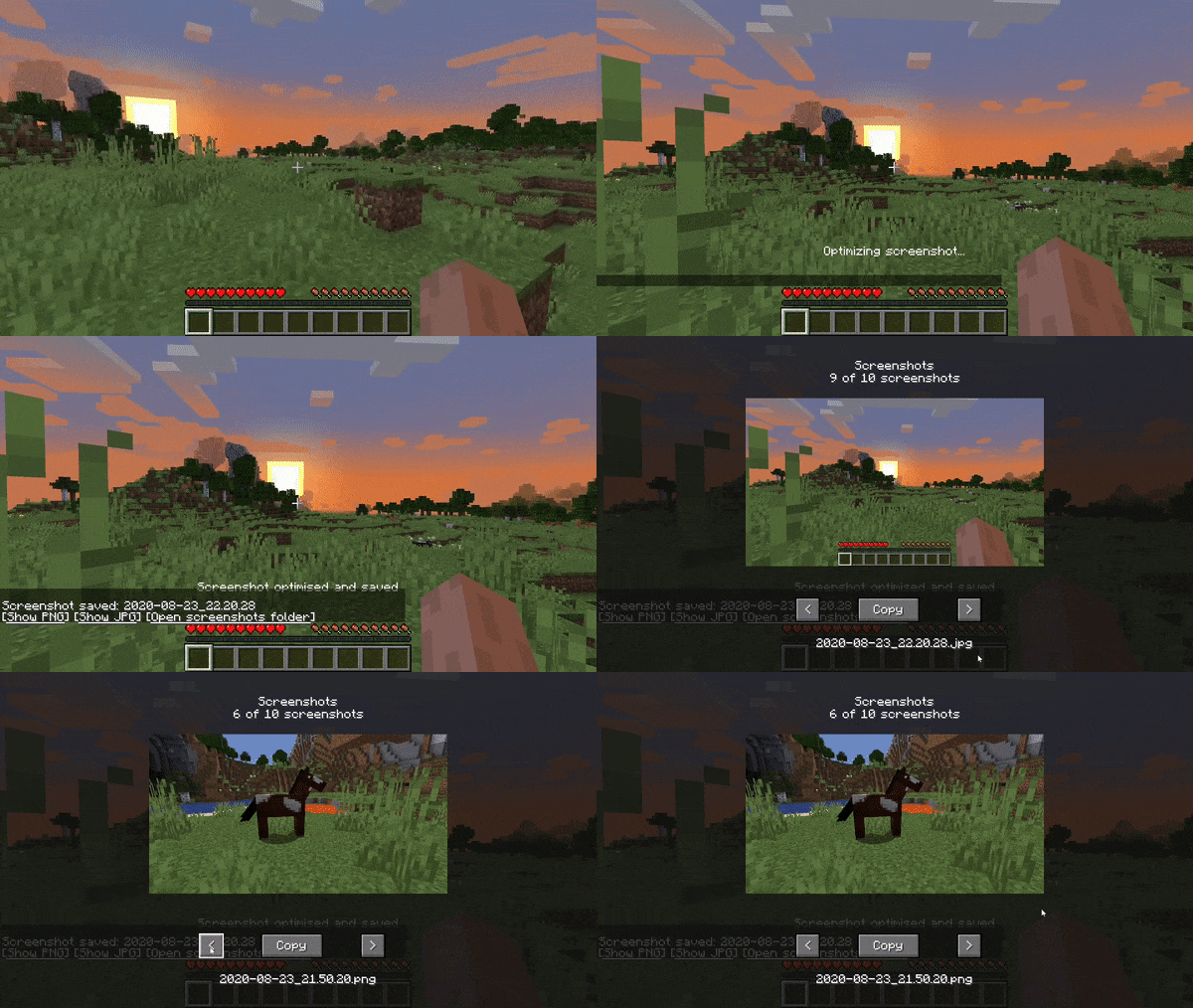
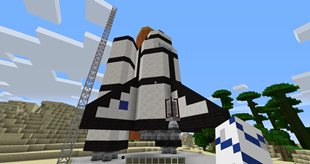
This Fabric mod makes it quicker to share screenshots online by giving you the ability to quickly open the screenshots folder and also easily deal with Discord's max sharing limit and slow uploads by saving lower quality, smaller sized JPEGs that you can share instead!
Features
- Save a JPEG version of your screenshot, keeping the original PNG for editing purposes
- Ability to change the quality level of your JPG screenshot via the config
- Copy and paste your last screenshot PNG with a keybind (default Ctrl+C) to share it with your friends
- Automatic lossless optimisation of screenshot files for smaller filesizes without any loss of quality
- Screenshots GUI. It allows you to browse screenshots from your screenshot folder directly on Minecraft
Do not hesitate to join our Discord here
Forge version here !
Add a comment