

![minecraft mod [outdated] Summer’s Vibrant Autumn Add-on](https://files.minecraftpatch.com/addons_new/outdated-summers-vibrant-autumn-add-on-543429/screenshots/outdated-summers-vibrant-autumn-add-on-scr-1-mini.png)
 Get 0.05 TON 💎
Earlier Versions
| Name | Size | Uploaded | Game Version | Downloads | |
| Summer's Vibrant Autumn release | 443.38 KB | Nov 19, 2021 | 1.17.1 | 27 | ![download [outdated] Summer’s Vibrant Autumn Add-on Summer's Vibrant Autumn release](https://minecraftpatch.com/wp-content/themes/template/img/download.png) Download Download |
| SummersVibrantAutumn release | 417.84 KB | Nov 5, 2021 | 1.17.1 | 30 | Download |
| SummersVibrantAutumn.zip release | 386.65 KB | Nov 1, 2021 | 1.17.1 | 15 | Download |
Screenshots
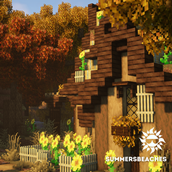
![[outdated] Summer’s Vibrant Autumn Add-on](https://files.minecraftpatch.com/addons_new/outdated-summers-vibrant-autumn-add-on-543429/screenshots/outdated-summers-vibrant-autumn-add-on-scr-1.png)
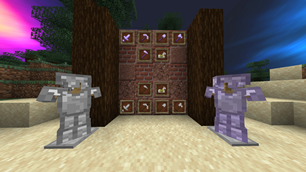
![[outdated] Summer’s Vibrant Autumn Add-on](https://files.minecraftpatch.com/addons_new/outdated-summers-vibrant-autumn-add-on-543429/screenshots/outdated-summers-vibrant-autumn-add-on-scr-2.png)
Description
DISCLAIMER
This pack is an add-on to SummersBeaches' Fun in the Sun Resource Pack. The instructions for download are the same, and OptiFine is still required for the full pack experience. Download FITS here for the full experience:
SummersBeaches' Fun in the Sun Resource Pack
ABOUT
The Fun in the Sun textures are meant to revisit the vanilla textures and give them a vibrant twist. I wanted to make Minecraft enjoyable again (not that it wasn't enjoyable in the first place but I thought the vanilla textures looked… well, vanilla), so I came up with a fun spin on a classic game. This pack is ideal for builders, but can also have a place in any other type of player.
OPTIFINE
FITS requires OptiFine for the following items:
- Connected glass textures
- Connected spruce and dark oak trapdoors (vertical)
- Leafy sugar cane
- Chiseled stone brick pillars (vertical)
- Greener colormap
- Greener spruce leaves
If you are using mods with this pack, these textures should still be accessible if you are using OptiFine.
INSTRUCTIONS FOR DOWNLOAD
- Download the correct pack version for your game on the right side of the screen
- Head into your Minecraft main menu screen (title screen)
- Click Options > Resource Packs > Open Resource Pack Folder (bottom left)
- Drag the FITS file into the Resource Pack Folder


Add a comment