

 Get 0.05 TON 💎
Earlier Versions
| Name | Size | Uploaded | Game Version | Downloads | |
| Parkour Recorder v1.1.1.0-1.18.1 release | 1.62 MB | Dec 22, 2021 | 1.18.1 | 57 |  Download Download |
| Parkour Recorder v1.1.1.0-1.17.1 release | 1.62 MB | Dec 21, 2021 | 1.17.1 | 13 | Download |
| Parkour Recorder v1.1.1.0-1.16.5 release | 1.62 MB | Dec 19, 2021 | 1.16.5 | 28 | Download |
| Parkour Recorder v1.1.1.0-1.12.2 release | 1.61 MB | Dec 19, 2021 | 1.12.2 | 30 | Download |
| parkour_recorder-1.0.1.1-1.16.5.jar release | 483.32 KB | Mar 15, 2021 | 1.16.5 | 382 | Download |
Screenshots


Description


Currently for MC-1.12.2. Ports for MC1.16.5 and MC1.17 will be available soon.
Note: Mod for MC1.16.5 will not be supported after Mojang officially releases MC1.17.
Added Features
-Front-end Rework: The 'widgets' used in Gui's work independently from MC with the goal of porting into other MC versions quicker and easier.
-Tabular Menu Gui: Three pages in one Gui screen (Load, Save, Timeline). Each page can be loaded by clicking their respective tabs.
-Timeline Controls: Use controls similar to YouTube to operate the timeline (space bar, J, K, L).
-Frame Skipping: In timeline menu, use frame skip button to go through each frame when held down.
-Nicer looking pop-up boxes.
Bug Fixes
-Renaming a recording in the Load page doesn't rename the recording.
-Overriding a recording in the Save page improperly renames the file.
-Crashing and rendering bugs on other PCs. Thus GLSL shaders won't be used until I figure out how to use them properly.
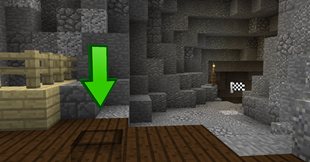
Parkour Recorder is a client-side mod for modern versions of Minecraft Forge that gives you the tools to record, playback, and aid in parkour.
Main Features
– Record player's movements and keystrokes. (Use the Record key-bind; set to R)

– Playback a recording. (Use the Play key-bind; set to P)

– Override an existing recording. (Use the Override key-bind; set to UP Arrow on your mouse)

– Save Recording Menu: Shows record history and allows you to save a recording among other features. (In Main Menu Gui; set to M)

– Load Recording Menu: Loads a list of saved recordings. (In Main Menu Gui; set to M)
 – Timeline Menu: Can quickly preview a recording using video-player-like controls. (In Main Menu Gui; set to M)

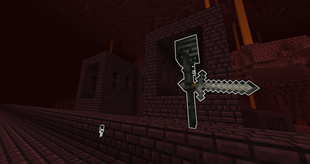
– Playback Particles: Use to guide you during playback. Has cool animations!



Add a comment