

 Get 0.05 TON 💎
Earlier Versions
| Name | Size | Uploaded | Game Version | Downloads | |
| Quark_32x_V.19.zip beta | 10.06 MB | Feb 23, 2021 | 1.16.5 | 204 |  Download Download |
| Quark V1.8 beta | 9.49 MB | Feb 17, 2021 | 1.16.5 | 32 | Download |
| Quark_32x_V1.0.zip beta | 8.36 MB | Feb 15, 2021 | 1.16 | 14 | Download |
Screenshots


Description
hi!
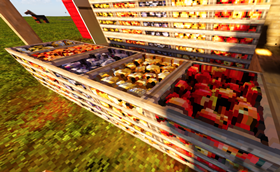
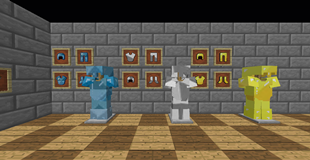
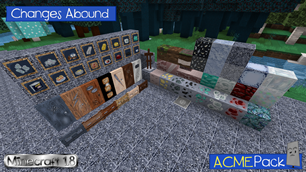
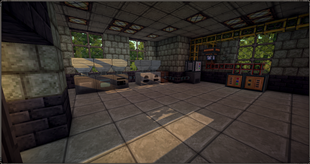
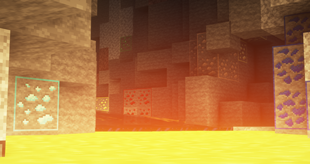
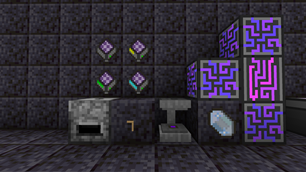
im creating a Quark resourcepack wich is based on Patrix.
here you can get a 32x Version for free
i have a Patreon Page where you can get a 64x and 128x version too.
if you want to support me, you can do it here 🙂
https://www.patreon.com/texturmanufaktur
This ResourcePack has POM, Specular Maps, CTM, animated Textures, and raytraced emissive light support (only with MollyXV Rewrite shader).
IMPORTANT:
For emissive Light you have to use the MollyVX Shader to get results!
Settings you have to change in Shader
->Shader Options
->Resource Pack…
->Emissive Textures: Texture and Emission
->Emissive Texture Intensity: 2.0
–>POM: ON
->Parallax Depth: 5.0
All my packs based on Patrix! So i don't know how it works with other Resource Packs!
"Quality Settings > Connected Textures" to Fancy
->"Quality Settings > Natural Textures" to Of
->Detail Settings > Alternate Blocks" to On
->"Detail Settings > Trees" to Smart or Fancy
->"Performance Settings > Smart Animations" to On
If you use Complemtary Shader:
Shader Options ->Materials ->Normalmap Related Settings
->Parallax Occlusion Mapping = ON
->Parallax Depth = 4.00
if you use Seus PTGI:
->"Shaders > Shader Options > Raytracing Options > Full Raytrace Reflections" to On
->"Shaders > Shader Options > Texture Resolution" to the Resolution of your Pack
I hope you like it 🙂


Add a comment