


 Get 0.05 TON 💎
Earlier Versions
| Name | Size | Uploaded | Game Version | Downloads | |
| SignStatus release | 16.46 KB | Nov 11, 2016 | 1.10 | 576 |  Download Download |
| SignStatus V1.5 release | 16.46 KB | Sep 26, 2015 | 1.8.1 | 699 | Download |
| SignStatus V1.4 release | 16.47 KB | May 4, 2015 | 1.8.1 | 550 | Download |
| SignStatus V1.3.2 release | 15.76 KB | Apr 23, 2015 | 1.8.1 | 296 | Download |
| SignStatus V1.3.1 release | 103.14 KB | Dec 14, 2014 | 1.8.1 | 398 | Download |
| SignStatus V1.3 release | 66.26 KB | Dec 13, 2014 | 1.8.1 | 188 | Download |
| SignStatus V1.1 release | 48.02 KB | Dec 8, 2014 | CB 1.7.9-R0.2 | 417 | Download |
Screenshots


Description
SignStatus
These signs can be customized however you want!
This plugins lets you easily create signs that allows you to show your players if a player is online or not through a sign. This can be useful for showing for example if your staff members are on and when they left. The signs can now be customized!
Features
- Create signs that show if a player is online or not
- Supports multiple signs
- Modify date format
- 1.8 support with UUID
How it works
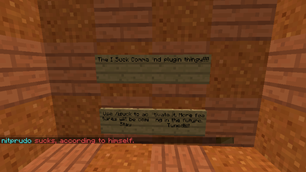
- You create a sign of a player and when the player is logged on it says

- And then if the players logs off, it turns into

- You can configure the signs however you want.
- Yes I know that 19pm does not exist 😛 fixed in version 1.3.1. (image being replaced soon)
How to create a sign
- Install your plugin and start your server
- Configure the plugin however you want and type /signstatus
- Make sure you're op or have the permission signstatus.create
- Follow this format

Commands
- /signstatus This command saves your signs and reloads the config. (signstatus.reload)
Config
- version: do not touch this as it's used for detecting old configs
- prefix: allows you to choose what prefix to use when creating signs
- date-format: allows you to customize which date format to use
- online-sign: this can be used for configuring online signs
- %name% replaces with user name
- %date% replaces with the date format you have selected
- offline-sign: this can be used for configuring offline signs
- %name% replaces with user name
- %date% replaces with the date format you have selected
Notes
If you find a bug or have a suggestion, please tell me.


Add a comment