Minecraft Sildur’s Enhanced Default mod 2026 download
logo
minecraft mod Sildur’s Enhanced Default

Sildur’s Enhanced Default

Game Version: 1.19.2
Total Downloads: 691,944
Updated: Oct 6, 2022
Created: Nov 4, 2021
Download Sildur’s Enhanced DefaultDownload Earlier Versions

Earlier Versions

Name Size Uploaded Game Version Downloads
Sildur's Enhanced Default v1.141 Fancy.zip release 33.35 KB Oct 6, 2022 1.19.2 1,335 download Sildur’s Enhanced Default Sildur's Enhanced Default v1.141 Fancy.zip releaseDownload
Sildur's Enhanced Default v1.141 Fast.zip release 33.33 KB Oct 6, 2022 1.19.2 414 download Sildur’s Enhanced Default Sildur's Enhanced Default v1.141 Fast.zip releaseDownload
Sildur's Enhanced Default v1.14 Fancy.zip release 34.92 KB Aug 2, 2022 1.19.1 83,259 download Sildur’s Enhanced Default Sildur's Enhanced Default v1.14 Fancy.zip releaseDownload
Sildur's Enhanced Default v1.14 Fast.zip release 34.92 KB Aug 2, 2022 1.19.1 31,303 download Sildur’s Enhanced Default Sildur's Enhanced Default v1.14 Fast.zip releaseDownload

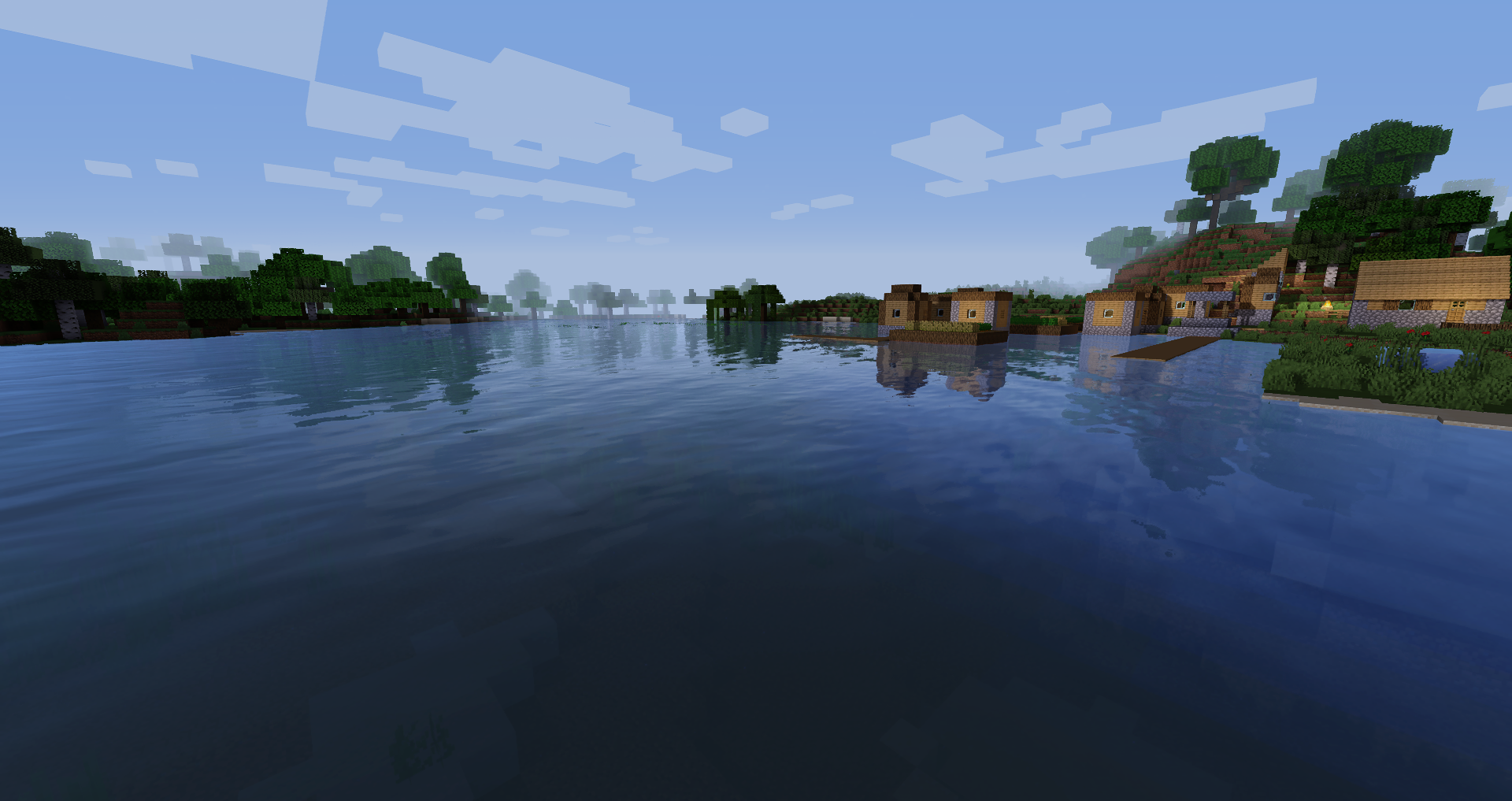
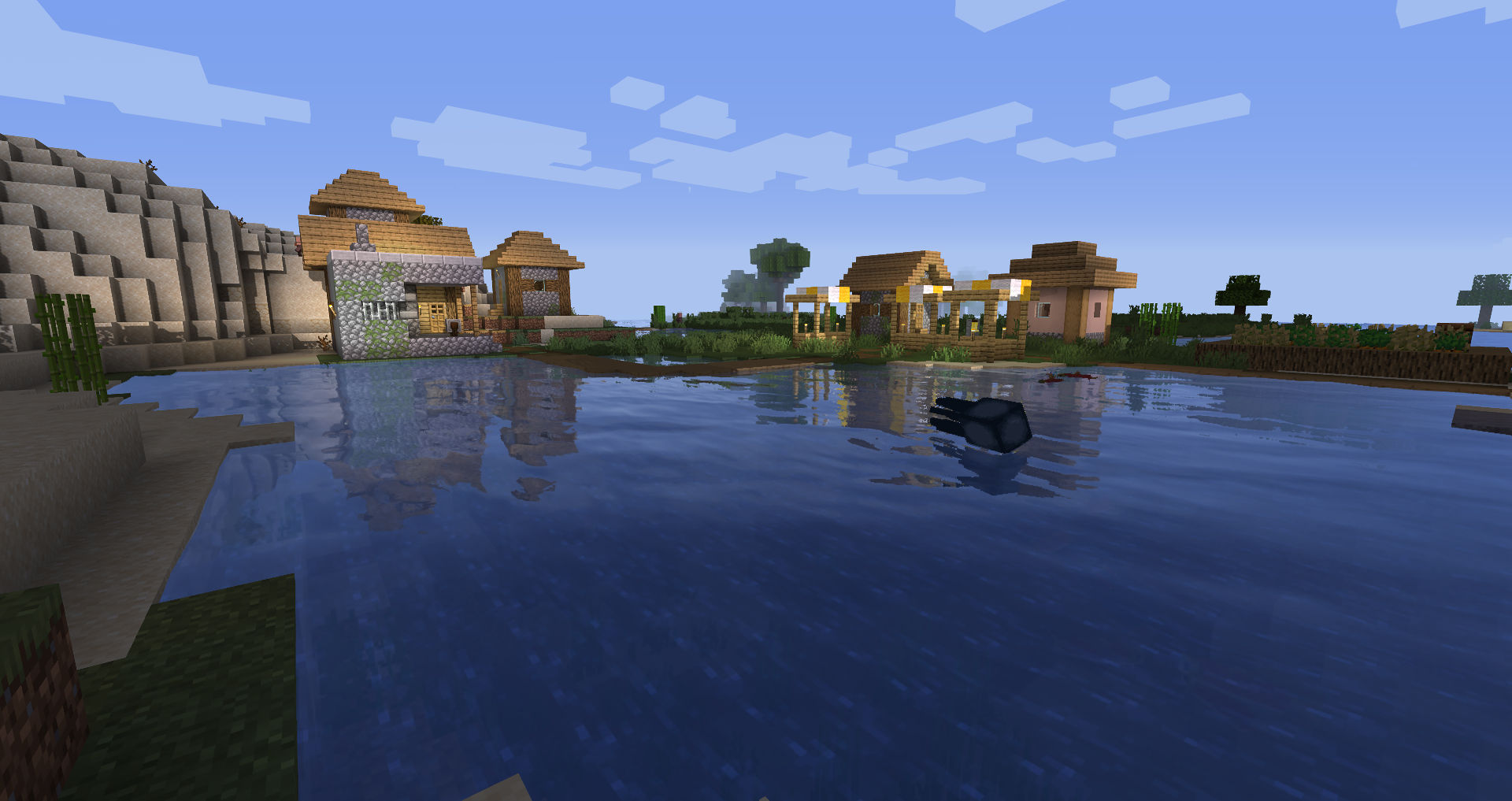
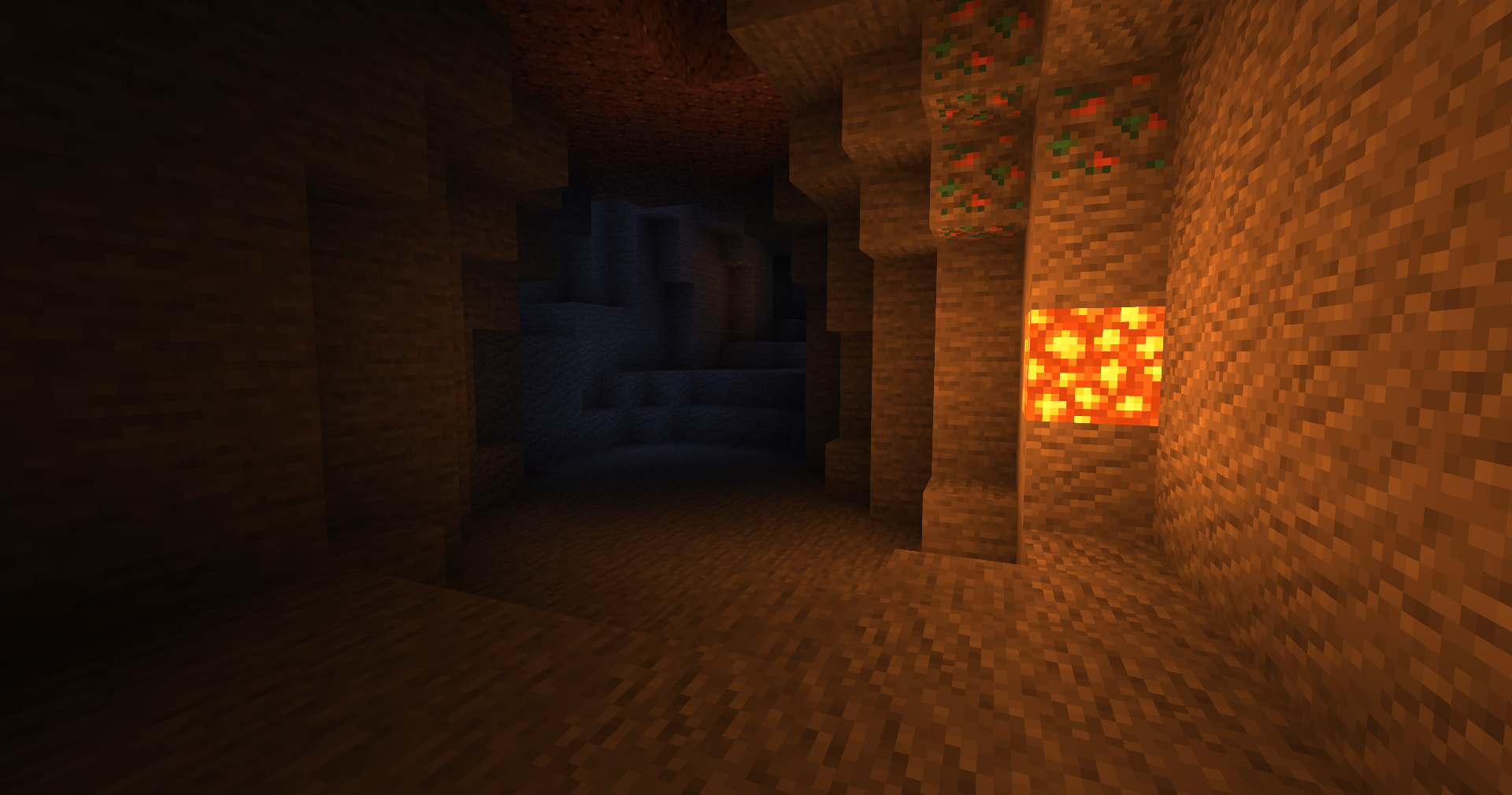
Screenshots

Description

Share this:

Offical website with more downloads and changelogs: https://sildurs-shaders.github.io/
Patreon if you want to support me and like what I do: https://www.patreon.com/Sildur

About:

Enhanced default does what the name indicates, instead of completly revamping the style of the game it maintains the vanilla look and adds shadows, reflections, TAA and even godrays. It’s very lightweight and highly customizable, so even the worst potato is able to run it. It has a fast and fancy profile setting in the ingame shader options aswell as download presets. Fast is quite alot faster than the Fancy preset, so if you need all the frames go for fast instead!

Permissions:
You are not allowed to edit, copy code or share my shaderpack under a different name or claim it as yours.

Supported minecraft versions are 1.7.10 – 1.19.1.

Install using Iris (Recommended):
1. Download and install Minecraft, setup your game profile of the version you want to run.
2. Download and run the Iris jar file with Java.
3. In the installer, select “Iris and Sodium” pick your minecraft version and uncheck “install as fabric mod” then hit install.
4. Run the minecraft launcher and select the newly created profile. (Create a new profile if it didn’t create one)
5. Start the game.
6. Go to options -> video settings -> “Shader Packs” and press on the “Open Shader Pack folder” button.
7. Download my shaderpacks and place them in the newly opened window.
8. Select my shaderpack from the list ingame and enjoy your new visuals!
Note: Iris+Sodium can also be installed as a fabric mod.
Install using Optifine:
1. Download and install Minecraft, setup your game profile of the version you want to run.
2. Download and run the optifine jar file with Java. It will install a new optifine profile.
3. Run the minecraft launcher and select the newly created optifine profile.
4. Start the game.
5. Go to options -> video settings -> shaders and press on the “Shaders folders” button at the bottom of the screen.
6. Download my shaderpacks and place them in the newly opened window.
7. Select my shaderpack from the list ingame and enjoy your new visuals!

Links:
Twitter
Facebook


logo
minecraft mod Sildur’s Enhanced Default

Sildur’s Enhanced Default

Game Version: 1.18.1
Total Downloads: 103,842
Updated: Jan 1, 2022
Created: Nov 4, 2021
Download Sildur’s Enhanced DefaultDownload Earlier Versions

Earlier Versions

Name Size Uploaded Game Version Downloads
Sildur's Enhanced Default v1.131 Fancy.zip release 34.82 KB Jan 1, 2022 1.18.1 1,402 download Sildur’s Enhanced Default Sildur's Enhanced Default v1.131 Fancy.zip releaseDownload
Sildur's Enhanced Default v1.131 Fast.zip release 34.82 KB Jan 1, 2022 1.18.1 667 download Sildur’s Enhanced Default Sildur's Enhanced Default v1.131 Fast.zip releaseDownload

Screenshots

Description

Share this:

Offical website with more downloads and changelogs: https://sildurs-shaders.github.io/
Patreon if you want to support me and like what I do: https://www.patreon.com/Sildur

About:

Enhanced default does what the name indicates, instead of completly revamping the style of the game it maintains the vanilla look and adds shadows, reflections, TAA and even godrays. It's very lightweight and highly customizable, so even the worst potato is able to run it. It has a fast and fancy profile setting in the ingame shader options.

Permissions:
You are not allowed to edit, copy code or share my shaderpack under a different name or claim it as yours.

Supported minecraft versions are 1.7.10 – 1.18 Snapshots.

Install using Optifine:
1. Download and install Minecraft, setup your game profile of the version you want to run.
2. Download and run the optifine jar file with Java. It will install a new optifine profile.
3. Run the minecraft launcher and select the newly created optifine profile.
4. Start the game.
5. Go to options -> video settings -> shaders and press on the "Shaders folders" button at the bottom of the screen.
6. Download my shaderpacks and place them in the newly opened window.
7. Select my shaderpack from the list ingame and enjoy your new visuals!

Install using Iris:
1. Download and install Minecraft, setup your game profile of the version you want to run.
2. Download and run the Iris jar file with Java.
3. In the installer, select "Iris and Sodium" pick your minecraft version and uncheck "install as fabric mod" then hit install.
4. Run the minecraft launcher and select the newly created profile. (Create a new profile if it didn't create one)
5. Start the game.
6. Go to options -> video settings -> "Shader Packs" and press on the "Open Shader Pack folder" button.
7. Download my shaderpacks and place them in the newly opened window.
8. Select my shaderpack from the list ingame and enjoy your new visuals!
Note: Iris+Sodium can also be installed as a fabric mod.

Links:
Twitter
Facebook


Comments

Add a comment