


 Get 0.05 TON 💎
Earlier Versions
| Name | Size | Uploaded | Game Version | Downloads | |
| Spidews Bloom_1.18.2.zip release | 4.88 KB | Mar 19, 2022 | 1.18.2 | 6 |  Download Download |
| Spidews Bloom_1.18.1.zip release | 5.39 KB | Dec 12, 2021 | 1.18.1 | 1,622 | Download |
| Spidews Bloom_1.17.1.zip release | 5.39 KB | Nov 8, 2021 | 1.17.1 | 386 | Download |
Screenshots


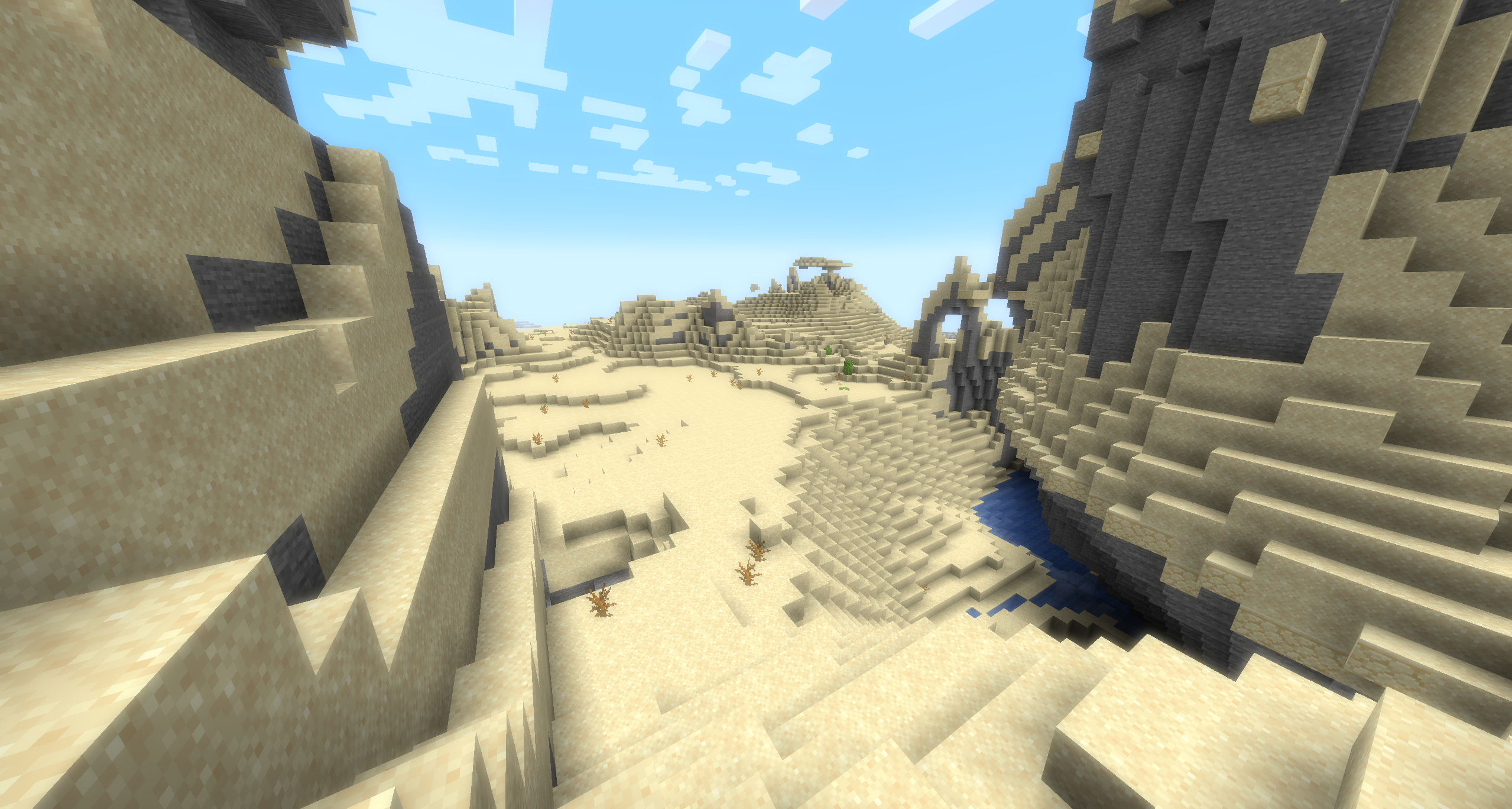
Description
What does this resource pack do?
Spidew's Bloom Shaders is a small resource pack which adds the 'Bloom' post-processing effect to Minecraft using vanilla shaders.
What is Bloom?
Bloom is a common post-processing effect used in a wide variety of games to add a glow effect to bright surfaces and light sources.
Currently Minecraft lacks any bloom effect outside of Optifine shader packs, but this resource pack makes the effect available in vanilla Minecraft, and it even works in snapshots!
To see what Bloom actually does, here are some images of a Glow Squid with and without Bloom:
Without Bloom:

With Bloom: (The Glow Squid has never been more beautiful!)

What does this do for Minecraft?
The Bloom effect is especially noticeable in Desert and snowy biomes during the day, and can also be observed on light sources and other well-lit and lightly colored surfaces.
The Bloom is especially pronounced when there is a strong contrast in the environment between bright surfaces and their backgrounds or adjacent surfaces, such as the Glow Squid on Black Concrete.
How do I use it?
This is a resource pack, so it can be installed like any other by dropping the .zip file into .minecraft/resourcepacks/
Due to the way Minecraft's rendering pipeline works, you will need to enable Fabulous! graphics for the Bloom to work.


Add a comment