


 Get 0.05 TON 💎
Earlier Versions
| Name | Size | Uploaded | Game Version | Downloads | |
| V1.4.2 release | 1.96 MB | Dec 1, 2022 | 1.19.3 | 1,845 |  Download Download |
| V1.4.1 release | 1.96 MB | Nov 28, 2022 | 1.19.3 | 646 | Download |
| V1.4 release | 1.96 MB | Nov 3, 2022 | 1.19.3 | 5,794 | Download |
| V1.3.1 release | 1.84 MB | Jul 12, 2022 | 1.19.1 | 31,743 | Download |
| V1.3 release | 1.84 MB | May 10, 2022 | 1.18.2 | 4,339 | Download |
| V1.2 release | 1.83 MB | Mar 3, 2022 | 1.18.2 | 6,040 | Download |
| V1.1 release | 1.49 MB | Jan 24, 2022 | 1.18.1 | 7,626 | Download |
| V1.0 release | 45.00 KB | Jan 17, 2022 | 1.18.1 | 1,448 | Download |
Screenshots
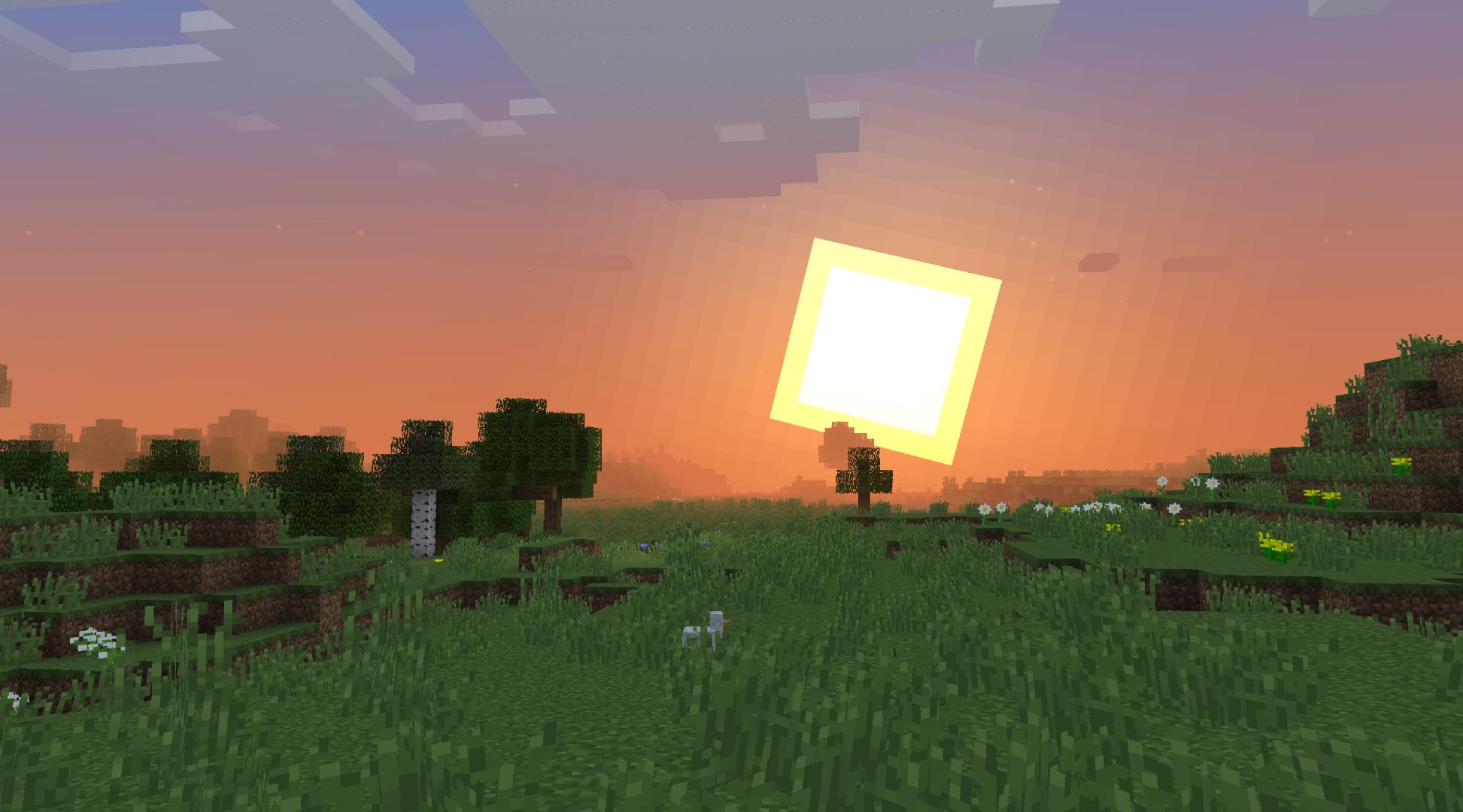


Description
Stracciatella
A very lightweight shader that keeps the vanilla style but addresses its shortcomings, while adding some nice features that go hand in hand with vanilla. It is highly configurable and lets you craft your own personal vanilla experience.
Full Feature List
Improved Fog
- Fog Start and Fog End controls
Customizeable Fog Color
Configurable Sun and Moon size
Configurable Sun Angle
Horizon Cutoff for Sun/Moon
Custom Stars- Customizeable Density, Size, Coverage and Glow
Shooting Stars- Customizeable Direction, Density, Speed, Trail length and Trail thickness
Fully Custom Sky- Customizeable Sunset Colors
- Customizeable Sky Colors
- Customizeable Fog Colors
Waving Plants, Leaves, Lanterns, Liquids and Lilypads
Custom Lightmap- Fully customizeable Lightmap
- Customizeable Skylight Colors
- Customizeable Blocklight Colors
- Customizeable Skylight and Blocklight Ambient Occlusion levels
- Customizeable Blend Curves
Rain Refraction
Custom Rain puddles- Customizeable Size
- Customizeable Coverage
- Customizeable Opacity
Improved Underwater Fog
- Customizeable Direction, Density, Speed, Trail length and Trail thickness
- Customizeable Density, Size, Coverage and Glow
Fog increases with depth
Configurable Blinking Ores
Dithering
Customizeable Block Outline
Vignette
World Time Animation
Installation
Download and install Optifine
Download the shaderpack and put it into your shaders folder
- On Windows: C:\Users\[USER]\AppData\Roaming\.minecraft\shaderpacks
Open Options, click Video Settings, click Shaders
Select "Stracciatella Shaders"
Other Links
GitHub – Here you can find unreleased nightly versions of my shader. They might not work or be glitchy so be careful!
Contact Me
You can contact me on the shaderLABS discord server
-> https://discord.gg/kQWMh7wpZg
Add a comment