


 Get 0.05 TON 💎
Earlier Versions
| Name | Size | Uploaded | Game Version | Downloads | |
| Terramap 1.0.0-beta7.10_1.12.2 beta | 725.19 KB | Jan 16, 2022 | 1.12.2 | 8 |  Download Download |
| Terramap 1.0.0-beta7.9_1.12.2 beta | 725.15 KB | Jun 21, 2021 | 1.12.2 | 901 | Download |
| Terramap 1.0.0-beta6.6 beta | 499.12 KB | Nov 16, 2020 | 1.12.2 | 1,037 | Download |
| Terramap 1.0.0-beta5.3 beta | 268.37 KB | Jul 15, 2020 | 1.12.2 | 1,951 | Download |
| Terramap 1.0.0-beta4.1 beta | 128.30 KB | May 25, 2020 | 1.12.2 | 75 | Download |
| Terramap 1.0.0-beta3 beta | 121.11 KB | May 24, 2020 | 1.12.2 | 61 | Download |
| Terramap 1.0.0-beta2 beta | 104.69 KB | May 21, 2020 | 1.12.2 | 63 | Download |
| Terramap 1.0.0-beta1 beta | 88.86 KB | May 21, 2020 | 1.12.2 | 22 | Download |
Description

Terramap
Terramap is an addon to the Terra++ mod, and brings online web maps directly into Minecraft.
Main features:
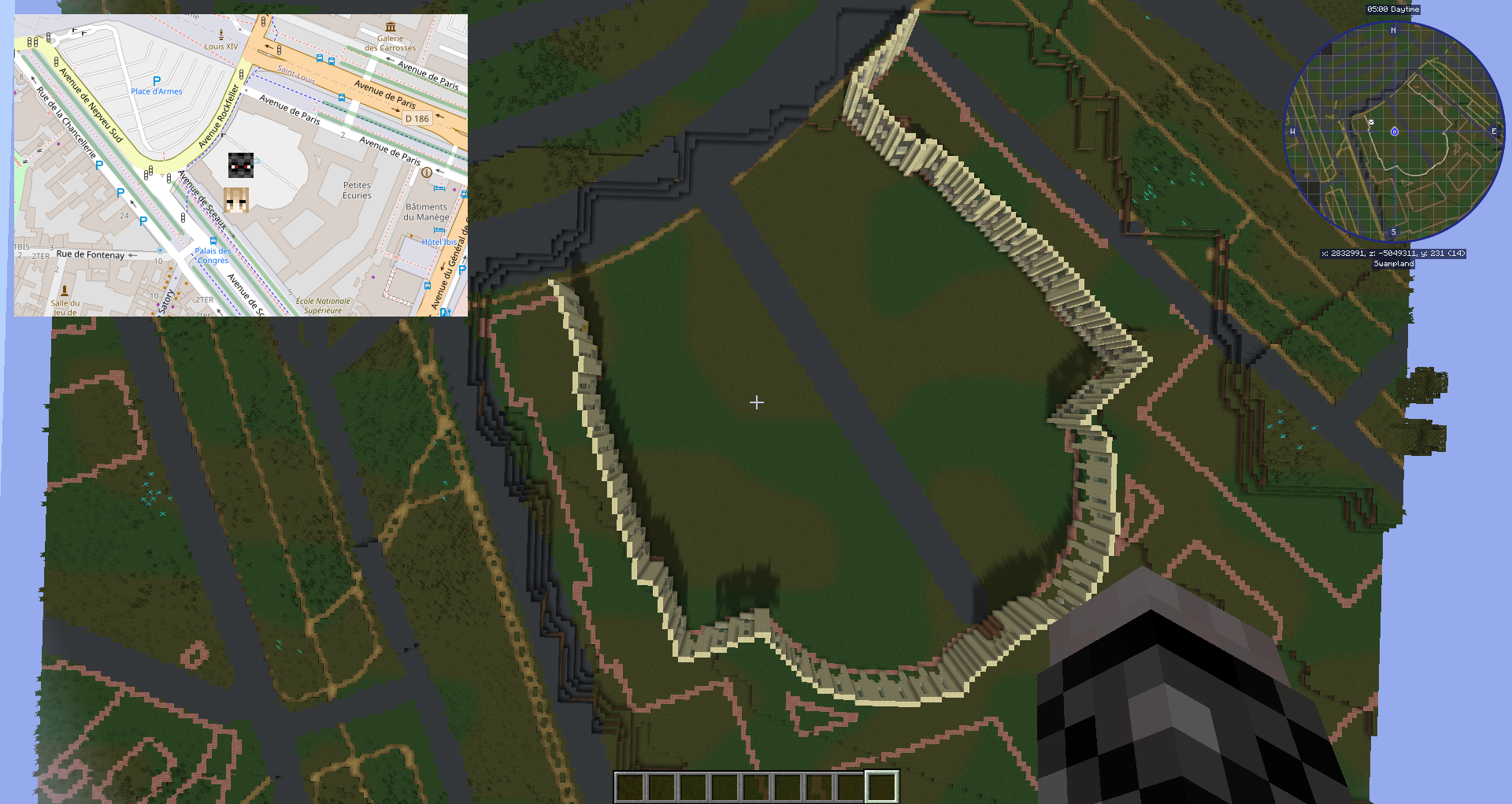
- Full-screen map with various map backgrounds, which can be customized
- Minimap
- Easy and quick access to other mapping services
- Easy teleportation from the maps
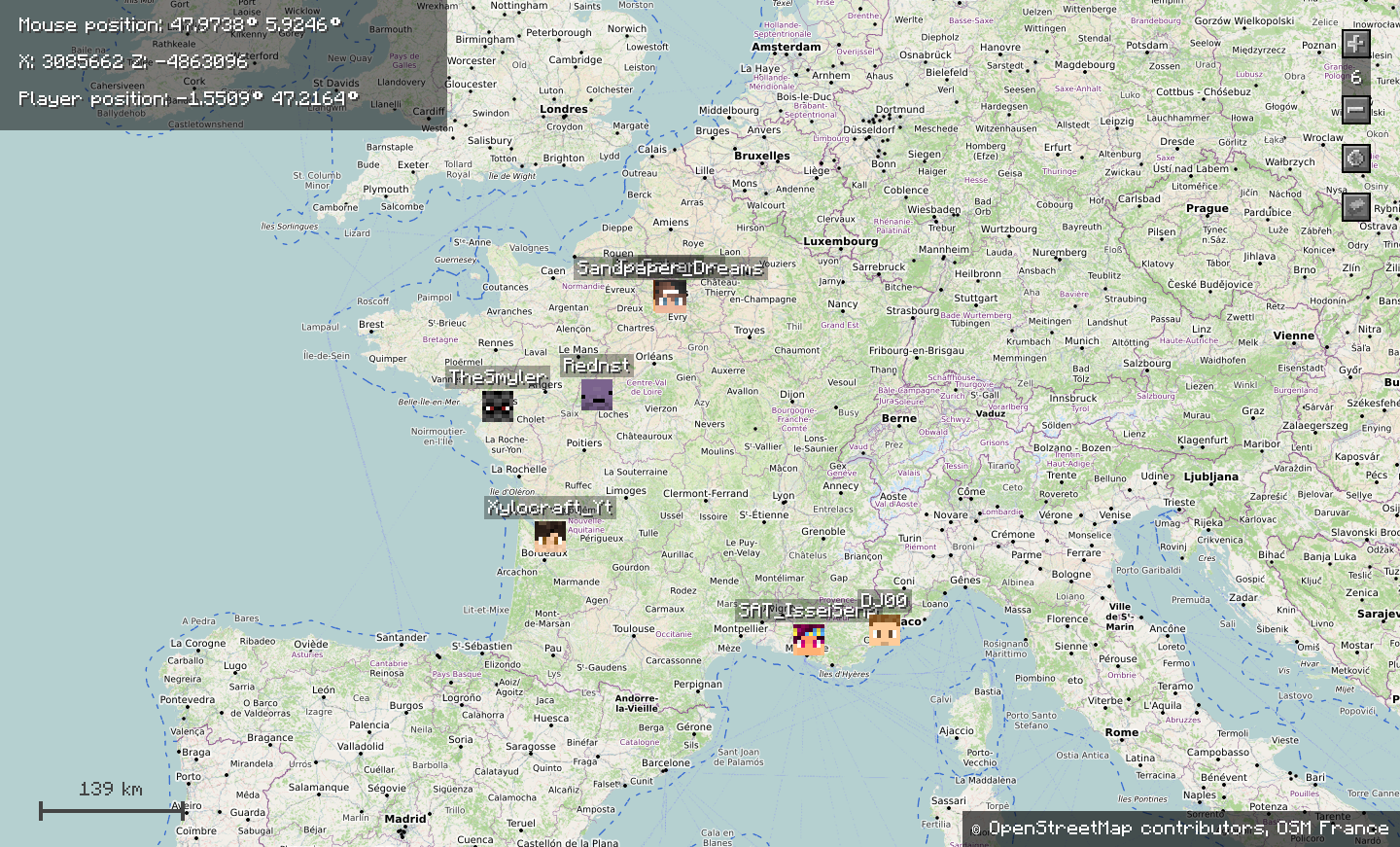
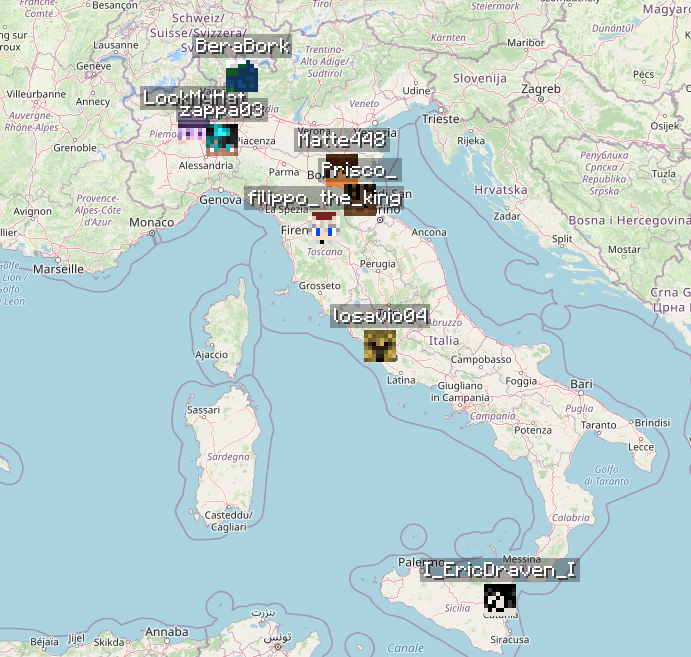
- Displaying other players, no matter how far they are
- Compass that shows your real world orientation (not your Minecraft one)
- A lot more, and even more in coming…
Dependencies:
- Terra++
- CubicChunks (required by Terra++)
- CubicWorldGen (required by Terra++)
Getting started:
Add the mod to your mods folder along with Terra++ and the other mods of your modpack.
In game, press M to open the map (by default, but it can be changed in the config)
Drag it, zoom in and out, and explore the world just like with any other digital map.
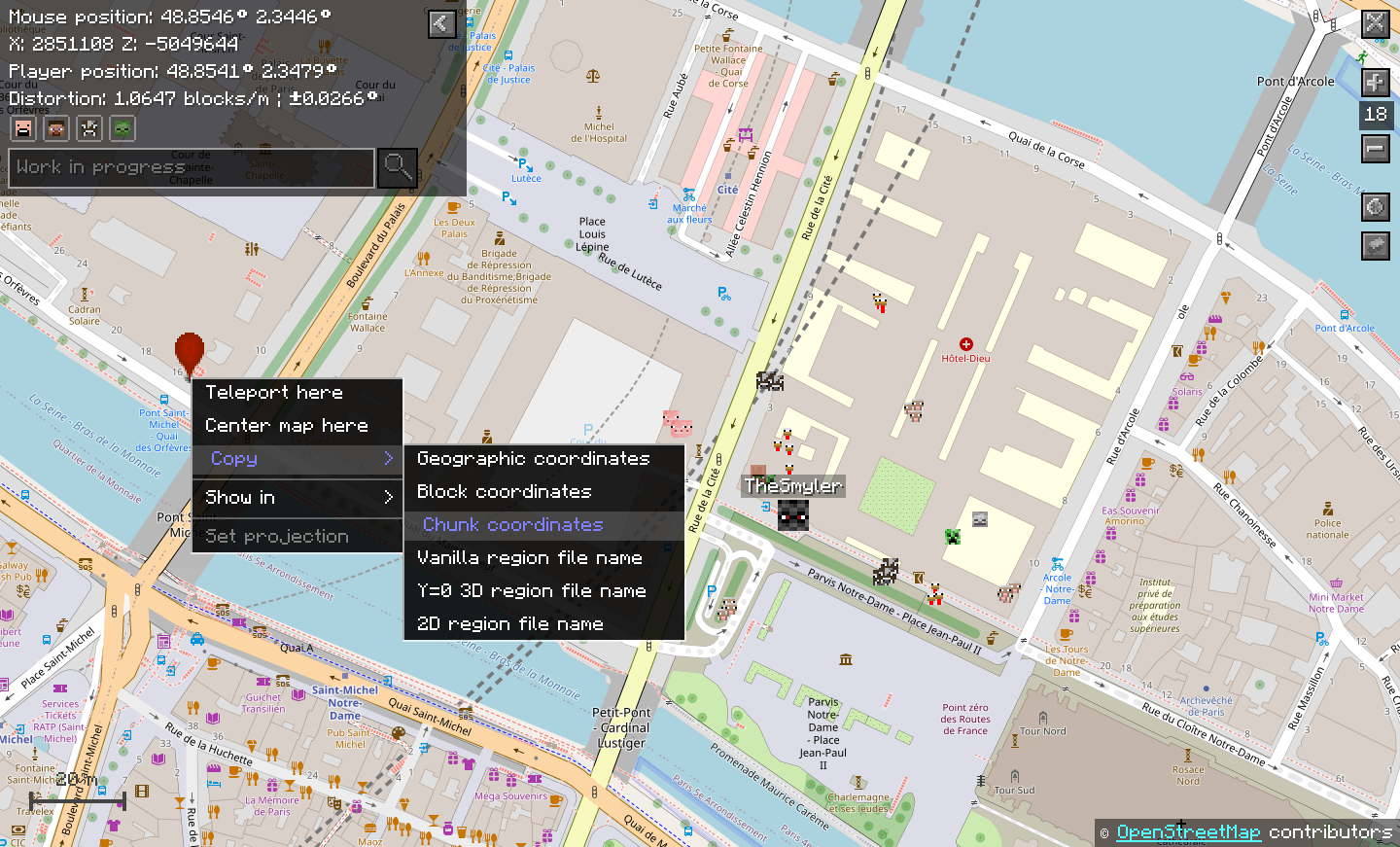
Right-click anywhere to get a menu with various useful tools (see the screenshots).
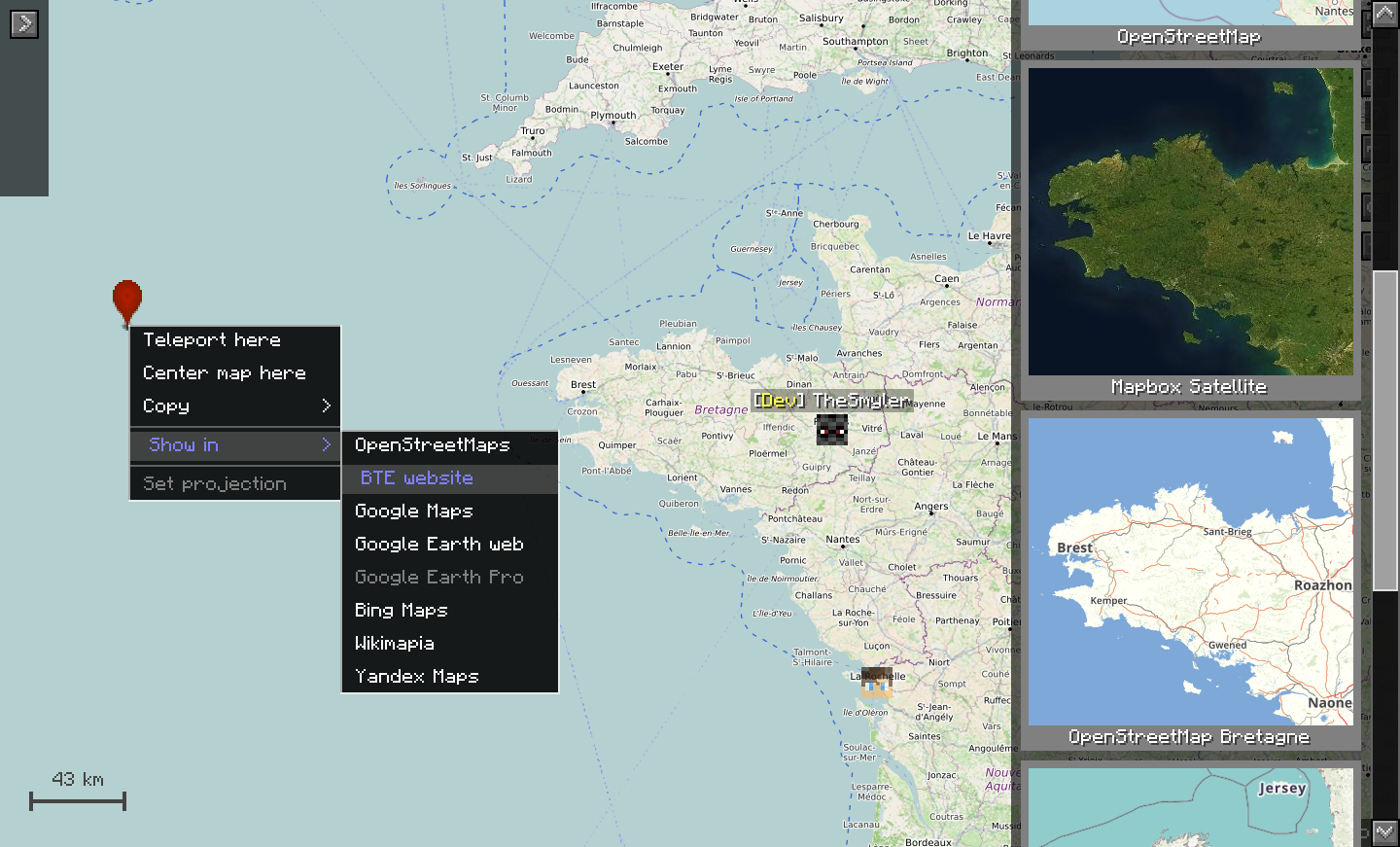
Additionally, you can: press p to toggle debug mod, press control to enable quick tp mode, change the map style in the map style menu, change entity display preferences, follow an entity or player by double clicking it, configure the minimap in the mod's config, add your own map styles, and more…
Checkout the wiki for more technical information.
Terramap will work best if it is installed both on the server and the client. This is because it needs to synchronize the map projection used by the server to the client, but it is still usable if installed only on the client, as long as you take the time to manually set the projection used.
Terramap is still in beta, it's likely to have a few bugs and still lacks intended features.
If you have any questions, suggestions or bugs to report, feel free to stop by the Terramap Discord.
Logo by @DropeArt
Screenshots:
Terramap on a solo world, with the vanilla osm style:
Terramap on BTE-France, with player synchronization enabled:
Custom map styles on BTE-France:
Terramap on BTE Italia:
The Terramap minimap on the left, with the Journeymap minimap on the right:
Add a comment