


 Get 0.05 TON 💎
Earlier Versions
| Name | Size | Uploaded | Game Version | Downloads | |
| Vanilla Plus Mod v1.18.2-0.4.4 [Fabric] release | 66.75 MB | Aug 18, 2022 | 1.18.2 | 1 | ![download Vanilla Plus Mod Vanilla Plus Mod v1.18.2-0.4.4 [Fabric] release](https://minecraftpatch.com/wp-content/themes/template/img/download.png) Download Download |
| Vanilla Plus Mod v1.18.2-0.4.3 [Fabric] release | 66.75 MB | Mar 11, 2022 | 1.18.2 | 1,500 | Download |
| Vanilla Plus Mod v1.18.2-0.4.2 [Fabric] release | 66.72 MB | Mar 4, 2022 | 1.18.2 | 107 | Download |
| Vanilla Plus Mod v1.18.2-0.4.1 [Fabric] release | 66.71 MB | Mar 2, 2022 | 1.18.2 | 50 | Download |
| Vanilla Plus Mod v1.18.1-0.4.0 [Fabric] release | 66.71 MB | Feb 19, 2022 | 1.18.1 | 1,424 | Download |
| Vanilla Plus Mod v1.18.1-0.3.3 [Fabric] release | 53.63 MB | Feb 7, 2022 | 1.18.1 | 141 | Download |
| Vanilla Plus Mod v1.18.1-0.3.2 [Fabric] release | 53.63 MB | Feb 6, 2022 | 1.18.1 | 50 | Download |
| Vanilla Plus Mod v1.18.1-0.3.1 [Fabric] release | 53.63 MB | Feb 2, 2022 | 1.18.1 | 86 | Download |
| Vanilla Plus Mod v1.18.1-0.3.0 [Fabric] release | 53.62 MB | Jan 31, 2022 | 1.18.1 | 61 | Download |
| Vanilla Plus Mod v1.18.1-0.2.2 [Fabric] release | 34.56 MB | Jan 23, 2022 | 1.18.1 | 96 | Download |
| Vanilla Plus Mod v1.18.1-0.2.1 [Fabric] release | 34.55 MB | Jan 23, 2022 | 1.18.1 | 27 | Download |
| Vanilla Plus Mod v1.18.1-0.2.0 [Fabric] release | 34.55 MB | Jan 16, 2022 | 1.18.1 | 90 | Download |
| Vanilla Plus Mod v1.18.1-0.1.0 [Fabric] beta | 11.55 MB | Jan 5, 2022 | 1.18.1 | 84 | Download |
Screenshots


Description
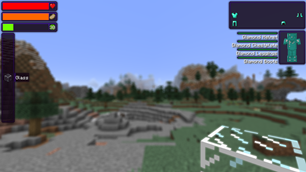
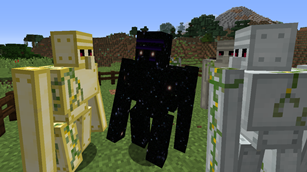
Vanilla Plus Mod is a mod to extend Minecraft, to add decorative blocks, new music discs…
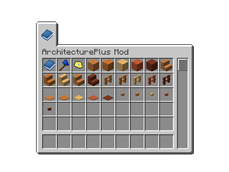
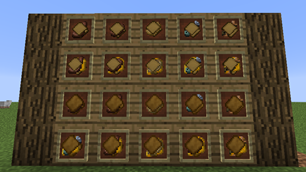
This mod adds to the game Decoration Blocks, with them you can decorate builds and make them look fantastic, and it adds a lot of new Music Discs, which are easy to obtain in survival, so you can listen to various music genres while you are building.
Disclaimer:
Some features are not yet avaiable, and will be in the next version: 0.2.0 work in progress…

Installation:
– Download Fabric;
– Download the Fabric API;
– Download the version of the mod you want to install (latest version: 1.18.1-0.1.0);
– Execute the Fabric installer;
– Open the .minecraft folder:
Windows: use Ctrl+R and type %appdata%, then go into .minecraft/ folder,
Linux: open your Home folder and go to .minecraft/ (the folder is hidden);
– Open the mods/ folder;
– Copy and paste the Fabric API file and the Mod .jar;
– Launch the correct version from the Minecraft Launcher.
Contacts:
WEBSITE YOUTUBE-CHANNEL DISCORD-SERVER
Videos:


Add a comment