


 Get 0.05 TON 💎
Earlier Versions
| Name | Size | Uploaded | Game Version | Downloads | |
| WhoPlacedIt v0.6 release | 25.07 KB | Mar 21, 2012 | CB 1.2.5-R1.0 | 6,738 |  Download Download |
| WhoPlacedIt v0.5 release | 23.55 KB | Oct 1, 2011 | CB 1185 | 2,238 | Download |
| WhoPlacedIt v0.4.1 release | 23.04 KB | Sep 22, 2011 | CB 1185 | 648 | Download |
Description
This plugin enables players to see who placed a block or deleted it.
Usage: Just right click on any block that was placed after this plugin was installed to see who did it. This can be restricted to certain items the user has to hold in his hands at the time of the right click (default setting is that it only works when a stick is held in the users hands). Per default a player can see the last 3 remove/place actions for that block, this can be disabled in the config.
Currently this plugin uses sqlite or mysql to store its data. The Library provided by alta189 is used for this purpose
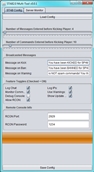
The config file for this plugin (WhoPlacedIt/WhoPlacedIt.properties) will be created automatically at first start with sqlite as default database setting, enabled history and restricted to sticks. If you want create your own properties file you can either do this by hand, or with this little script: http:hikinggrass.de/whoplacedit/index.php
Features:
- Tracks when a player places a block and when this block is removed later
- Tracks fire since version 0.4
- Tracks what kind of block you placed/deleted since version 0.5
- Has permissions support (tested with permissionsBukkit), whoplacedit.magicstick is the only permission that can be used to enable/disable the "magic stick"
- You can configure how many block changes you want to see when you right click on a block. The amount can be set via the historyEntries option in the config file


Add a comment