


 Get 0.05 TON 💎
Earlier Versions
| Name | Size | Uploaded | Game Version | Downloads | |
| Cherry Blossom Birch Leaves release | 2.51 KB | May 29, 2021 | 1.16.5 | 70 |  Download Download |
| Cassia Fistula Birch Leaves release | 2.48 KB | May 29, 2021 | 1.16.5 | 7 | Download |
| Yellow Birch Leaves release | 2.42 KB | May 29, 2021 | 1.16.5 | 14 | Download |
| White Birch Leaves release | 2.36 KB | May 29, 2021 | 1.16.5 | 5 | Download |
| Red Birch Leaves release | 2.35 KB | May 29, 2021 | 1.16.5 | 7 | Download |
| Pink Birch Leaves release | 2.31 KB | May 24, 2021 | 1.16.5 | 48 | Download |
Screenshots


Description
Only for Java Edition.
Not compatible or working properly with Faithful Resource Pack and other leaves resource packs.
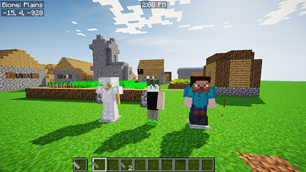
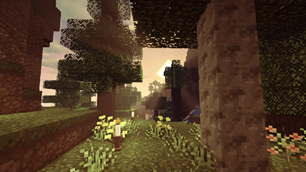
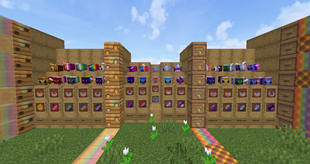
See Images for more pictures.
You can also download this at my Google Sites and get more information there.
Birch Leaves Resource Pack
The Minecraft Version is doesn't really matter. You can use this in any version of Minecraft. You can check my YouTube Video for tutorial. (Version 1.12.2 ~ 1.17)
What is this?
This resource pack is a birch leaves colour changer. You can change your birch leaves colour using this resource pack.
You can find some colours here :
>> Pink
>> Red
>> Yellow
>> White
>> Cherry Blossom (remake of Pink)
>> Cassia Fistula (remake of Yellow)
How to use?
>> Go to Files
>> Choose any colour you want
>> Download the resource pack
>> Move it into your resourcepacks File Folder.
You can see my YouTube Video for more detail. The Minecraft Version is doesn't really matter. These resource packs was separated before (different links on curseforge). Now, you can see all colours here.
The comment section is disabled here.
You can comment in my YouTube Video, it's easier for me to reply your comment there. You can also send feedbacks, questions, helps, or any messages about this there.



Add a comment