


 Get 0.05 TON 💎
Earlier Versions
| Name | Size | Uploaded | Game Version | Downloads | |
| ExtremeTerrain for 1.11+ release | 9.91 KB | Aug 18, 2017 | 1.12 | 791 |  Download Download |
| ExtremeTerrain release | 10.89 KB | Sep 15, 2015 | 1.8.1 | 1,185 | Download |
| ExtremeTerrain release | 8.42 KB | Sep 1, 2015 | 1.8.1 | 304 | Download |
Screenshots

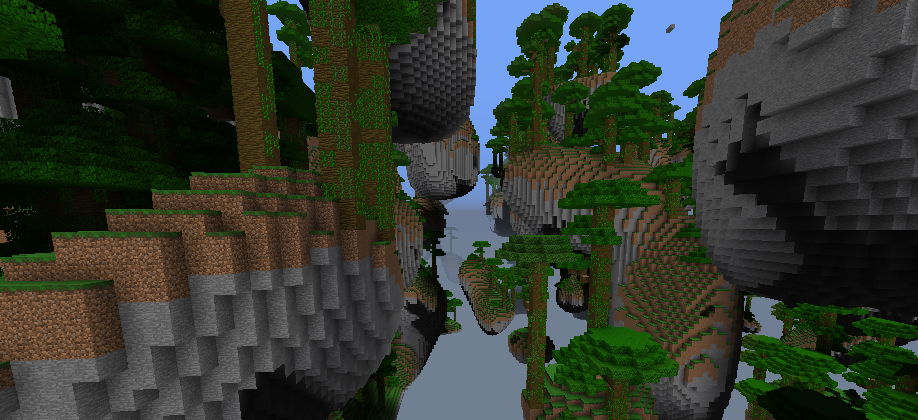
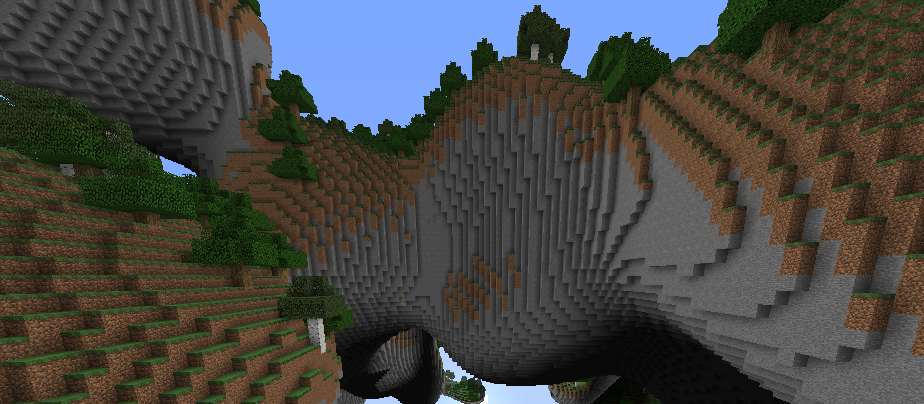
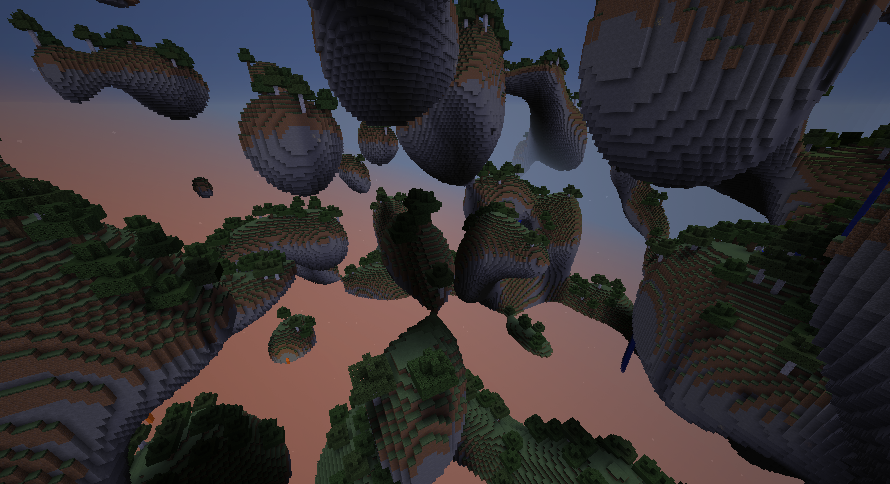
Description

ExtremeTerrain
Did you ever asked yourself, "How can i make Minecraft easier for myself"?. Then this world generator is NOT for you.
Pros and cons
Pros:
- Cool looking terrain
- Ore generation (More about this under the "Ore distribution" Tab)
- Automatic generating trees
- Water and lava falls
- Survival friendly
- Biomes (Images: Click here)
- Automaticly generated obsidian (in small chunks of obsidian)
Cons:
- A bit laggy
- Long generation time (circ. 20 seconds)
Why is it hard?
- You can fall and you probably will
- Mobs, mobs everywhere
- The only water and lava sources are in water and lava falls
- Did i mentioned mobs?
- Big distances between some islands
Ore distribution
The ore generation works the same, as in vanilla minecraft.
Installation
If you want to make an external world:
You will need Multiverse-core!
- Download the plugin file
- Drop it in your plugins folder
- Start the server
- Write
/mv create <worldname> normal -g ExtremeTerrain -s <If you want a fix seed>
- Exit out of the game, but don't close the server! The generation will take a moment.
- If the generation finished (aka. The terminal stopped to do anything.) enter the server. (If the generation throws you an error, use the method below, but copy the main worlds section from the bukkit.yml, rename it and then follow the steps below.)
- Write
/mv tp <worldname>
- You're done!
If you want this plugin, to generate your main world (recommended):
- Download the plugin
- Drop it in your plugins folder
- Go into your bukkit.yml file (/YourServer/bukkit.yml)
- Add this to the end of the file:
worlds:
  <main world>:
    generator: ExtremeTerrain
Delete your world if you generated it before, and then start the server





Add a comment