

 Get 0.05 TON 💎
Earlier Versions
| Name | Size | Uploaded | Game Version | Downloads | |
| MoreMaterials - 2.4.3 release | 100.96 KB | Apr 13, 2014 | CB 1.6.4-R2.0 | 2,687 |  Download Download |
| MoreMaterials - 2.4.1 release | 100.46 KB | Mar 31, 2014 | CB 1.6.4-R2.0 | 396 | Download |
| MoreMaterials - 2.1 release | 94.95 KB | Nov 6, 2013 | CB 1.6.2-R1.0 | 1,006 | Download |
| MoreMaterials - 2.0 release | 90.32 KB | Aug 26, 2013 | CB 1.5.2-R1.0 | 988 | Download |
| MoreMaterials - 2.0 beta 3 release | 90.32 KB | Jun 12, 2013 | 1.5.2 | 1,241 | Download |
| MoreMaterials - 2.0 beta 2 release | 90.07 KB | Jun 9, 2013 | 1.5.2 | 632 | Download |
| MoreMaterials - 2.0 beta 1 release | 89.61 KB | Jun 9, 2013 | 1.5.2 | 557 | Download |
| MoreMaterials - 1.91 release | 68.98 KB | Apr 22, 2013 | CB 1.5.1-R0.2 | 1,135 | Download |
| MoreMaterials - 1.9 release | 68.96 KB | Apr 15, 2013 | CB 1.5.1-R0.2 | 473 | Download |
| MoreMaterials - 1.85 release | 68.71 KB | Apr 5, 2013 | CB 1.5.1-R0.1 | 281 | Download |
| MoreMaterials-1.8-b183 release | 66.33 KB | Nov 22, 2012 | CB 1.3.2-R2.0 | 1,029 | Download |
| MoreMaterials-1.8-b178 release | 66.28 KB | Oct 19, 2012 | CB 1.3.2-R1.0 | 974 | Download |
Screenshots

Description
More Materials
Version: 2.4.3
Overview
MoreMaterials is a clever plugin, which allows you to create and install your own custom blocks and items. It includes an incredibly simple to use editor (with various difficulty/complexity levels) to create your own custom shapes quickly and easily. It also includes a system to easily share your custom creations!
How to Use?
MoreMaterials is installed just as any other plugin would be. You simply download the latest version, and drag it into your Plugins folder.
Included with each version is an example .SMP file, the file format used to add custom blocks. More does not have a server-side config.yml file. All of the custom block / item properties are defined within the SMP package files themselves.
Version 2.0 Details
- Pre-Configured Built-in Handlers.
- Cross SMP-based Recipes. (no longer are all materials required to be within the same SMP to make a recipe work correctly).
Version 2.1 Details
- Added the Chest & ChunkRegenerate Handler.
- You can now create custom blocks with the inventory component.
- Requires Spoutcraft 1.6.2 b13 or higher to use new custom chest abilities.
Version 2.4.1 Details
- Added support for Residence's container permission for container type custom blocks.
- Added back in the ability to set a Walkspeed and JumpMultiplier.
- Added an informational handler.
Version 2.4.3 Details
- Added support for Player saturation (stanima)*
- Fixed some issues with the consume handler.
- Fixed some issues with permissions
- Fixed issue with /mmgive command
- Fixed a bunch of class cast exceptions when using chunk regen handler.
MoreMaterial Example Packages
- Click here for Example Images!.
What is a SMP Package?
SMP packages are a compressed file, saved as a .smp extention. This zip file typically will contain these types of files:
- .shape – This file stores the typical design of a custom block.
- .obj – This is a more advanced design file for a custom block or item.
- .png – This file stores the texture that is applied to the custom block or item.
- .yml – This file stores all the information regarding the custom block or item.
Below are a few example files for creating your own custom SMP packages.
- Example .SHAPE file.
- Example .YML file.
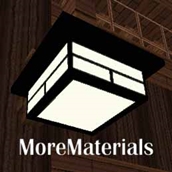
Below is a Complete SMP Example Package of a hanging light.
- Custom Hanging Light.
A more detailed look of what all a .YML file can contain can be found Here.
Design Files & Editors
MoreMaterials SMP packages can youse two types of shape files for specifying the design of a custom block, .obj and .shape. The following link can provide you with a Free Editor to handle the creation of .shape files. The .obj file types are typically from a program such as Cinema 4D Studio.
SMP Packages Library
SMP Packages for MoreMaterials can be found here:
SMP Resources Library
When you are implementing SMP files on your server, make sure they go into the:
/plugins/MoreMaterials/materials folder. This is very important!
Help Forums
The following site: Click Here has been setup as a forum for all users and developers of the MoreMaterials plugin to exchange ideas as well as have questions answered. Feel free to have a look around. The more you know about this plugin the more you'll love it!
Support
Support for this and all other AlmuraDev plugins can be found by joining our chat channel here:
Mibbit Chat Here
Dependencies
The MoreMaterials Plugin requires the usage of both of the following dependencies, without them users will not see the custom block image or shape that you are designing and applying.
Spoutcraft & SpoutPlugin

Get Spoutcraft & Spoutplugin Now! >> http://www.spoutcraft.org
Developers
- AlmuraDev Team
- IceReaper
- Znickq
Debugging / Testers
- Dockter
- Kaynide
- Flenix
Metrics Disclaimer
Metrics
This plugin utilizes Hidendra's plugin metrics system, which means that the following information is collected and sent to mcstats.org:
A unique identifier
The server's version of Java
Whether the server is in offline or online mode
The plugin's version
The server's version
The OS version/name and architecture
The core count for the CPU
The number of players online
The Metrics version
If you wish to disable this feature (/me cries), you can do so by opt-ing out, which you can do in the config file under /plugins/PluginMetrics/
![Armor Stand Poses [Datapack Edition]](https://files.minecraftpatch.com/addons_new/armor-stand-poses-datapack-edition-381928/screenshots/armor-stand-poses-datapack-edition-scr-1-mini.png)

Add a comment