


 Get 0.05 TON 💎
Earlier Versions
| Name | Size | Uploaded | Game Version | Downloads | |
| oLL' s Server GUI v1.0 release | 1.60 MB | Jan 16, 2016 | 1.8 | 2,313 |  Download Download |
| oLL' s Server GUI v0.9.4 beta | 1.59 MB | Jan 8, 2016 | 1.8 | 393 | Download |
| oLL' s Server GUI v0.9.2 beta | 1.59 MB | Jan 6, 2016 | 1.8 | 222 | Download |
| oLL' s Server GUI v0.9 beta | 2.41 MB | Jan 5, 2016 | 1.8 | 247 | Download |
| oLL' s Server GUI v0.8.1 beta | 2.41 MB | Jan 3, 2016 | 1.8 | 205 | Download |
| oLL' s Server GUI v0.7 beta | 1.56 MB | Dec 30, 2015 | 1.8.3 | 260 | Download |
| oLL' s Server GUI v0.6 beta | 1.50 MB | Dec 21, 2015 | 1.8.3 | 291 | Download |
Screenshots

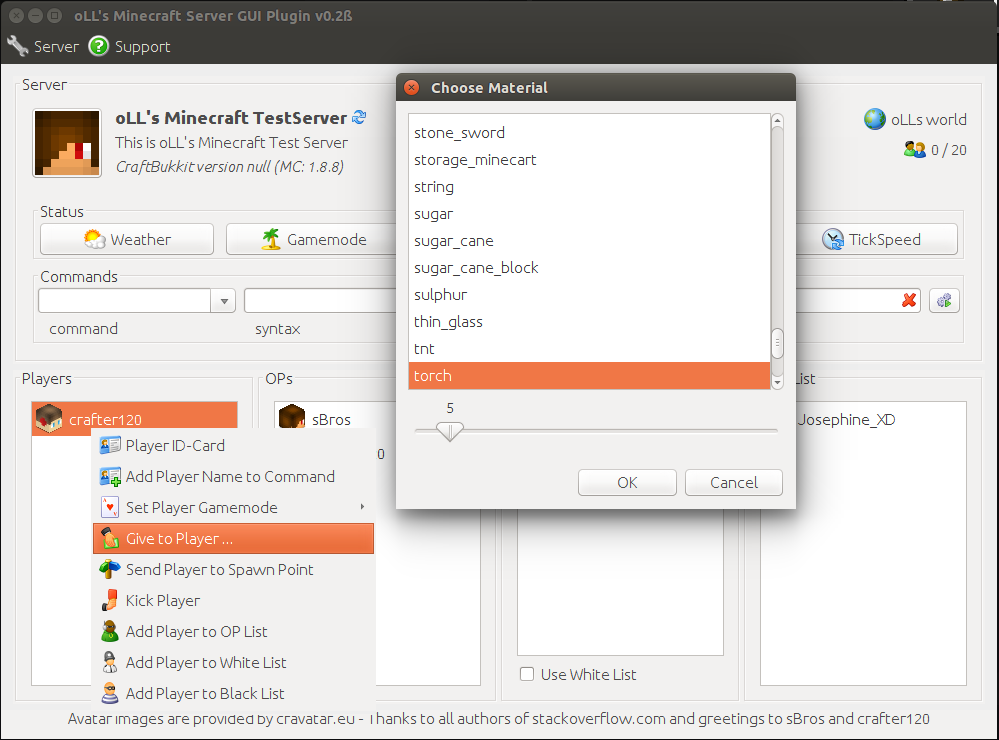
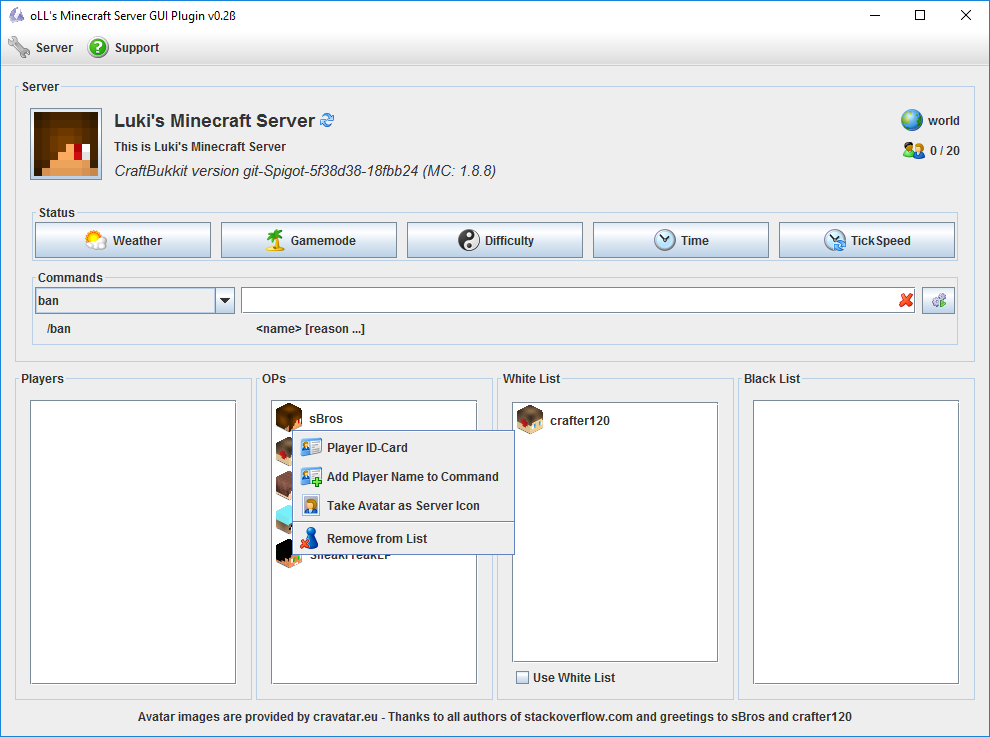


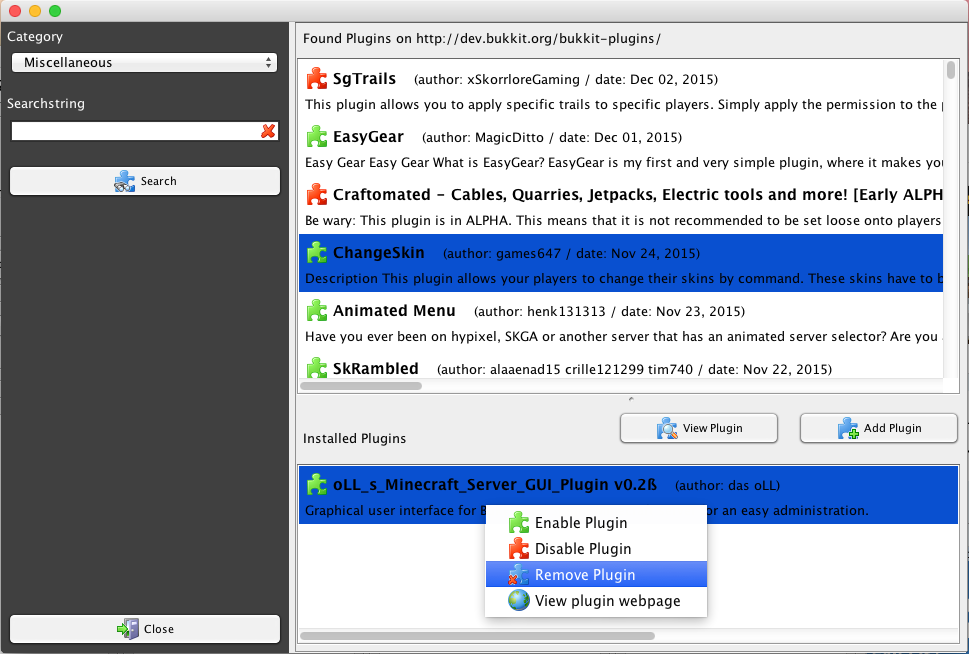
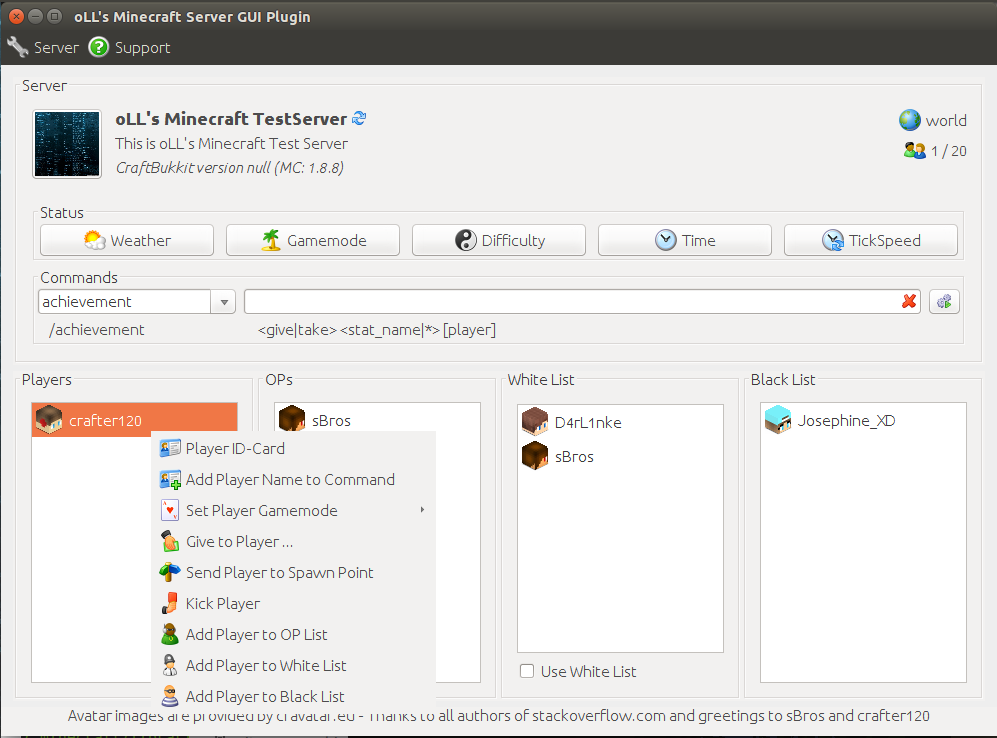


Description
Graphical user interface for Bukkit and Spigot Minecraft server for an easy administration under Linux, OS X and Windows. Build in Plugin Manager, Permission Manager, Team/Group Manager, World Manager, Mini Web Server (Who is Online?), player status widget w/ player location.
Version
Actual Version is version 1.0 for game version 1.8.x
Screenshots

Ubuntu Version of oLL's Server GUI Plugin
More screenshots …
Features
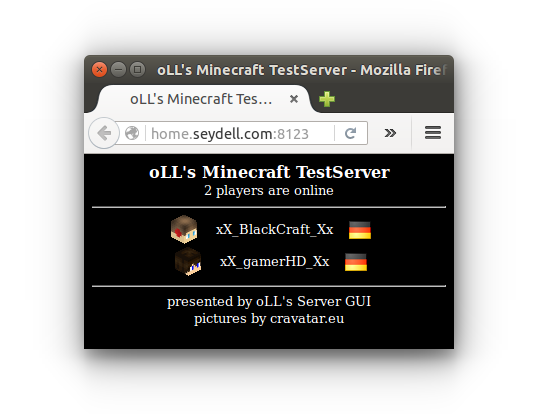
Mini Web Server (Who is Online)
A mini web server, which shows all online players of your server. For using the Web Server w/o oLL's Server GUI please refer to oLL's Who is Online

oLL's Who is Online web page – More screenshots …
Usage
Be sure that port forwarding is configured. To show the mini web site enter http://your.server.com//:8123 in your web browser, e.g.:
- http://home.seydell.com:8123
Please feel free to send me your link. I will add it here as an example also.
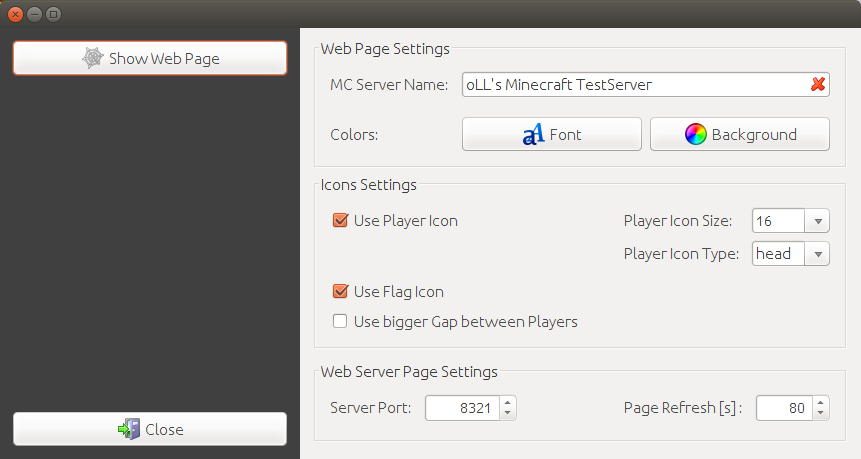
Web Server Manager
- Set font color of mini web site
- Set back color of mini web site
- Set server name color of mini web site
- Set Refresh time
- Icon settings
- players can be sorted by their experience level
- player position can be shown in front of player name
- player experience level can be shown
- offline players can be shown, with last visit time
screenshot…
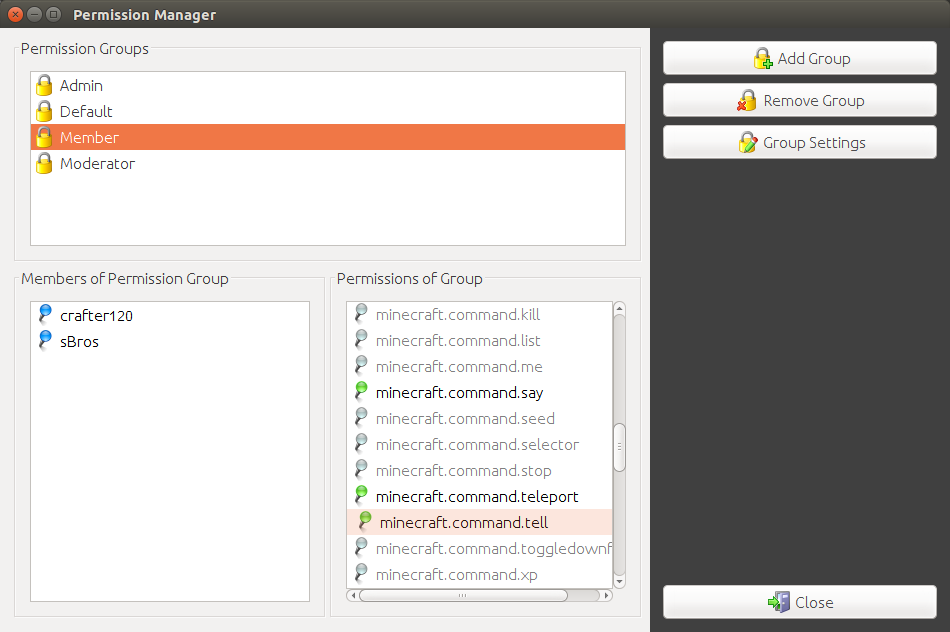
Permission Manager
- Permission group can be shown as player suffix
- Add/Remove permission groups
- Select group members with one click
- Select group permissions with one click
- After adding new plugin, plugin permissions will be shown in permission manager (if added plugin is correctly implemented)
- Additional permissions can be added/removed manually by right mouse click (if added plugin is not correctly implemented)
- Permissions will be set direct after closing permission manager.
screenshot…
Games/Mods
- First little game/mod added – Teams vs. Teams [Killer] (counts team kills)
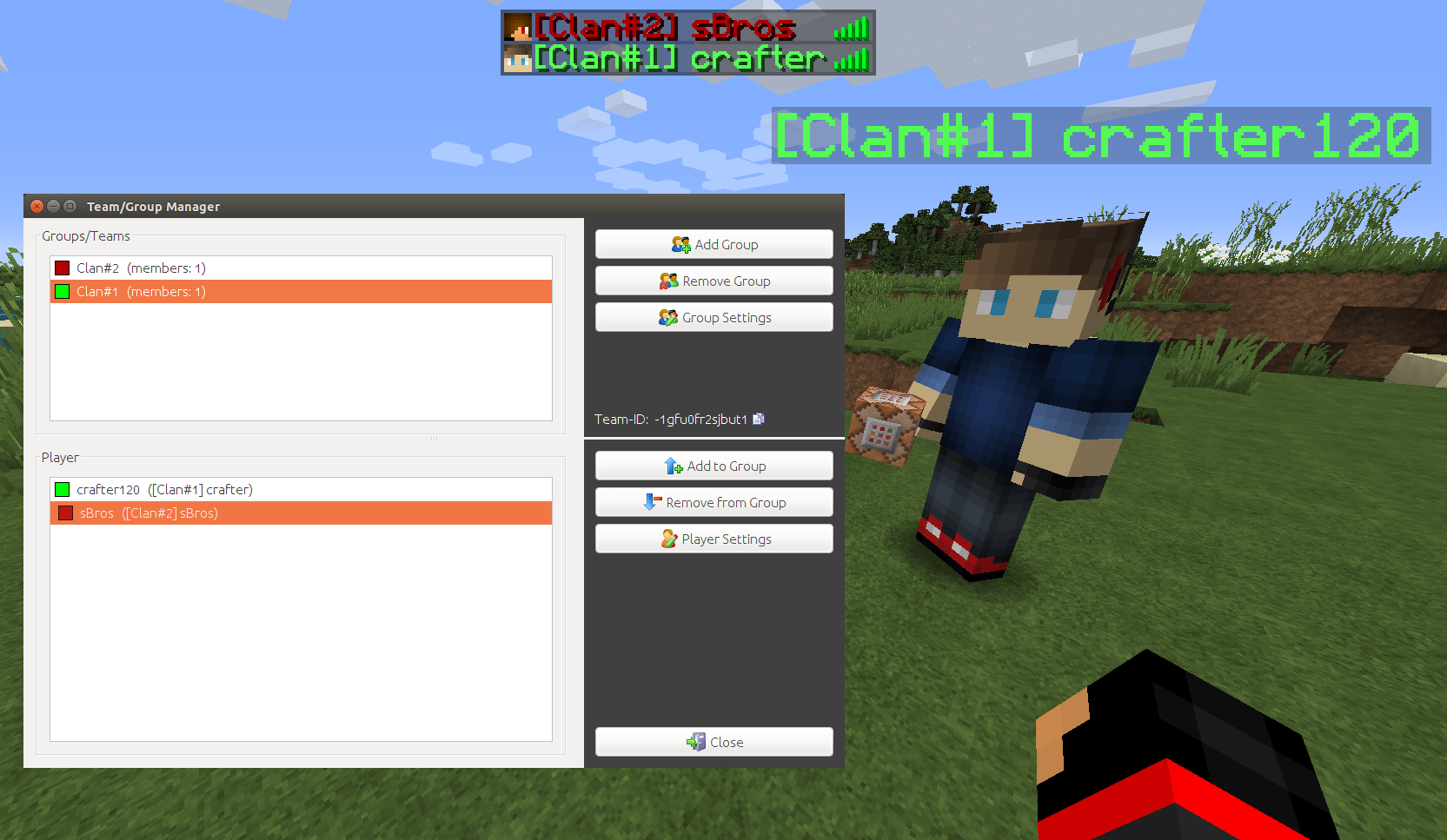
Team/Group Manager
- Create teams
- Change team color and name
- Add/Remove players to team
- Change player color and name
- Activate/deactivate teams with one click
- Settings stored independent of the world
screenshot…
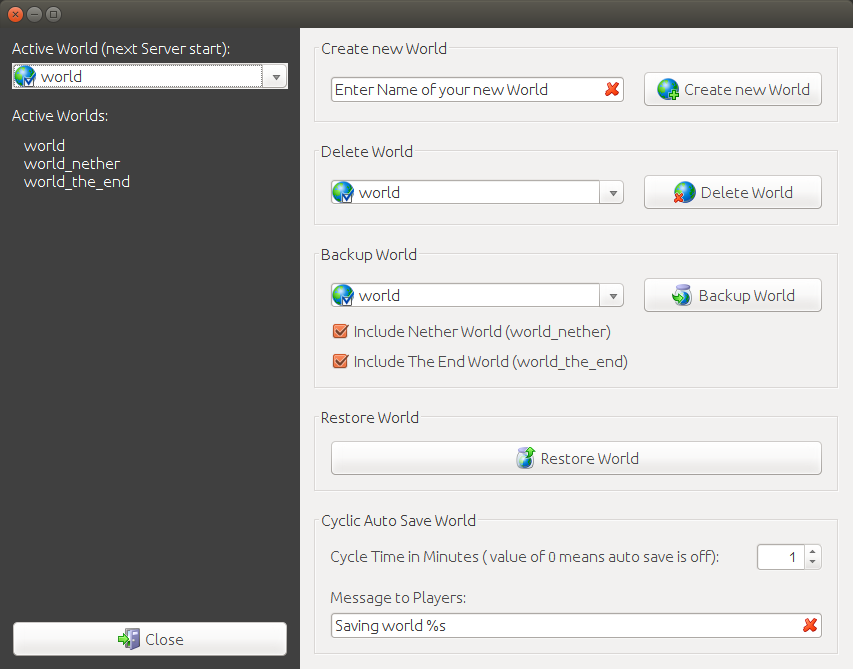
World Manager
- Create new worlds
- Delete worlds
- Backup worlds to ZIP archive
- Resore worlds from ZIP archive
- Set active world
- Change auto-save time
- Enter player hint if server is saving worlds
screenshot…
Informations
- Serverpicture
- Servername
- Description
- Version
- World
- Number of players online/allowed
Easy Command
- Choose your command via drop down box.
- A brief usage is shown.
- Add player names from player lists
- Delete wrong commands with one click
Server
- Set weather
- Set gamemode for all players
- Set difficulty
- Set of day or night
- Set tick speed (e.g. faster growing of plants)
- Activate/deactivate white list
- Stop/restart server
- Change server settings via dialog
- Load any picture (form and size dosent matter) as server picture by a click on the actual picture
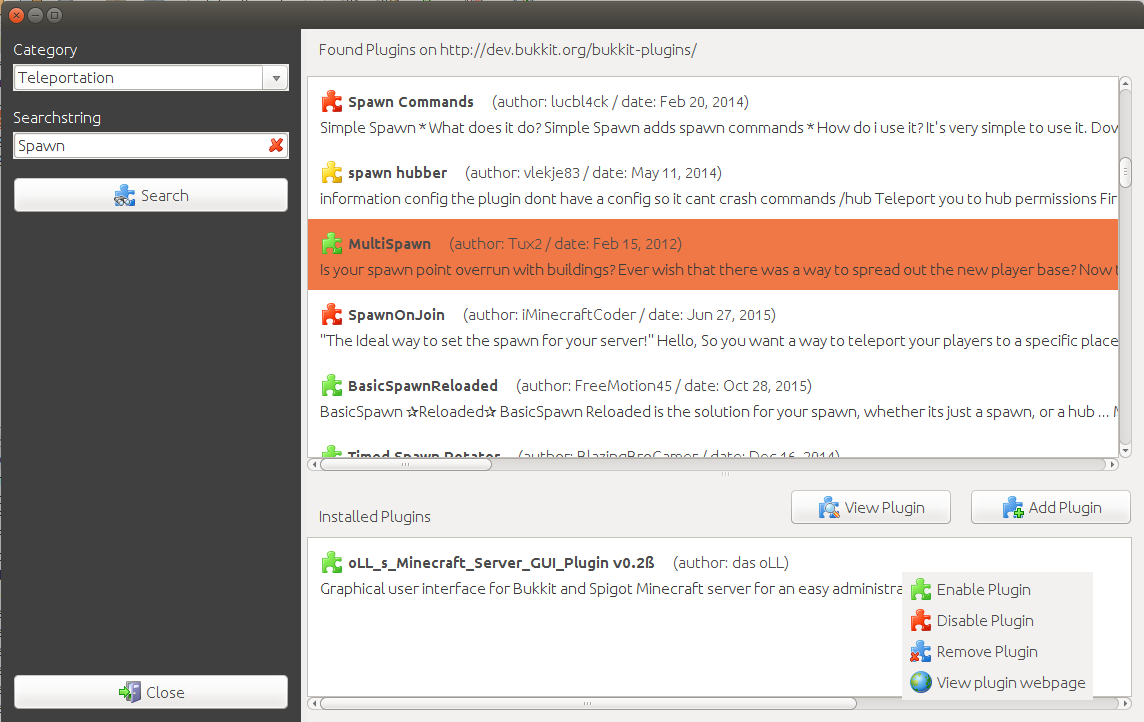
Plugin Manager
- Search for plugins
- Add/remove plugins
- Enable/disable plugins
- View plugin site
Player
These features can be found by using the context menu.
- Show player status widget (Double-Click on player)
- Show player country and flag (Widget and ID-Card)

- Show a player ID-Card
- Add player name to command line
- Set player gamemode (survival/creative/adventure/spectator)
- Easy to use "give" player dialog
- Set player position as spawn point
- Send player to spawn point
- Heal player
- Kick a player
- Hide/Show player
- Add/Remove player to OP list
- Add/Remove player to white list
- Add/Remove player to black list
- Use OP player avatar as server icon
Commands
- /showgui – open the GUI frame
Installation
Put the jar file into the /plugin folder
Platform
Minecraft Server
- Spigot Server
- CraftBukkit Server
Operating System
- Windows (tested with Windows 10)
- Linux (tested with Ubuntu 14)
- OS X (tested with OS X Yosemite)
Compiled with JDK 1.7
FAQ
FAQs you will find here…
Suggestions
Leave a comment or pm me if you want a feature or you've found a bug
Donations
Feel free to hit the donate button. This will help me to spend more time to add more features. Many thanks.




Add a comment