


 Get 0.05 TON 💎
Earlier Versions
| Name | Size | Uploaded | Game Version | Downloads | |
| swap_things-1.18.2-1.0.2 release | 151.74 KB | Jun 30, 2022 | 1.18.2 | 0 |  Download Download |
| swap_things-1.18.2-1.0.1 release | 150.55 KB | Apr 18, 2022 | 1.18.2 | 56 | Download |
| swap_things-1.18-1.0.0 release | 140.14 KB | Dec 7, 2021 | 1.18 | 43 | Download |
| swap_things-1.17.1-1.0.3 release | 140.28 KB | Nov 28, 2021 | 1.17.1 | 18 | Download |
| swap_things-1.16.5-1.0.6 release | 135.54 KB | Nov 28, 2021 | 1.16.5 | 91 | Download |
| swap_things-1.17.1-1.0.2 release | 140.27 KB | Nov 22, 2021 | 1.17.1 | 17 | Download |
| swap_things-1.16.5-1.0.5 release | 135.52 KB | Nov 22, 2021 | 1.16.5 | 19 | Download |
| swap_things-1.17.1-1.0.1 release | 136.14 KB | Oct 23, 2021 | 1.17.1 | 32 | Download |
| swap_things-1.16.5-1.0.4 release | 131.49 KB | Oct 23, 2021 | 1.16.5 | 48 | Download |
| swap_things-1.17.1-1.0.0 release | 132.26 KB | Oct 20, 2021 | 1.17.1 | 27 | Download |
| swap_things-1.16.5-1.0.3 release | 131.25 KB | Oct 20, 2021 | 1.16.5 | 29 | Download |
| swap_things-1.16.5-1.0.2 release | 126.83 KB | Apr 6, 2021 | 1.16.5 | 514 | Download |
| swap_things-1.16.5-1.0.1 release | 116.87 KB | Mar 29, 2021 | 1.16.5 | 67 | Download |
| swap_things-1.16.4-1.0.3 release | 107.68 KB | Jan 26, 2021 | 1.16.4 | 64 | Download |
| swap_things-1.16.4-1.0.2 release | 104.69 KB | Dec 29, 2020 | 1.16.4 | 301 | Download |
| swap_things-1.16.4-1.0.1 release | 100.36 KB | Nov 9, 2020 | 1.16.4 | 217 | Download |
| swap_things-1.16.1-1.0.6 release | 100.41 KB | Nov 3, 2020 | 1.16.1 | 26 | Download |
| swap_things-1.16.3-1.0.1 release | 98.98 KB | Oct 10, 2020 | 1.16.3 | 136 | Download |
| "swap_things-1.16.3-1.0.0 release | 97.65 KB | Sep 16, 2020 | 1.16.3 | 69 | Download |
| swap_things-1.16.2-1.0.0 release | 97.66 KB | Sep 16, 2020 | 1.16.2 | 29 | Download |
| swap_things-1.16.1-1.0.5 release | 97.66 KB | Aug 10, 2020 | 1.16.1 | 82 | Download |
| swap_things-1.12.2-1.0.0 release | 80.07 KB | Aug 10, 2020 | 1.12.2 | 304 | Download |
| swap_things-1.16.1-1.0.4 release | 97.13 KB | Aug 6, 2020 | 1.16.1 | 36 | Download |
| swap_things-1.16.1-1.0.3 release | 97.25 KB | Jul 28, 2020 | 1.16.1 | 90 | Download |
| swap_things-1.16.1-1.0.2 release | 97.34 KB | Jul 23, 2020 | 1.16.1 | 25 | Download |
| swap_things-1.16.1-1.0.1 release | 89.85 KB | Jul 17, 2020 | 1.16.1 | 54 | Download |
| swap_things-1.16.1-1.0.0 release | 80.01 KB | Jul 13, 2020 | 1.16.1 | 50 | Download |
| swap_things-1.15.2-1.0.0.jar release | 103.52 KB | Feb 18, 2020 | 1.15.2 | 465 | Download |
| swap_things-1.14.4-1.0.10 release | 103.34 KB | Feb 5, 2020 | 1.14.4 | 571 | Download |
| swap_things-1.14.4-1.0.9 release | 93.97 KB | Dec 28, 2019 | 1.14.4 | 170 | Download |
| swap_things-1.14.4-1.0.8 release | 93.56 KB | Dec 27, 2019 | 1.14.4 | 43 | Download |
| swap_things-1.14.4-1.0.7 release | 93.43 KB | Dec 27, 2019 | 1.14.4 | 26 | Download |
| swap_things-1.14.4-1.0.6 release | 89.44 KB | Dec 7, 2019 | 1.14.4 | 101 | Download |
| swap_things-1.14.4-1.0.5 release | 89.43 KB | Dec 6, 2019 | 1.14.4 | 36 | Download |
| swap_things-1.14.4-1.0.4 release | 90.05 KB | Dec 1, 2019 | 1.14.4 | 64 | Download |
| swap_things-1.14.4-1.0.3 release | 61.52 KB | Nov 30, 2019 | 1.14.4 | 32 | Download |
| swap_things-1.14.4-1.0.2 release | 59.79 KB | Nov 3, 2019 | 1.14.4 | 41 | Download |
Description
Command notes:
- Arguments in <> mean they are required while [] are optional.
- All playername arguments are optional. If not given will use who/what ran the command.
- Any commands with two players will attempt to get a different second playername than the first unless it isn't randomly chosen. However it will only attempt to get a different one 10 * currently only players number of times. If the player name is still the same will use as is.
- All commands can be used regardless of if there is only one player on or several. Although, swaparmor and swaplocation commands will not show a visible difference other than a message in chat.
DisconnectPlayer
/swapthings disconnectplayer [playername] [courtesy of]

Disconnects the given player from the world or server
- Message on disconnect is controlled by the config value
DisplayDeathBoard
/swapthings displaydeathboard

Gets death count from the player Stats and list them in chat
- Message next to each name is controlled by the config value
- If one value is given will use it for all places. If there is at least two values separated by a comma will put messages in order
HeldEnchanting
/swapthings heldenchanting [playername] [courtesy of] [enchantment] [enchantment_level]

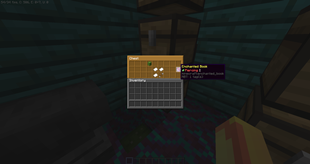
Adds/removes/updates held item with a given enchantment or random if none is given
- If an enchantment is not given will choose a random valid enchantment and level
- If an enchantment level is not given will choose a random valid one for the given enchantment (0 is possible which will remove the enchantment
- When specifying the enchantment level can do higher than usual (i.e. minecraft:efficiency 10 will give Efficiency X)
InventoryBomb
/swapthings inventorybomb [playername] [courtesy of]

Drops and replaces all inventory items with the item specified in the config
- Default item is minecraft:dead_bush or if config value is invalid
- Courtesy of is an optional text string if want the message displayed in chat to have a username in it. If none is given will just use "someone" instead.
InventoryEqualizer
/swapthings inventoryequalizer [playername] [item] [stack amount] [courtesy of]

Drops and replaces all inventory items with the item specified with each stack having the same amount
- Default item is minecraft:dead_bush and a stack size of 1/li>
- Courtesy of is an optional text string if want the message displayed in chat to have a username in it. If none is given will just use "someone" instead.
InventorySlotClearer
/swapthings inventoryslotclearer [playername] [amount] [courtesy of]

Clears a specific inventory slot based on the decimal place of the amount or random if not given one.
- Courtesy of is an optional text string if want the message displayed in chat to have a username in it. If none is given will just use "someone" instead.
- Amount ignores the whole number amount and only looks for decimal places.
- .00 is held item
- .01 – .09 is hotbar
- .10 – .18 is top line in inventory
- .19 – .27 is second line in inventory
- .28 – .36 is third line in inventory
- .37 is boots
- .38 is leggings
- .39 is chestplate
- .40 is helmet
- .41 is offhand
- .42 and above is outside of the default player's inventory size

InventorySlotEnchanting
/swapthings inventoryslotenchanting [playername] [amount] [courtesy of] [enchantment] [enchantment_level]

Enchants a specific inventory slot based on the decimal place of the amount or random if not given one.
- If an enchantment is not given will choose a random valid enchantment and level
- If an enchantment level is not given will choose a random valid one for the given enchantment (0 is possible which will remove the enchantment
- When specifying the enchantment level can do higher than usual (i.e. minecraft:efficiency 10 will give Efficiency X)
- Courtesy of is an optional text string if want the message displayed in chat to have a username in it. If none is given will just use "someone" instead.
- Amount ignores the whole number amount and only looks for decimal places.
- .00 is held item
- .01 – .09 is hotbar
- .10 – .18 is top line in inventory
- .19 – .27 is second line in inventory
- .28 – .36 is third line in inventory
- .37 is boots
- .38 is leggings
- .39 is chestplate
- .40 is helmet
- .41 is offhand
- .42 and above is outside of the default player's inventory size
InventorySlotRenamer
/swapthings inventoryslotrenamer [playername] [courtesy of] [amount]

Renames an inventory item to have the prefix of "[courtesy of]'s "
- If an amount is not given it will try to find a non empty inventory slot and use that
- Courtesy of is an optional text string if want the message displayed in chat to have a username in it. If none is given will just use "someone" instead.
- Amount ignores the whole number amount and only looks for decimal places.
- .00 is held item
- .01 – .09 is hotbar
- .10 – .18 is top line in inventory
- .19 – .27 is second line in inventory
- .28 – .36 is third line in inventory
- .37 is boots
- .38 is leggings
- .39 is chestplate
- .40 is helmet
- .41 is offhand
- .42 and above is outside of the default player's inventory size
InventorySlotUnnamer
/swapthings inventoryslotunnamer [playername] [courtesy of] [amount]

Unnames an inventory item back to the default name"
- If an amount is not given it will try to find a non empty inventory slot and use that
- Courtesy of is an optional text string if want the message displayed in chat to have a username in it. If none is given will just use "someone" instead.
- Amount ignores the whole number amount and only looks for decimal places.
- .00 is held item
- .01 – .09 is hotbar
- .10 – .18 is top line in inventory
- .19 – .27 is second line in inventory
- .28 – .36 is third line in inventory
- .37 is boots
- .38 is leggings
- .39 is chestplate
- .40 is helmet
- .41 is offhand
- .42 and above is outside of the default player's inventory size
PlayerNudger
/swapthings playernudger [playername] [courtesy of]

Nudges the player in a random direction.
- Direction chances are based on the config chance values
- Strength is also in the config and default to .7 which will push the player one block in that direction
- Multiplier config values will times the normal direction chance by the multiplier based on what direction the player is facing. A 0 for either the Chance or Multiplier will never nudge that direction and a 1 is default.
PlayerRotate
/swapthings playerrotate [playername] [courtesy of]

Forces the player to look at a random direction.
QuickHide
/swapthings quickhide [playername] [<item> <message>]

Throws the four basic armor slots, offhand, and held item onto the ground. Then replaces all of those slots with the item given or if none given a random one in the below list and displays a message to all players on server.
- If want do your own item and message playername is required
- Currently these are the choices it will choose from at random (will change into a config in future)
- minecraft:deadbush, quick hide in these bushes!
- minecraft:wheat, quick hide in the wheat field!
- minecraft:feather, quick act like a chicken!
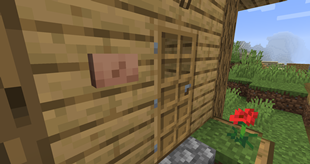
- minecraft:painting, quick blend into the wall!
RandomGift
/swapthings randomgift [playername] [courtesy of]

Gifts a random item based on the list in the configs
- Each list item contains three parts.
- Item name/ Namespaced ID – i.e. minecraft:stone_button
- Stack amount – Any number 1-64
- Weighted chance number – if put 5 it means it will have five chances of choosing this item
- If want an equal chance of choosing can put the weighted chance number as 1 for all
RandomTeleport
/swapthings randomteleport [playername] [courtesy of]

Teleports the player to a random location based on config min/max values for each axis.
- Direction chances are based on the config chance values
ReplaceArmorPiece
/swapthings replacearmorpiece [playername] [head|chest|legs|feet|mainhand|offhand|random] [item] [courtesy of]

Drops and replaces armor in the given slot with the given item
- RANDOM will choose a random single option (helm, chest, legs, boots, mainhand, or offhand) from the list.
- If no item is given it defaults to a dead bush
ShuffleHotbar
/swapthings shufflehotbar [playername] [courtesy of]

Goes through all of the hotbar slots and randomly swaps it with another hotbar slot.
- Courtesy of is an optional text string if want the message displayed in chat to have a username in it. If none is given will just use "someone" instead.
ShuffleInventory
/swapthings shuffleinventory [playername] [courtesy of]

Goes through all of the hotbar, equipment, and inventory slots and randomly swaps it with another slot.
- Courtesy of is an optional text string if want the message displayed in chat to have a username in it. If none is given will just use "someone" instead.
ShuffleInventoryNames
/swapthings shuffleinventorynames [playername] [courtesy of]

Goes through all of the hotbar, equipment, and inventory slots and randomly swaps the item names with another slot.
- Courtesy of is an optional text string. If nothing is given will just shuffle item names around.
- If Courtesy of is given it will prefix all shuffled item names with what is given plus 's
SummonMount
/swapthings summonmount [playername] [courtesy of]

Summons a random Entity and makes the player ride it.
- Courtesy of is an optional text string if want the message displayed in chat to have a username in it. If none is given will just use "someone" instead.
SummonRider
/swapthings summonrider [playername] [courtesy of]

Summons a random Entity and makes it ride the player.
- Courtesy of is an optional text string if want the message displayed in chat to have a username in it. If none is given will just use "someone" instead.
- Some cases may need to use the UnMounter command or a death to remove it.
SwapArmor
/swapthings swaparmor <head|chest|legs|feet|mainhand|offhand|all|set|random> [playername] [playername]

Based on the option given will swap armor with another player.
- ALL will swap all six of the options before it (four basic armor, mainhand, and offhand) at once.
- SET will swap all of the four basic armor slots.
- RANDOM will choose a random single option (helm, chest, legs, boots, mainhand, or offhand) from the list.
- RANDOM is likely to choose different slots for the two players. It prefers non empty slots but it is possible to switch boots with a helm this way.
SwapHands
/swapthings swaphands [playername] [courtesy of]

Swaps the held and offhand items of the given player
- Courtesy of is an optional text string if want the message displayed in chat to have a username in it. If none is given will just use "someone" instead.
SwapIdentity
/swapthings swaplocations [playername] [playername]

Swaps the location, inventory, and experience of the two players with each other and drops any helmets equipped, and equips the skull of the other player.
- Players will also be set to look in the direction the other person was looking
SwapInventoryNames
/swapthings swapinventorynames [playername] [courtesy of]

Goes through all of the hotbar, equipment, and inventory slots and randomly replaces the name with another player's item name or a random item name.
- Courtesy of is an optional text string. If nothing is given will just shuffle item names around.
- If Courtesy of is given it will prefix all shuffled item names with what is given plus 's
SwapLocations
/swapthings swaplocations [playername] [playername]

Swaps the location of the two players with each other.
- Players will also be set to look in the direction the other person was looking
ToggleCrouch
/swapthings togglecrouch [playername] [courtesy of]

Toggles if the player is crouching until command is run again, player presses their crouch key, or opens chat.
- Courtesy of is an optional text string if want the message displayed in chat to have a username in it. If none is given will just use "someone" instead.
ToggleRun
/swapthings togglerun [playername] [courtesy of]

Toggles if the player is running until command is run again, player presses their sprint key, or stops.
- Courtesy of is an optional text string if want the message displayed in chat to have a username in it. If none is given will just use "someone" instead.
UnMounter
/swapthings unmounter [playername] [courtesy of]

Unmounts whatever the player is riding on or that is riding on the player
UnshuffleInventoryNames
/swapthings unshuffleinventorynames [playername] [courtesy of]

Goes through all of the inventory slots and removes all custom names
Swap Things – a forge mod
Mod mainly created to work with Twitch Integration mods (like CCI and TwitchSpawn). Adds commands for viewers to interact and make things more entertaining for the streamer.
Currently there are twenty six commands.


Add a comment