


 Get 0.05 TON 💎
Earlier Versions
| Name | Size | Uploaded | Game Version | Downloads | |
| TimeTracker v2.0 release | 15.71 KB | Mar 1, 2014 | CB 1.7.2-R0.3 | 1,884 |  Download Download |
| TimeTracker v1.7 release | 10.43 KB | Jun 28, 2013 | CB 1.5.2-R1.0 | 933 | Download |
| TimeTracker v1.6 release | 9.87 KB | Jun 24, 2013 | CB 1.5.2-R1.0 | 602 | Download |
| TimeTracker v1.5 release | 9.79 KB | Jun 11, 2013 | 1.5.2 | 647 | Download |
| TimeTracker v1.4 release | 8.78 KB | Feb 28, 2013 | CB 1.4.7-R1.0 | 917 | Download |
Screenshots

Description

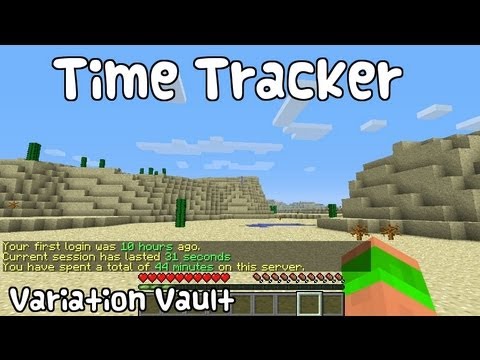
TimeTracker is a plugin that tracks when players log in and out of your server. This plugin fetches and stores this information, and makes it easily available, through the use of two simple commands, one designed for staff, to get detailed information about anyone, the other designed with the average player in mind, providing access to that player's data.
Features
- Stores exact time of first login, last logout and total playtime.
- Nice, intuitive display of time passed.
- Permissions support for both commands
Commands
- /seen – Provides all the stored data about a player.
- /playtime – Provides information about the issuing player.
Permissions
- timetracker.seen – Gives access to /seen. Defaults to OP only.
- timetracker.playtime – Gives access to /playtime. Defaults to true.
Upcoming Features
- Database support
- Multiple languages
- Optional verbose output
Curse Spotlight
Thanks to Xenius01 over at Curse, they have featured the plugin in one of their weekly spotlights.
Contributed video
Source Code
The latest sources are always available at my GitHub.



Add a comment