


 Get 0.05 TON 💎
Earlier Versions
| Name | Size | Uploaded | Game Version | Downloads | |
| Light Chat Bubbles v4 release | 6.85 KB | Sep 29, 2018 | 1.13 | 11,180 |  Download Download |
| Light Chat Bubbles v3 release | 7.51 KB | Jul 26, 2017 | 1.12 | 3,687 | Download |
| Floating Chat v2 release | 7.47 KB | Jul 24, 2017 | 1.12 | 653 | Download |
| Floating Chat v1 release | 8.03 KB | Jul 24, 2017 | 1.12 | 286 | Download |
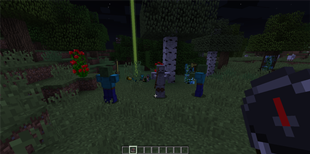
Screenshots

Description
(simply, the best)
Like other MMO's, Light Chat Bubbles plugin (formerly FloatingChat) buffers your messages and sticks them with text labels above your head for a while… it doesn't require any heavy libary and is extremely lightweight and fast
If you used to play other games with chat bubbles, find hard to know where your friends are talking from, feel annoyed of being watching world and chat window everytime, miss some important messages, or simply like chat bubbles but haven't find a light and good plugin, then this one is for you.

Follow this project to get update notifications.
Features:
– Feels vanilla, like if it were bundled with minecraft
– Extremely lightweight, little more than 100 lines of code, about 7kb total
– Lightning fast responsive due the same reason
– Simple, clean, beautiful and efficient at max
– Pure bukkit api, no nms, reflection, packets or dependencies, made solely with creativity
– Plug and play, just put it into your plugins folder, restart|reload your server and watch it work immediately
– Server side configurable
More info:
I just finished the plugin and i wanted to share with you, soon i will continue publishing the gpl'ed source code and shaping this page (done -> here) … not known bugs yet, but note that currently is not possible to make per player configurations as entities are viewed by everyone in the server.
To install the plugin just copy/move the .jar to <craftbukkit folder>/plugins/ and restart/reload the server. To configure read and edit the generated configuration file and restart/reload the server again to apply.
¡Viva Chile!



Add a comment